Exit
  • Global community
    • Language:
      • Deutsch
      • English
      • Español
      • Français
      • Português
  • 日本語コミュニティ
  • 한국 커뮤니티
0

How to update warped object image

New Here ,
Mar 04, 2021 Mar 04, 2021

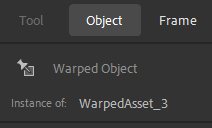
I'm completely new to Adobe Animate. I was wondering if it's possible to update a image so that all the frames change even though I've been warping the image.


ProX5E47_1-1614872897141.png

ProX5E47_0-1614872769461.png


Nothing happens if I update the "source" img in the library. Probably because it's changed to a warpedAsset.


1.2K
Translate
Report
Community guidelines
Be kind and respectful, give credit to the original source of content, and search for duplicates before posting. Learn more
community guidelines

correct answers 1 Correct answer

Community Expert , Mar 04, 2021 Mar 04, 2021

True. A Warped Image Asset is different from a Symbol whereas you can't edit the original art once it has been converted to a Warped Asset. It's unfortunate but the way it is. 
One work-around would be to duplicate the asset before applying the warp tool and create as many duplicate symbols as needed, make your changes by editing them, then swap symbol assets when needed.

Translate
New Here ,
Mar 04, 2021 Mar 04, 2021

If I update the img that I've only put a motion tween on everything works just fine and the whole animation changes.

After warping a img it looks like I have to go through every img 1 by 1.


P.S. I'm sorry if I'm unclear, English is not my native language 😕

Translate
Report
Community guidelines
Be kind and respectful, give credit to the original source of content, and search for duplicates before posting. Learn more
community guidelines
Community Expert ,
Mar 04, 2021 Mar 04, 2021
LATEST

True. A Warped Image Asset is different from a Symbol whereas you can't edit the original art once it has been converted to a Warped Asset. It's unfortunate but the way it is. 
One work-around would be to duplicate the asset before applying the warp tool and create as many duplicate symbols as needed, make your changes by editing them, then swap symbol assets when needed.


Animator and content creator for Animate CC
Translate
Report
Community guidelines
Be kind and respectful, give credit to the original source of content, and search for duplicates before posting. Learn more
community guidelines