
melissamatteson98
Participant
April 30, 2018
Question

Jagged drawing when I use my tablet

  • April 30, 2018
  • 2 replies
  • 648 views

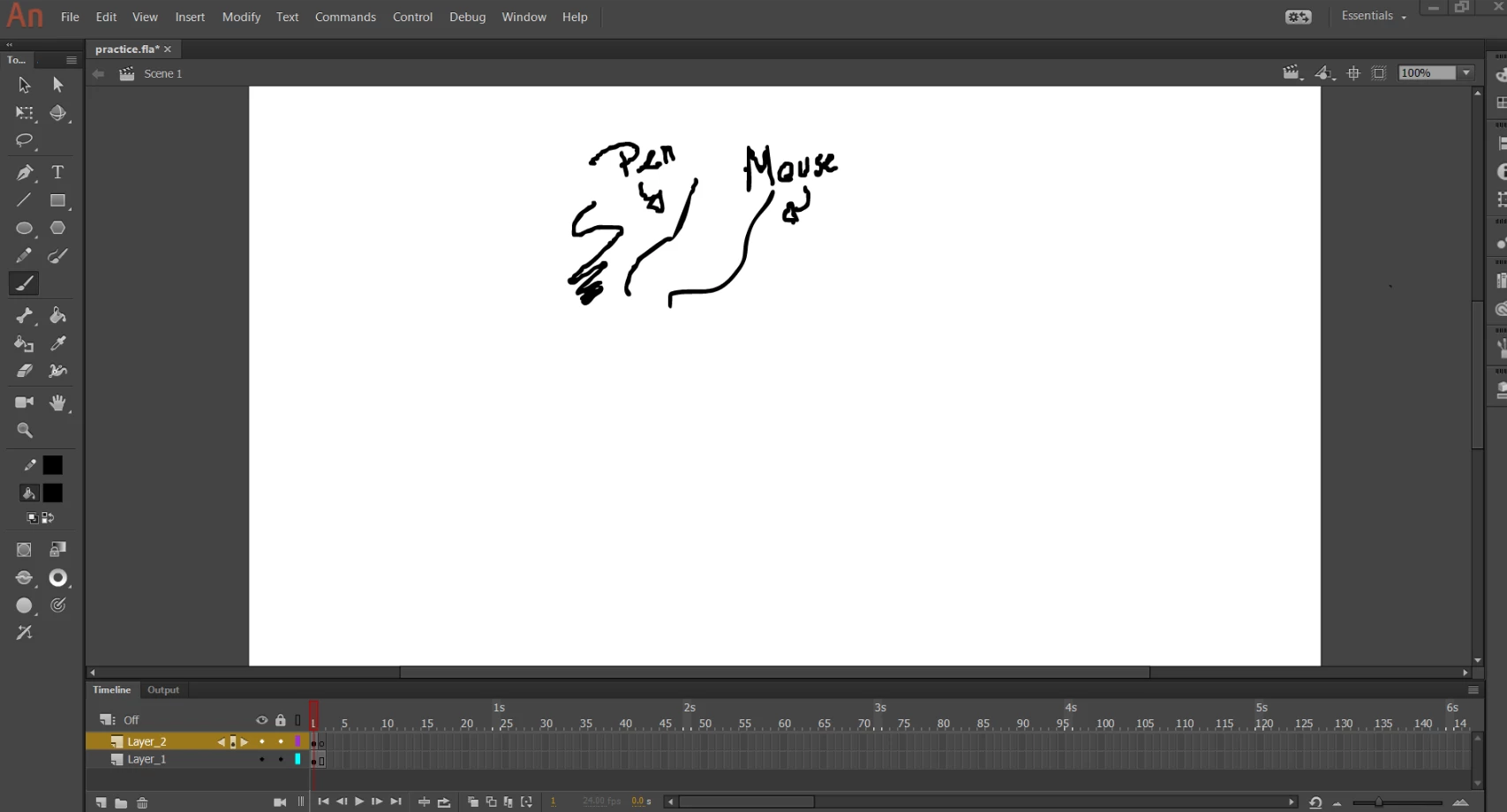
not as noticeable in Photoshop but anyway, I use a monoprice 10x6.25 and its been fine on all other programs but when I use adobe stuff specifically Animate, I get these horridly jagged lines. It's not that way when I use a mouse. Anyone know whats up? I've been fiddling with the drawing settings, making the smooth curves even higher, setting the brush settings to be smoother but even when it smooths it out it just keeps some of that jagged nonsense it started with. I have uninstalled old tablet drivers and installed the most recent one.
This topic has been closed for replies.

2 replies

Community Expert
May 2, 2018

Have you worked with you property settings on the brush tool. You can adjust the smoothing. 40 to 50 percent seems to be the best.

melissamatteson98
Participant
June 21, 2018

I have tried it on 40, 50, 60, 70 and It gets smoothed out better the longer the stroke (also the less detail the stroke has so no drawing a whole hand with one line or else it gets more jagged) It does not fix it unfortunately and is very frustrating when i want to do detail

Preran
Community Manager
Community Manager
May 2, 2018

Which tablet are you using for this purpose? Can you provide us with more info on the OS and its version?

There are a few issues on Surface Pro that are being investigated for a fix by the team.

Community Expert
May 2, 2018
melissamatteson98
Participant
June 21, 2018