

Chuck Uebele
Community Expert
Community Expert
November 27, 2010
Answered

Library symbols and debugging error

  • November 27, 2010
  • 1 reply
  • 2110 views

I'm using

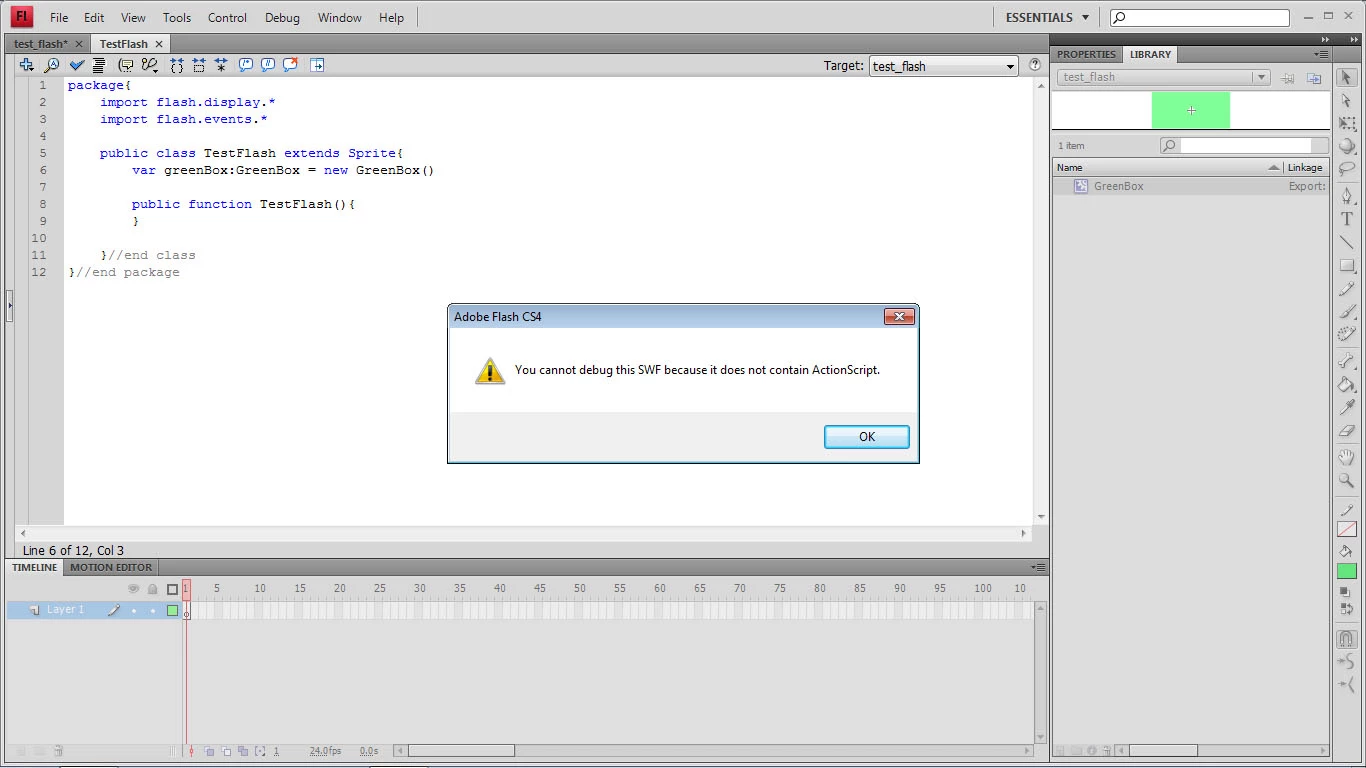
Flash CS4 with Win7 and if I create a movieclip symbol in an FLA file such class name such as GreenBox. When I put the following line into my actionscipt 3.0 code, I get the error: "You cannot debug this swf because it does not contain actionscript.  The line of code is:

var greenBox:GreenBox = new GreenBox();

Any ideas what's going on.  Never had these problems with CS3 and Win XP.

I did double check to see if I had the debugger version on Flash Player.
This topic has been closed for replies.
Correct answer kglad

Here's the error I get:


create a new directory that has no subdirectories.  save your fla into that directory and give it a new name (save as..).  save your document class into the same directory.  retest.

if you still have the same error, copy and paste it into google and see if something works for you.

1 reply

kglad
Community Expert
Community Expert
November 27, 2010

you probably have a document class error but there are a variety of errors that can trigger that error message.  to debug, start removing /commenting out blocks of code.

Chuck Uebele
Community Expert
Community Expert
November 27, 2010

Below is all that's in the code.  If I take out the line variable declaration line, I don't get the error, if it's in I get it.

package{
import flash.display.*
import flash.events.*

public class TestFlash extends Sprite{
  var greenBox:GreenBox = GreenBox()
 
  public function TestFlash(){
  }
 
}//end class
}//end package

kglad
Community Expert
Community Expert
November 27, 2010

and you have an error.  use:


package{
import flash.display.*
import flash.events.*

public class TestFlash extends Sprite{
  var greenBox:GreenBox = new GreenBox()
 
  public function TestFlash(){
  }
 
}//end class
}//end package