

Lorenzo252793803g4b
Participant
February 18, 2024
Answered

My lip sync animation is glitching but I can’t find what’s wrong with it.

  • February 18, 2024
  • 3 replies
  • 350 views

This would happen before, but only ever in short bursts. This one is staying now for some reason. At first i thought it was just a visual bug, but it

It even appears after I exported it
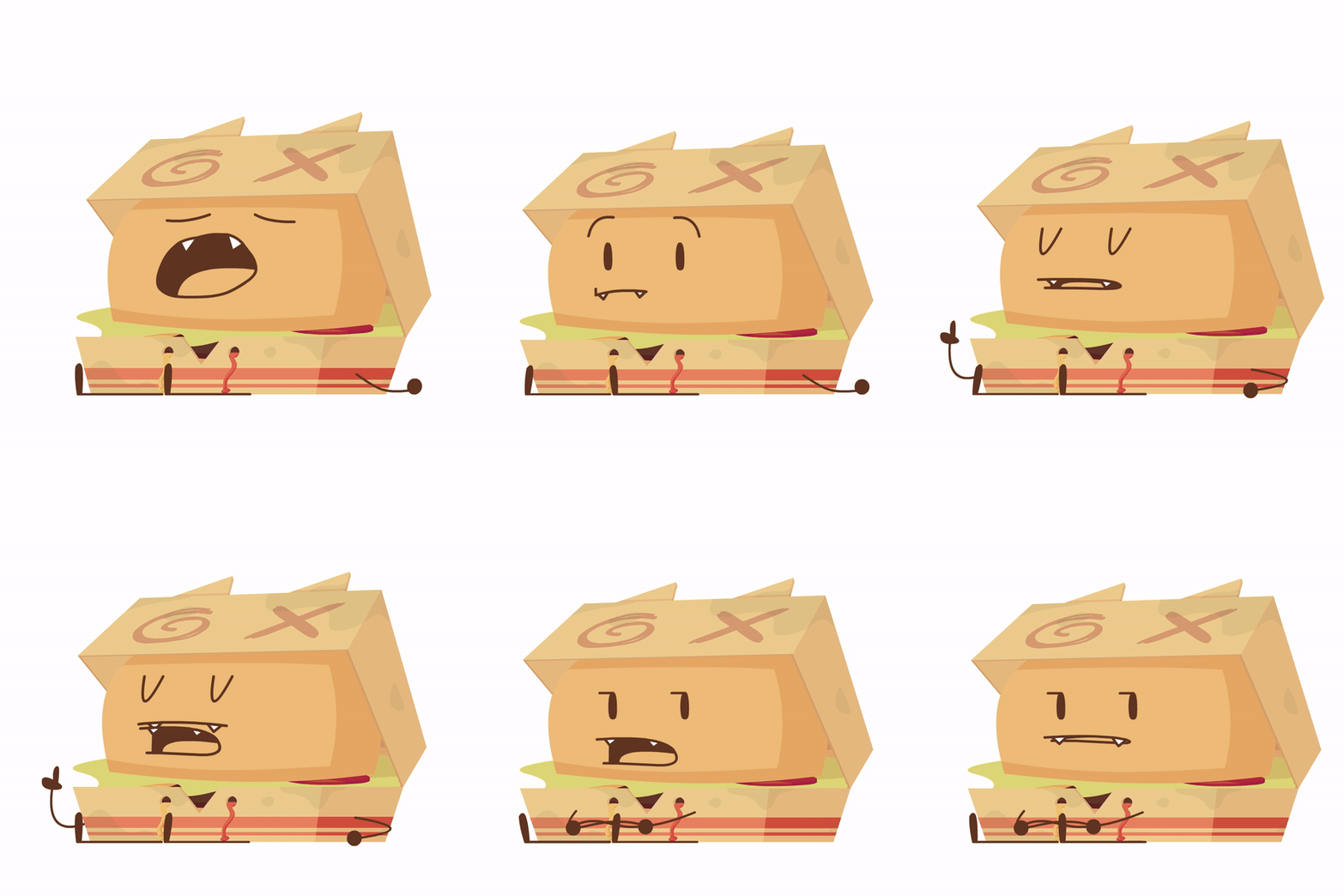

I had to convert a snippet of the animation into a gif, which unfortunately caused it to be choppier than the original, but afew frames can be seen showing 2 mouth parts simultaneously. When I checked to see what happened in its symbol, it suddenly started playing normally. If anyone can help me I would be very greatful.

This topic has been closed for replies.
Correct answer kglad

in the future, to find the best place to post your message, use the list here, https://community.adobe.com/

p.s. i don't think the adobe website, and forums in particular, are easy to navigate, so don't spend a lot of time searching that forum list. do your best and we'll move the post (like this one has already been moved) if it helps you get responses.


<"moved from using the community">

3 replies

kglad
Community Expert
kgladCommunity ExpertCorrect answer
Community Expert
February 19, 2024

in the future, to find the best place to post your message, use the list here, https://community.adobe.com/

p.s. i don't think the adobe website, and forums in particular, are easy to navigate, so don't spend a lot of time searching that forum list. do your best and we'll move the post (like this one has already been moved) if it helps you get responses.


<"moved from using the community">
Lorenzo252793803g4b
Participant
February 19, 2024

Adobe animate 

kglad
Community Expert
Community Expert
February 19, 2024

are all your symbols graphics, not movieclips?

kglad
Community Expert
Community Expert
February 18, 2024

which app?