Inspiring
Feb 20, 2022 7:00 PM UTC
Answered

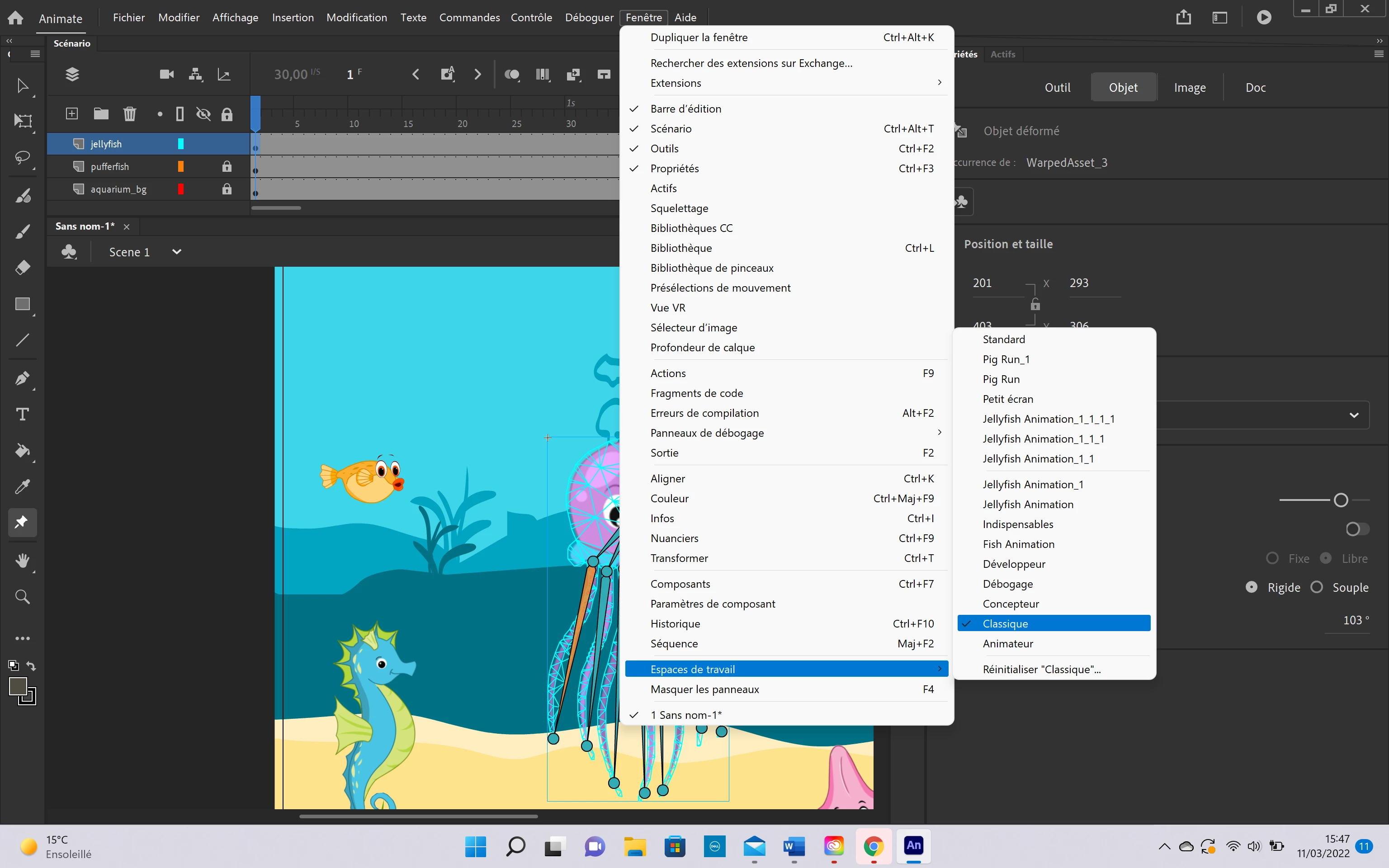
No distorsion options
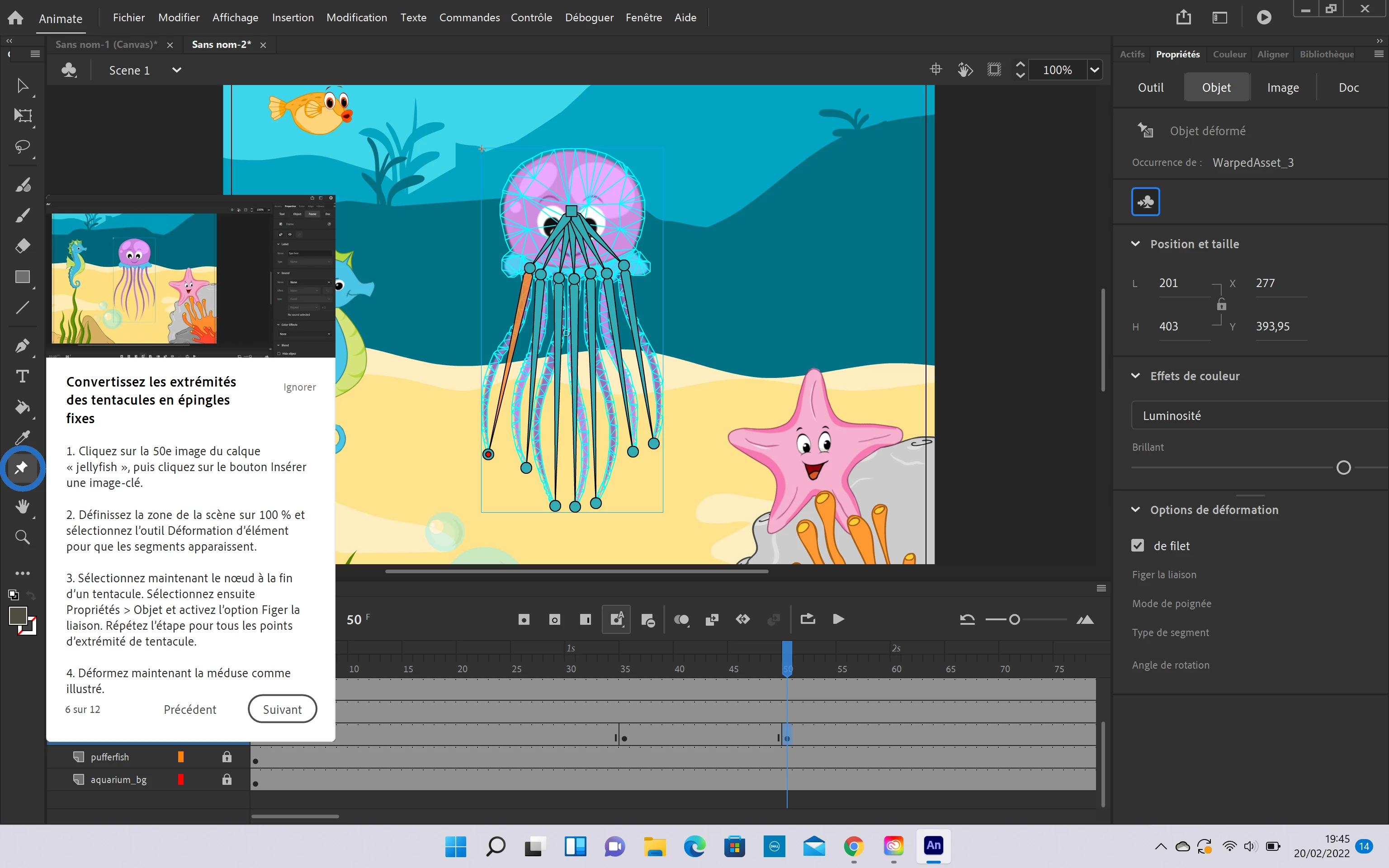
 

I don't have the same distorsion options than in the tutorial on the screenshot, I don't why, can you help me ? Therefore I can't follow the tutorial. 


Thank you 

 

This topic is closed to new replies. Start a new post to keep the conversation going.
Noé5CBACorrect answer
Inspiring
Mar 11, 2022 2:48 PM UTC

Here is what I did, I hope it will work. Frenkly, you have to do something, everytime I use an Adobe software I have stupid problems like this 


13 replies

Noé5CBAAuthor
Inspiring
Mar 11, 2022 2:30 PM UTC

Why does the most important option in the whole application is in grey x)


Translate
Noé5CBAAuthor
Inspiring
Mar 11, 2022 2:31 PM UTC

The "distorsion (=déformer in french) option"

Translate
Noé5CBAAuthor
Inspiring
Mar 11, 2022 2:29 PM UTC

Up, Help Adobe, You create an animation application that we can't use properly, it is very annoying 

Translate
Community Expert
Feb 26, 2022 1:41 AM UTC

Try those tutorial. 


https://www.youtube.com/watch?v=iUA1inb9S8Y

Translate
Noé5CBAAuthor
Inspiring
Mar 10, 2022 10:42 AM UTC

Thank you for your answer

Translate
kglad
Community Expert
Community Expert
Feb 21, 2022 2:54 PM UTC

create a custom setting (eg, a custom keyboard shortcut)

reset all your preferences per the bottom of, https://helpx.adobe.com/animate/using/set-preferences.html

check that your custom setting was reset

if it was, does that solve the problem?

Translate
Noé5CBAAuthorCorrect answer
Inspiring
Mar 11, 2022 2:48 PM UTC

Here is what I did, I hope it will work. Frenkly, you have to do something, everytime I use an Adobe software I have stupid problems like this 


Translate
kglad
Community Expert
Community Expert
Mar 11, 2022 4:27 PM UTC

these are user-to-user forums.


if you want to make a comment to adobe, use this https://www.adobe.com/products/wishform.html

Translate