
StefanStockinger
Participant
May 2, 2018
Answered

Part of viewport not refreshing

  • May 2, 2018
  • 1 reply
  • 396 views

Hello!

I couldn't find anything on the internet concerning my problem. A part of the viewport is black and doesn't refresh when I pan around. Here's a screenshot. This is only one blue rectangle on the artboard. It doesn't refresh properly.
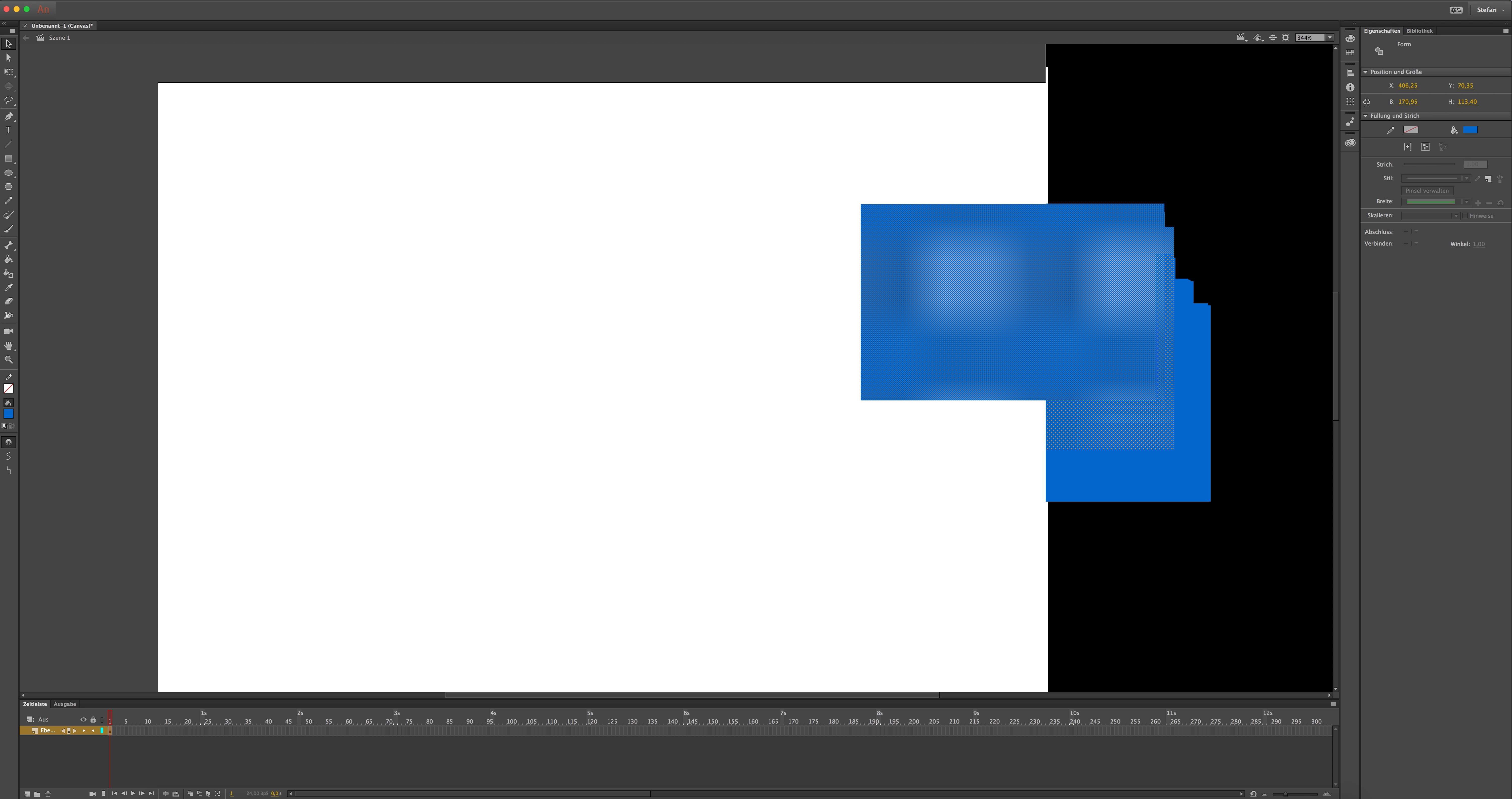
One thing I managed to work out is, that this happens only if the viewport width is somewhat over 2000px. So if you make the program window smaller you can work properly with it. But that's not the definitive solution in my opinion.

I'm having a macbook pro 15" late 2016, Radeon Pro 460, macOS 10.13.4, Animate is updated to the latest version.

    This topic has been closed for replies.
    Correct answer UDESCO

    Hi Stefan,

    We are already aware of this issue and there is an internal bug open for investigating this. I was only suggesting a workaround to help you get it working.

    1 reply

    UDESCO
    Adobe Employee
    Adobe Employee
    May 2, 2018

    Your display seems to be set at a very high resolution.

    Can you try reducing the Display Resolution from System Preferences > Display, and then relaunch Animate and confirm if the problem still persists.

    StefanStockinger
    Participant
    May 2, 2018

    Thank you for the quick answer.

    My screen resolution is 3008x1692, if I drop down to let's say 2048x1152 the problem doesn't exist, but as I mentioned above, the problem only exists when the viewport width is over approx. 2000px (which of course isn't possible when the display width is set to just a couple of pixels more than that).

    UDESCO
    Adobe Employee
    UDESCOCorrect answer
    Adobe Employee
    May 4, 2018

    Hi Stefan,

    We are already aware of this issue and there is an internal bug open for investigating this. I was only suggesting a workaround to help you get it working.