
Known Participant
March 20, 2020
Answered

Playing frames in reverse
  • March 20, 2020
  • 2 replies
  • 12971 views

Hey


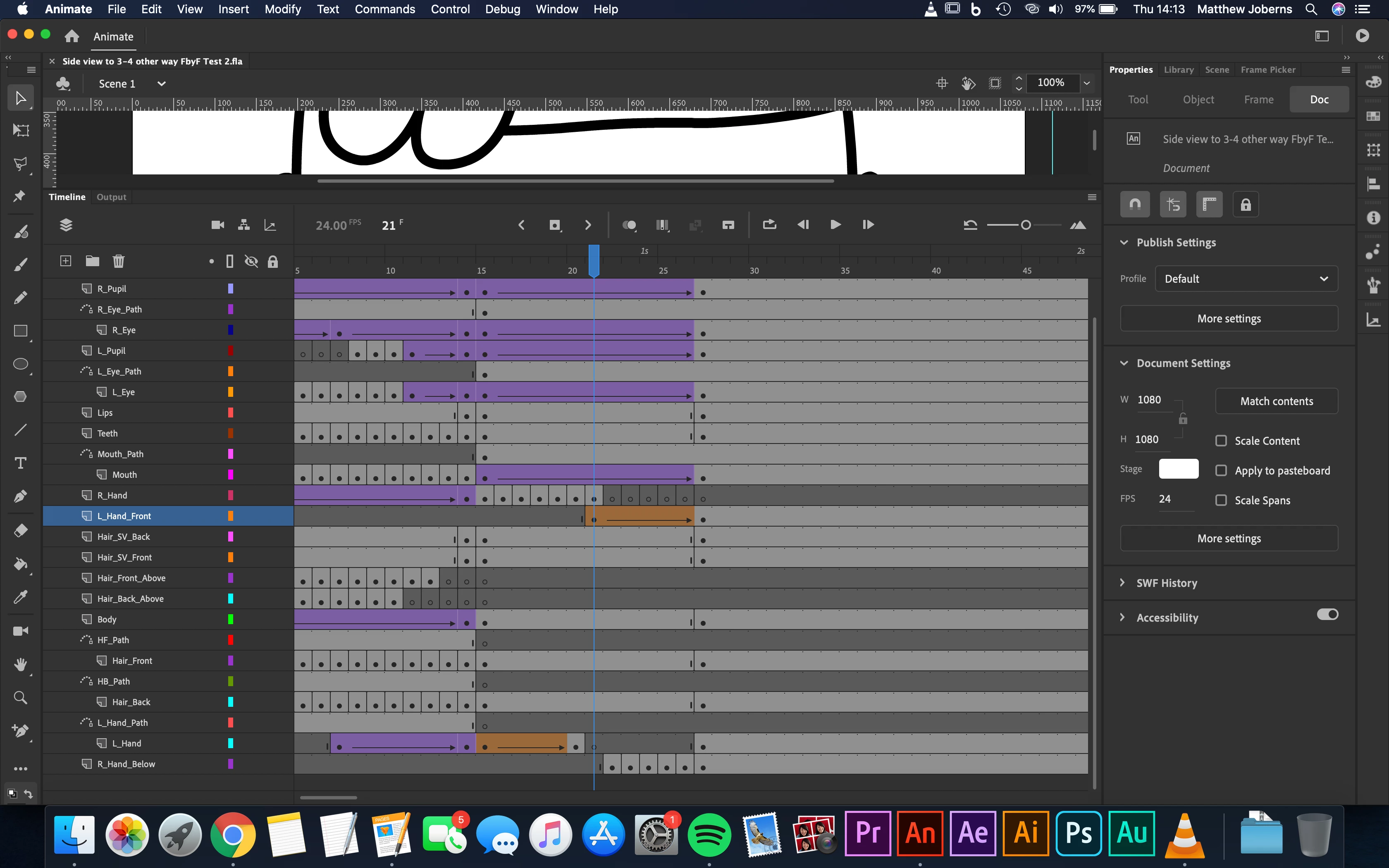
Ive got this animation of a full body turn and i want it to still go the way it is but when it gets to the last frame then go back. Im thinking i will need to copy all the frames i have at the moment to the end of the body turn but then i dont know how to get them like switch potions in the timeline so it plays in reverse


Thanks

    This topic has been closed for replies.
    Correct answer _keyframer

    What I do is select all frames/layers, click and drag while holding down the option key to dupliacte them further down the timeline. Convert the tweens to keyframes. Select the range of frames/layers again, right click and select "Reverse Frames". Now you have a mirror "image" of your initial animation.

    2 replies

    _keyframer
    Community Expert
    _keyframerCommunity ExpertCorrect answer
    Community Expert
    March 20, 2020

    What I do is select all frames/layers, click and drag while holding down the option key to dupliacte them further down the timeline. Convert the tweens to keyframes. Select the range of frames/layers again, right click and select "Reverse Frames". Now you have a mirror "image" of your initial animation.

    Animator and content creator for Animate CC
    Community Expert
    March 20, 2020

    This is what I  usually do to keyframer 

    Legend
    March 20, 2020

    Select the span of keyframes you want to reverse, right-click on them, and select Reverse Frames.