Answered
Problem when i start to draw, my visual object is strange
When I start drawing the object looks strange and when I pick up the pen from the tablet everything looks fine.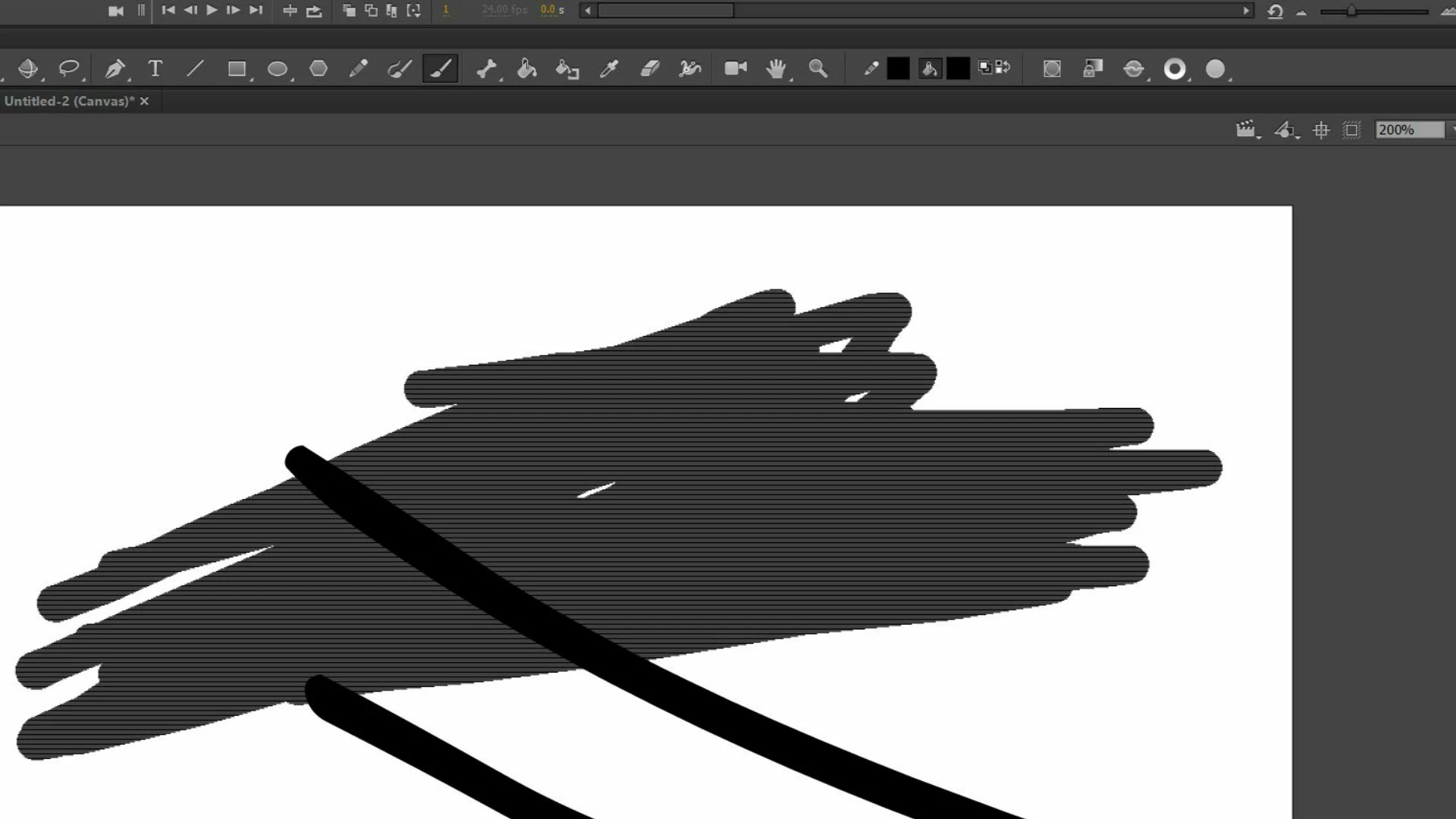
It should be a solid color but it is not.
Viewed as horizontal lines.

When I start drawing the object looks strange and when I pick up the pen from the tablet everything looks fine.
It should be a solid color but it is not.
Viewed as horizontal lines.
The resolution of the monitor is 2560 x 1440.
The problem is still there on monitor with the same resolution.
I tried to connect monitor with resolution 1920 x 1080 and everything was ok.
Is it can be a problem with the graphic card?
No, I should say no problem.
Just the resulting visual error.
This is caused by the display of the display too dense.
The film produced will not be affected.
It's just awkward to watch when you're making it.
Already have an account? Login
Enter your E-mail address. We'll send you an e-mail with instructions to reset your password.
 AdChoices