Known Participant
July 2, 2021
Answered

publishing air apk with videos

  • July 2, 2021
  • 5 replies
  • 2425 views

Hi, i created an Air App, using more than 1 video in diferent layers,


the app has buttons to show and play the videos.

when tested in Air for mobile all videos are shown and played.


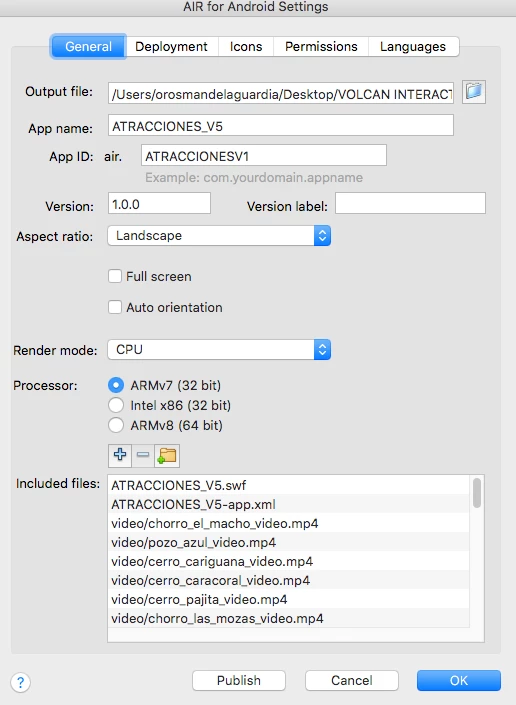
When publishing I add the video files links on the AIR for andoid settings. at Included files.

When installed on the android device only 1 video is visible.


Attached settings image. 

appreciate any help!


thanks!
 

    Correct answer kglad

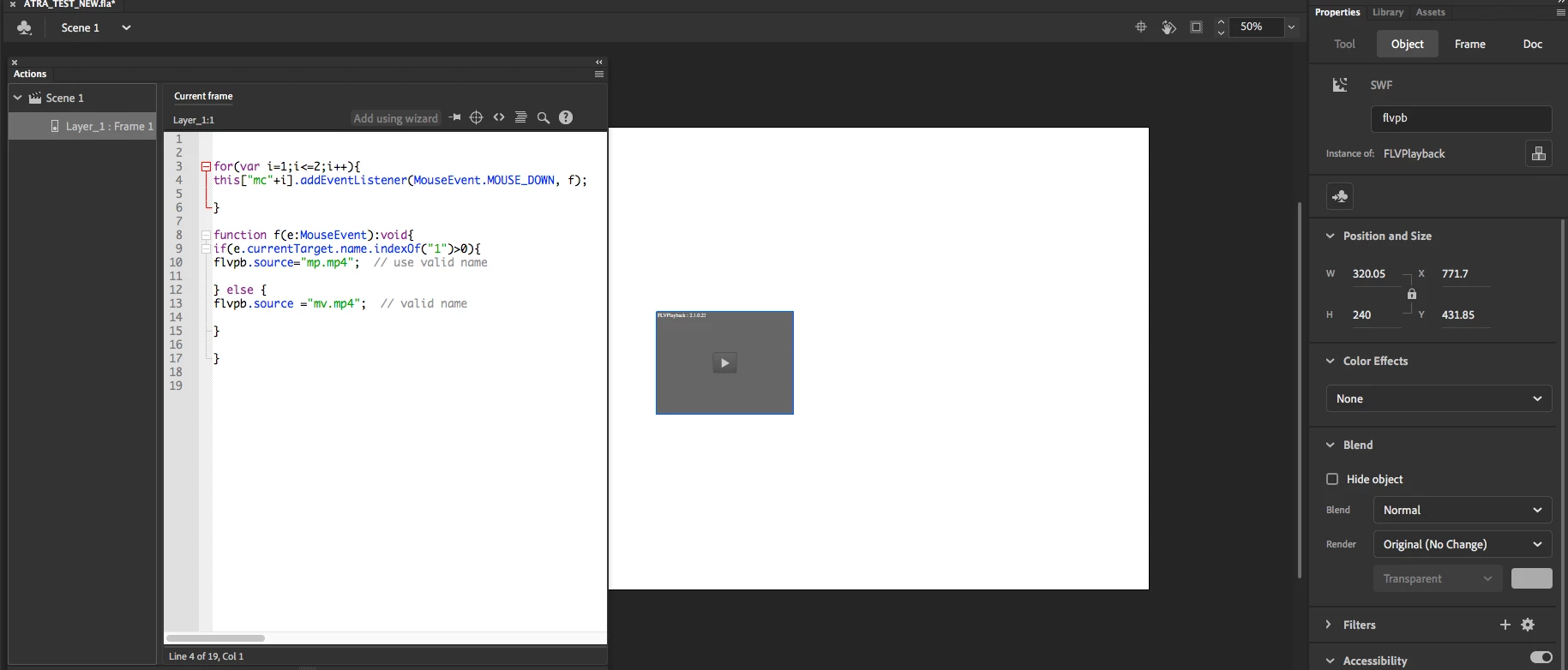
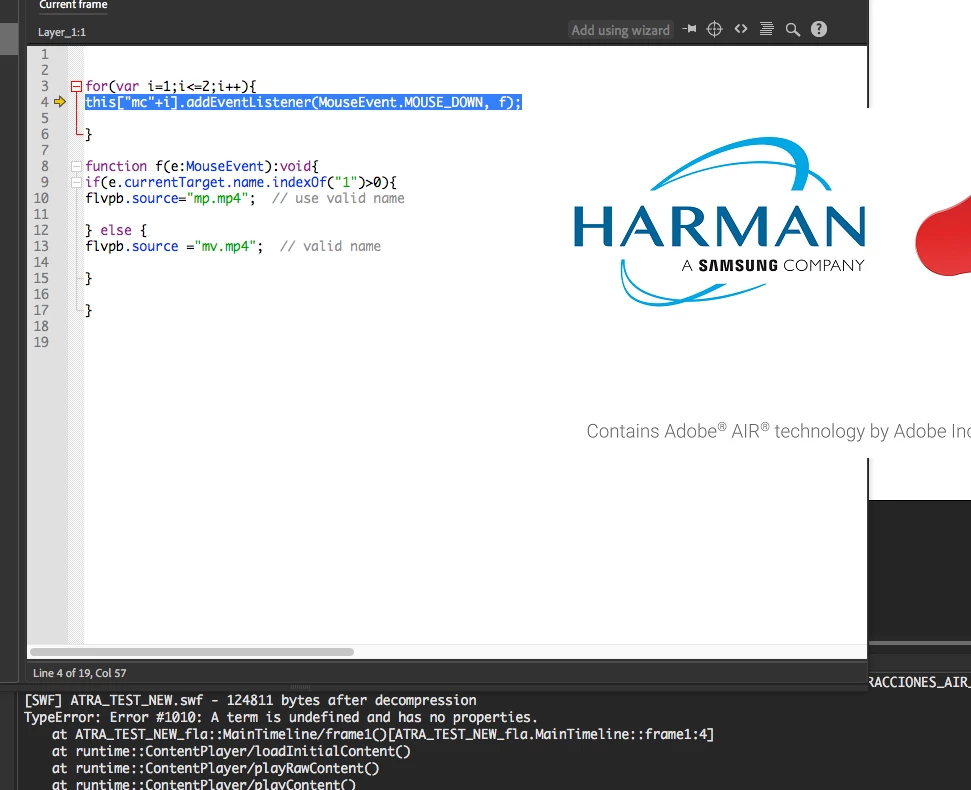
    This is a screenshot of the setup, ant the error i get whn i test.


    mc1 and mc2 are instance names of two movieclips on stage 

    5 replies

    Participant
    April 2, 2022

    I am a newbie and I am having the same problem.

    kglad
    Community Expert
    Community Expert
    April 2, 2022

    which is what?

    oro1985Author
    Known Participant
    July 4, 2021

    Here is the code im using:

    LA_INDIA.visible = false;
    
    background_slider.button_LA_INDIA.addEventListener (MouseEvent.CLICK, play_LA_INDIA);
    
    function play_LA_INDIA(event:MouseEvent):void
    
    {
      LA_INDIA.visible = true
      LA_INDIA.la_india_dormida_video.play();
    }
    
    background_slider.seeatt_LA_INDIA.CHORRO_LINK_1.addEventListener (MouseEvent.CLICK, play_LA_INDIA_2);
    
    function play_LA_INDIA_2(event:MouseEvent):void
    
    {
      LA_INDIA.visible = true
      LA_INDIA.la_india_dormida_video.play();
    }
    
    LA_INDIA.back_LA_INDIA.addEventListener (MouseEvent.CLICK, back_LA_INDIA);
    
    function back_LA_INDIA(event:MouseEvent):void
    
    {
    	LA_INDIA.la_india_dormida_video.stop();
    	LA_INDIA.la_india_dormida_video.seek(0)
    	LA_INDIA.anim_LA_INDIA.gotoAndStop(1);
    	LA_INDIA.visible = false
    	menu_inicial.gotoAndStop(1);	
    }
    
    LA_INDIA.stop_LA_INDIA.addEventListener(MouseEvent.CLICK, stop_LA_INDIA);
    
    function stop_LA_INDIA(event:MouseEvent):void
    {
    	LA_INDIA.la_india_dormida_video.pause();
    }
    
    LA_INDIA.play_LA_INDIA.addEventListener(MouseEvent.CLICK, play_LA_INDIA_3);
    
    function play_LA_INDIA_3(event:MouseEvent):void
    {
    	LA_INDIA.la_india_dormida_video.play();
    }
    kglad
    Community Expert
    Community Expert
    July 5, 2021

    here i made the test with only the 2 videos on the canvas.  get this error.  Probably i dont understand where i should add the mc1, mc2

    Im writing that on the Instance name box for each flvpb component.


    1. you should have only one flvplayback component on stage.  put nothing in its parameter panel.  it'll play the correct video using code.  that's the point.  


    2. which ever instance you allow on stage, it needs that instance name, flvpb


    2.  put mc1 and mc2 anywhere.  they exist just for demo purposes.  it isn't necessary to use movieclips/buttons to play different videos.  it's just a quick easy way to demo how using code will play different videos using one flvplayback instance.

    oro1985Author
    Known Participant
    July 3, 2021
    hi here example of the code:

    //1-EL MACHO

    EL_MACHO_VIDEO.visible = false;

    background_slider.button_1.addEventListener (MouseEvent.CLICK,
    FunctionName);

    function FunctionName(event:MouseEvent):void

    {
    EL_MACHO_VIDEO.visible = true
    EL_MACHO_VIDEO.movieClip_8.play();
    }

    background_slider.seeatt_chorro.CHORRO_LINK_1.addEventListener
    (MouseEvent.CLICK, openatt_1);

    function openatt_1(event:MouseEvent):void

    {
    EL_MACHO_VIDEO.visible = true
    EL_MACHO_VIDEO.movieClip_8.play();
    }

    EL_MACHO_VIDEO.back_chorro.addEventListener (MouseEvent.CLICK,
    FunctionName3);

    function FunctionName3(event:MouseEvent):void

    {
    EL_MACHO_VIDEO.movieClip_8.stop();
    EL_MACHO_VIDEO.movieClip_8.seek(0)
    EL_MACHO_VIDEO.info_anim.gotoAndStop(1);
    EL_MACHO_VIDEO.visible = false
    menu_inicial.gotoAndStop(1);
    }

    EL_MACHO_VIDEO.stop_macho.addEventListener(MouseEvent.CLICK,
    fl_ClickToPauseVideo);

    function fl_ClickToPauseVideo(event:MouseEvent):void
    {
    EL_MACHO_VIDEO.movieClip_8.pause();
    }

    EL_MACHO_VIDEO.play_macho.addEventListener(MouseEvent.CLICK,
    fl_ClickToPlayVideo_4);

    function fl_ClickToPlayVideo_4(event:MouseEvent):void
    {
    EL_MACHO_VIDEO.movieClip_8.play();
    }
    oro1985Author
    Known Participant
    July 3, 2021

    ive tried changing directory, reloading videos but i cant make it play more than 1 video.


    any help ewould be appreciated.  thanks!

    oro1985Author
    Known Participant
    July 2, 2021

    the only visible video is : video/cerro_pajita_video.mp4


    o