
Soundwave Not Showing in Adobe Animate CC
Does Anyone Else Have This Problem? And How do I Fix it?
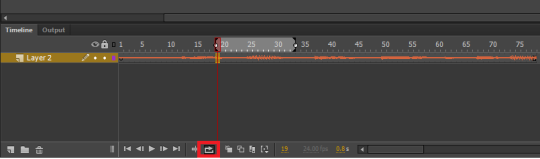
So, when you add sound to a project is Adobe Animate CC, it’s supposed to show a sound wave on your timeline, like this:
But when I add sound to any project, I get this:
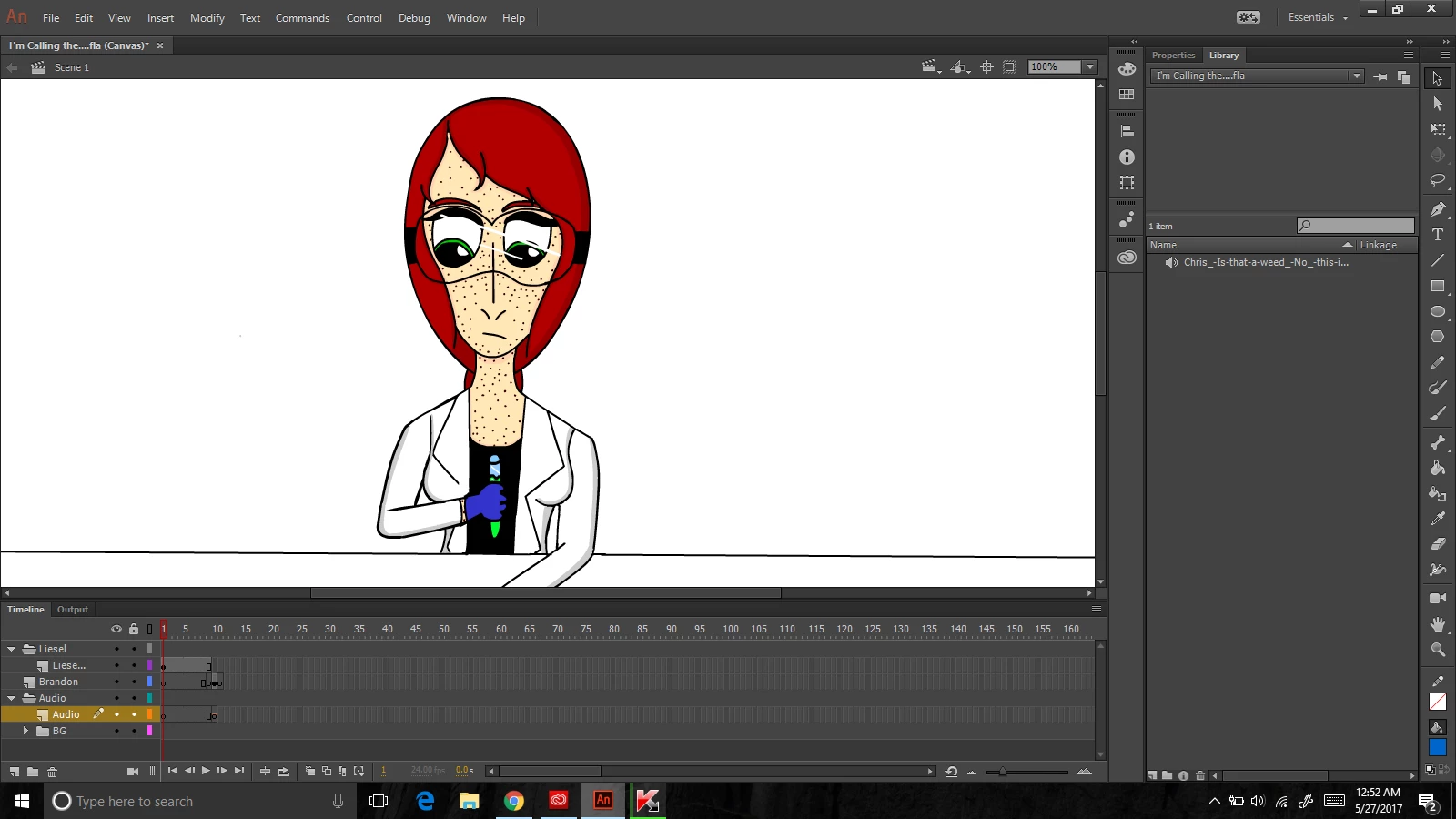
A tiny orange line above a single keyframe. And the line stays flat no matter how many frames or keyframes I add & no matter how many of those frames I add the audio to.
I tried uninstalling & re-installing the program, but that didn’t work. I also tried googling the error & searching the forums, but no matter how many times I tried, I couldn’t find anything about it or even remotely related to it. At first I thought it was because I was using the free trial version & that it might not have all the features. But when I actually bought the program, I still had the same problem.
I don’t want to add the audio in a second program, either, because that’s going to make lip-syncing a living nightmare.
Please. Does anyone know how to fix this?
 AdChoices