

Straight line at the start of strokes
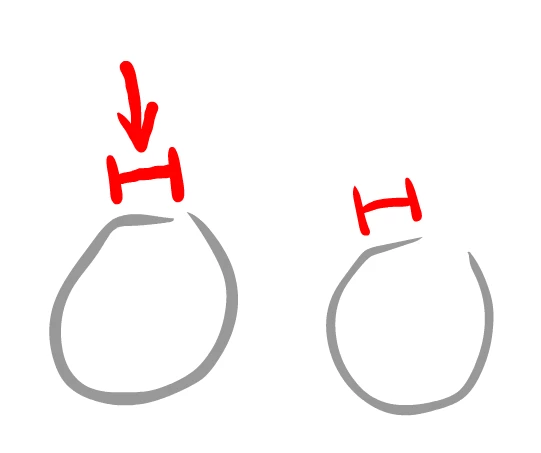
Hi all, I've been having a problem with drawing in adobe animate cc for a while with my tablet pc (samsung galaxy book). What happens is when i start a new line, i only really start drawing once i pass an invisible threshold around the contact point so lines end up being straight. the only way i can get around this is to draw extremely slowly, which makes long accurate strokes hard to do. Here is an example. The faster i draw, the bigger the straight portion of the line is. I have disabled press and hold to right click and flicks in my pen settings but i cant find a way to disable windows ink, which i don't want to do, because i use it anyway. I have been having this issue since the new windows ink work space was added to widows 10, and it's really messing up my art. Hope someone can help. Thanks!
Here are some links to people who i think have the same problem:
 AdChoices