
andreij0D4B
Known Participant
March 25, 2021
Question

Timeline controls

  • March 25, 2021
  • 1 reply
  • 241 views

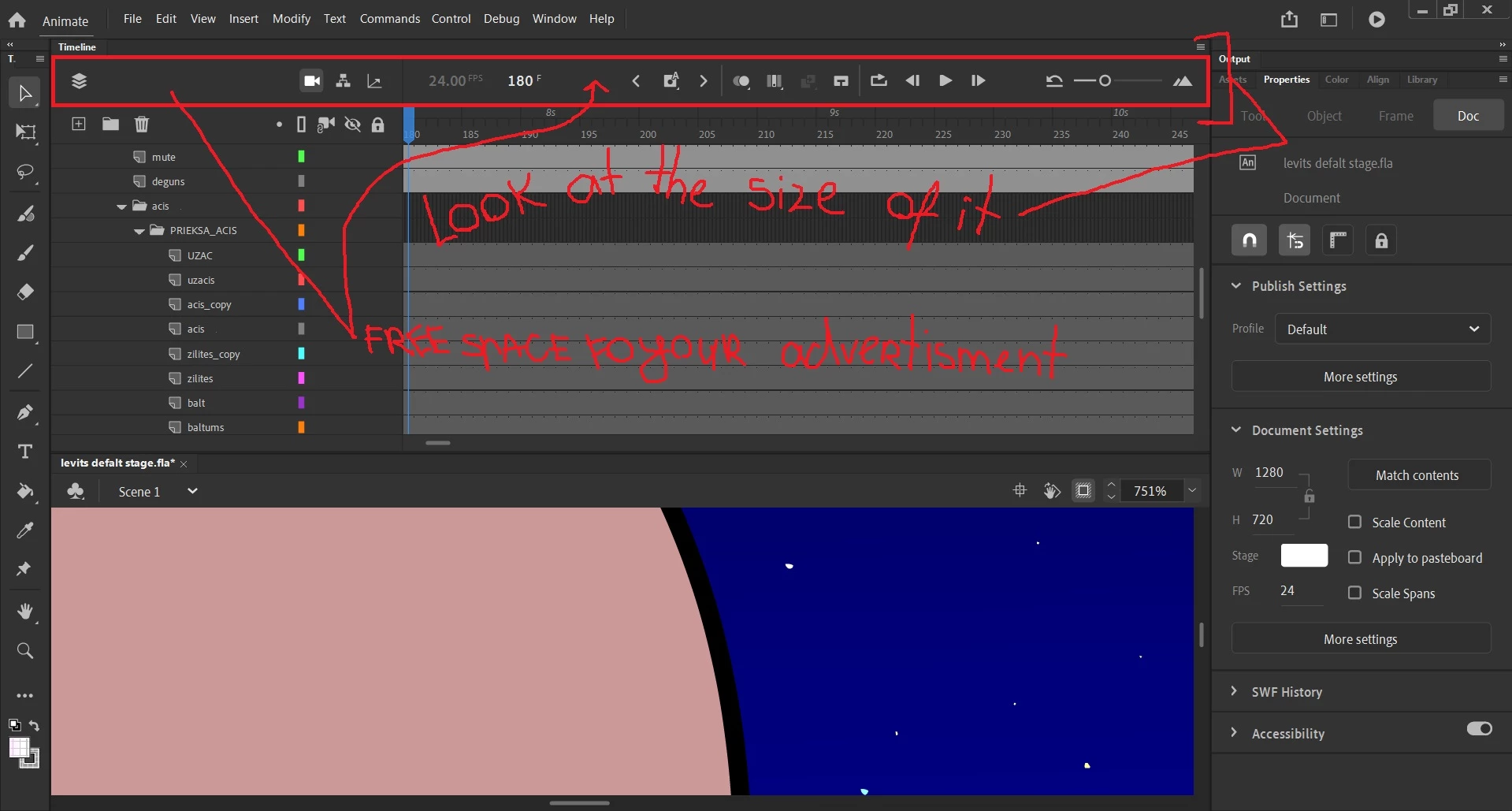
Hello. Im having couple of questions about timeline controls. Why its so big? Can I Hide it somehow with not hiding my layers in th same time. Or can I make it smaller?
Moved from Using the Community (which is about the forums) to the correct forum... Mod
To find a forum for your program please start at https://community.adobe.com/

This topic has been closed for replies.

1 reply

Mario_CR
Community Expert
Community Expert
March 25, 2021
  • Go to edit > preferences > edit preferences... in the General tab set UI appearence as Compact.
  • In the Timeline click the little hamburger menu in the top right and select Short.

You can also move the timeline controls to the bottom of the panel and add or remove tools from the same menu.


andreij0D4B
Known Participant
March 26, 2021

Yes but you cant hide timeline controls or make it smaller thats it


Mario_CR
Community Expert
Community Expert
March 29, 2021

I know, that's as small as it gets.  You can tear the timeline and place it vertically though or have it on a second monitor to maximize your drawing space.