
Participating Frequently
January 5, 2023
Answered

When I use a brush from brush library, Animate does not respond

  • January 5, 2023
  • 4 replies
  • 4356 views

Hi guys! I just started using Adobe Animate, so new user here 🙂
I wanna use some different brushes, but everytime I paint with a brush from brush library, Animate just lags and the message "adobe animate is not responding" appears, then I have to close it and open it again. It's really annoying and I have no idea how to fix this issue 😕😕

My computer is new and I'm convinced this isn't a problem from the system, so I'm here to find out if this happens to anyone else and how this is fixed.
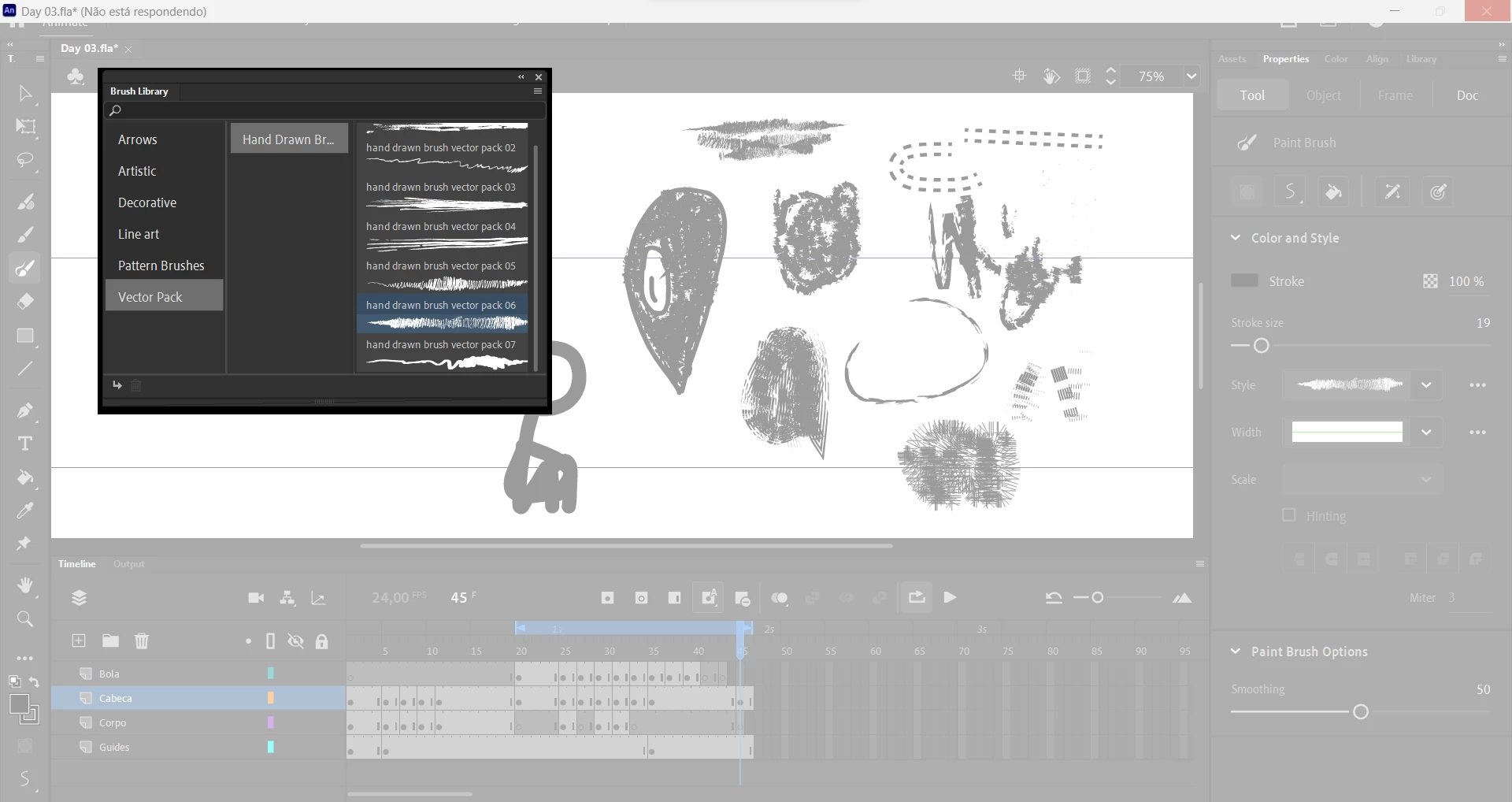


Addicionally, I'd like to know if there's any way to dowload presets for brushes instead of using Adobe's. I searched for it, but didn't find anything.


Thank you for reading it!

This topic has been closed for replies.
Correct answer _keyframer

Using those artistic stroke brushes is an accumulative resource issue. The more strokes you create with them, the more Animate uses system resources to cache them - at least that's what it can feel like to me. I have experienced some brushes tend to cripple the fastest CPUs faster than others while some brushes seem to fine overall. The fact is, these are vector strokes that are trying to look like raster brushes and they are simoply complicated objects that require resources from the CPU to draw. The more strokes drawn, the more resources it takes. I'm on an M1 running Ventura and Animate seems to do fine using some brushes sparingly while others will lag from the moment I stop drawing so that they can actually render themselves on the stage. I will even get the beachball to spin after a short while. 
I wish Animate handles the rendering of brush strokes better but I also find switching to View > Fast can help. Moho software does this automatically as it is also a vector drawing/animating application but when authoring artwork using the tools, the preview is auto-aliased to avoid the lag caused by a high CPU-demand. I'm sure my technical knowledge of what's happening behind the scenes is slightly off but overall, these brushes you're using are simply demanding too much from the computer to render with each added stroke.
If you use the regular Brush tool, it's much more responsive.

4 replies

_keyframer
_keyframerCorrect answer
Community Expert
January 9, 2023

Using those artistic stroke brushes is an accumulative resource issue. The more strokes you create with them, the more Animate uses system resources to cache them - at least that's what it can feel like to me. I have experienced some brushes tend to cripple the fastest CPUs faster than others while some brushes seem to fine overall. The fact is, these are vector strokes that are trying to look like raster brushes and they are simoply complicated objects that require resources from the CPU to draw. The more strokes drawn, the more resources it takes. I'm on an M1 running Ventura and Animate seems to do fine using some brushes sparingly while others will lag from the moment I stop drawing so that they can actually render themselves on the stage. I will even get the beachball to spin after a short while. 
I wish Animate handles the rendering of brush strokes better but I also find switching to View > Fast can help. Moho software does this automatically as it is also a vector drawing/animating application but when authoring artwork using the tools, the preview is auto-aliased to avoid the lag caused by a high CPU-demand. I'm sure my technical knowledge of what's happening behind the scenes is slightly off but overall, these brushes you're using are simply demanding too much from the computer to render with each added stroke.
If you use the regular Brush tool, it's much more responsive.

Animator and content creator for Animate CC
Participating Frequently
January 9, 2023

Thank you for your answer!

So there's no way to animate using different brushes on Animate? I really wanted to draw with a pencil-like brush (something like the photo attached), do you have any suggestions on how I could do that? 


Participating Frequently
January 10, 2023

Ok see the attached video. I chose some brushes that might work. I tried to emulate your style. The key here is, once you have drawn a body part, the brush strokes are just that: strokes. They use up a lot more resources than say shapes do (what the regular Brush tool creates when painting). So, once you have the drawing as you like it, I selected the area of the drawing (the head) and then converted the strokes to shapes from the menu (watch video). Then converted the shapes to a symbol and applied a very subtle Blur filter to it. 
This will still be a bit processor intensive, just not nearly as much as retaining the brush marks as strokes. 
I would nest everything in a symbol and then apply the Blur once on the prent timeline to avoid multiple keyframes that comntain the Blur filter as that can be VERY processor intensive also. Hope this helps.


Thank you very much, this helps a lot!! 

Community Expert
January 9, 2023

I use photoshop when I want to use brushes like you. I put everything I want to animate on separate layers and then import to animate, then I animate the layers. The brushes are too heavy for animate to process I don't know why they even put them in there. 

kglad
Community Expert
January 9, 2023

i don't see any problem using them.  are there particular steps that need to be taken to duplicate the problem?

Participating Frequently
January 9, 2023

Do you draw small details with them or do you use the brushes to draw everything? The problem starts when I try to (mainly) paint with the brush, because I wanted an specific effect for the painting of my character. Then Animate stops working.

Mario_CR
Community Expert
January 8, 2023

Custom brushes aren't meant for sketching but for small details and linear patterns. They're very heavy for the program to process which means they should be used sparingly.

Participating Frequently
January 9, 2023

Oh i see, that's unfortunate. Thank you!

kglad
Community Expert
January 5, 2023

remove your animate preferences:

uninstall animate cc including preferences per https://helpx.adobe.com/creative-cloud/help/uninstall-remove-app.html


Participating Frequently
January 7, 2023

hello! i tried it and it didn't work 😕😕


do you have any other suggestion? thanks for your answer btw!

kglad
Community Expert
January 7, 2023

are you using a mouse with your brushes, or a drawing tablet of some kind?