


Known Participant
July 18, 2020
Question

where is "Sync Setting" ? How to share shortcuts with other PCs?

  • July 18, 2020
  • 2 replies
  • 240 views

#Synchronize shortcuts with other PCs
#Sync account shortcuts


I want to synchronize shortcuts and use them on another PC.

Is there a way to sync shortcuts when I log into my Creative Cloud account?


Where is the "Sync Settings" feature found in the documentation on the homepage?


https://helpx.adobe.com/animate/using/set-preferences.html#
https://helpx.adobe.com/animate/using/sync-pref-animate-with.html


I wonder if there is a Korean version.
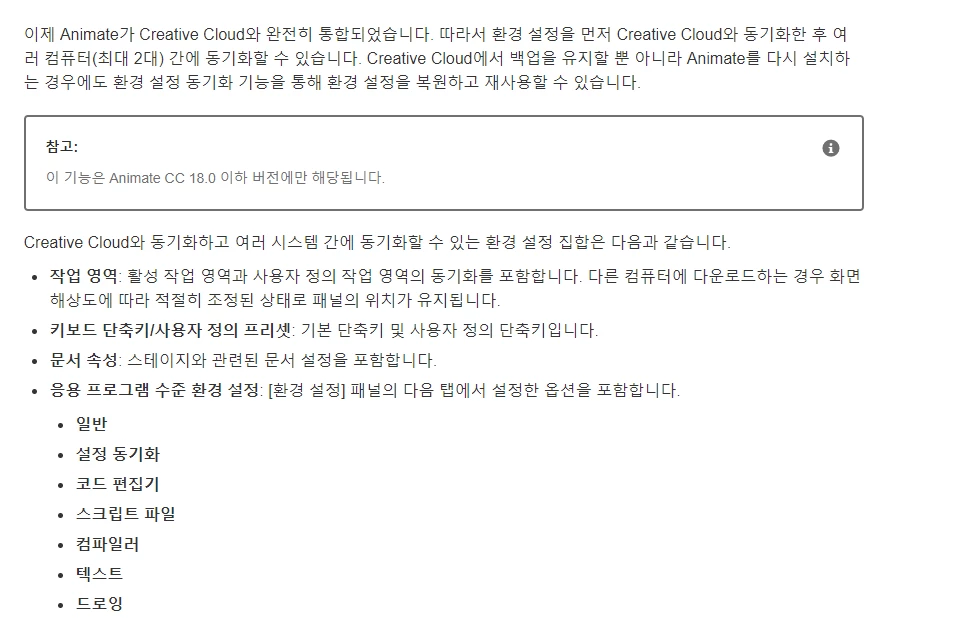
 

("This feature is only for Animate CC 18.0 and earlier versions."
Is written.)


    This topic has been closed for replies.

    2 replies

    n. tilcheff
    Legend
    July 19, 2020

    Hi mate,


    To export the shortcuts via the interface use this option:

    Then use Import Preferences on another computer.


    Personally I just copy/paste the shortcut XML file from 'roaming'.

    On Windows the path is:
    C:\Users\YourUserName\AppData\Roaming\Adobe\Animate\xxxx\Shortcuts

    On Mac the path is:
    HD\Users\YourUserName\Library\Preferences\Adobe\Animate\xxxx\Shortcuts


    Nick - Character Designer and Animator, Flash user since 1998 | Member of the Flanimate Power Tools team - extensions for character animation
    kglad
    Community Expert
    Community Expert
    July 18, 2020

    sync'g was removed 2 versions ago and is no longer available.


    if you want to request it in future versions, request it here https://www.adobe.com/products/wishform.html