
Copy link to clipboard
Copied
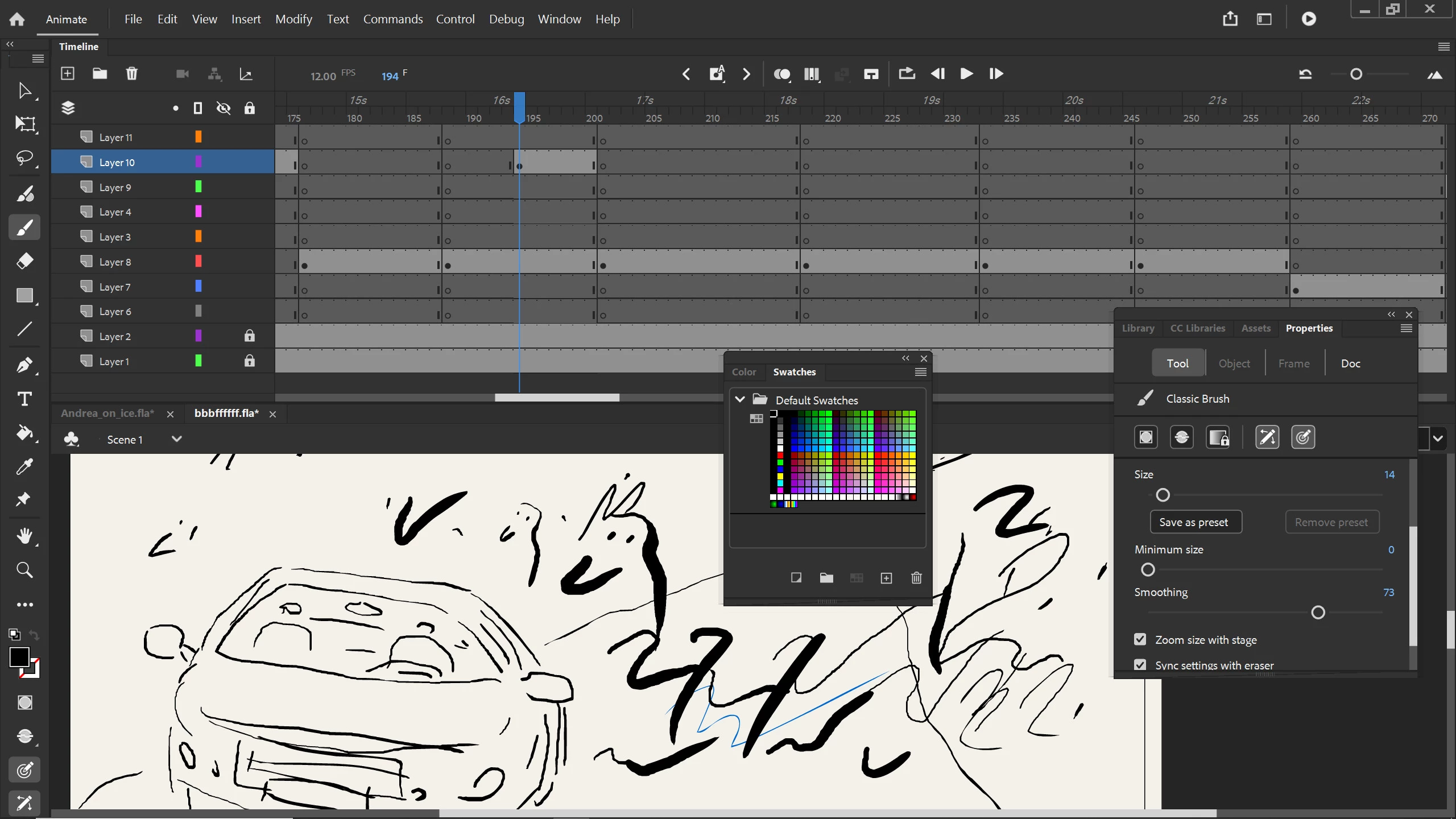
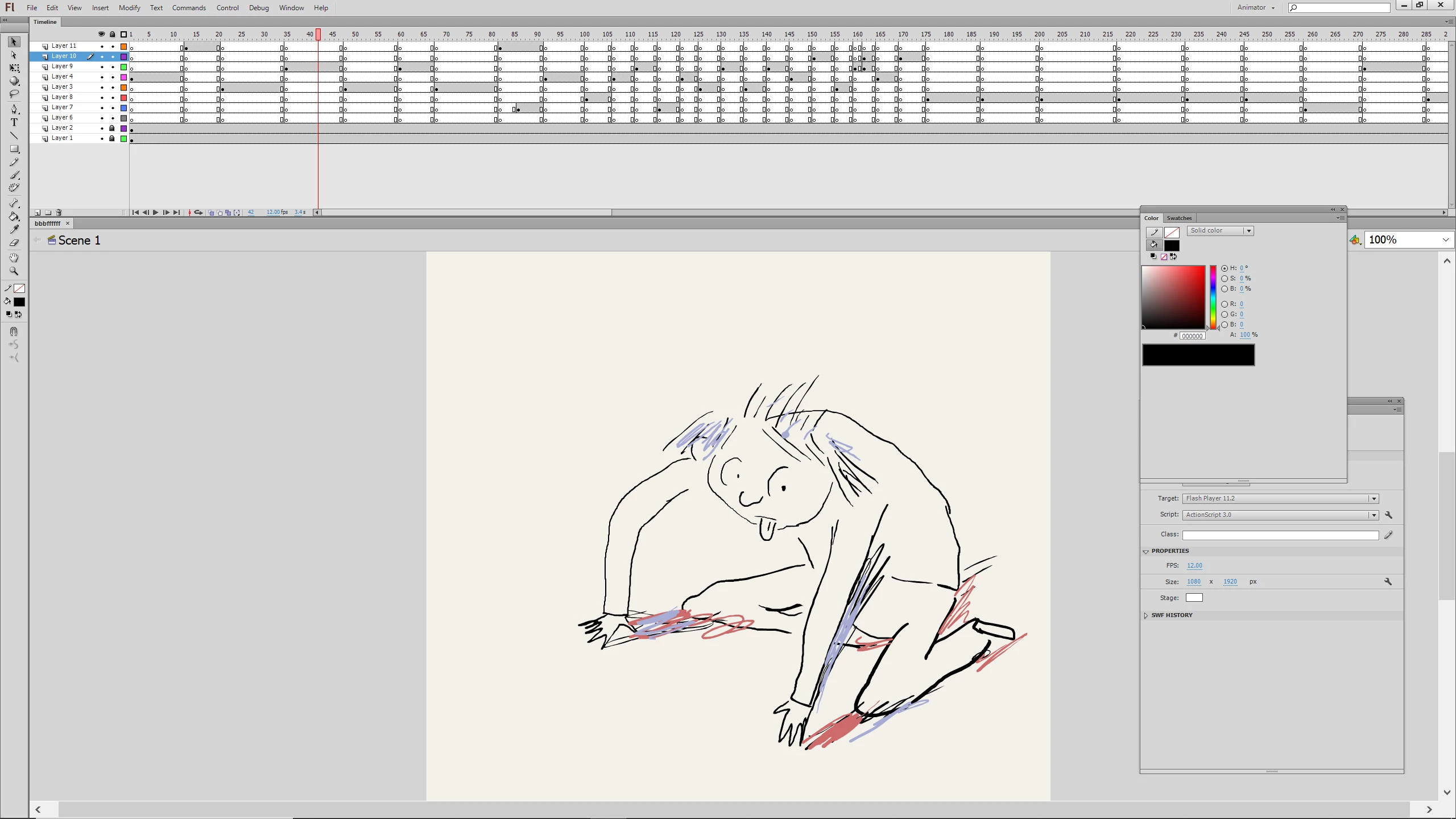
I have a question about Animate. The size of the tools , layers. tool boxes are big and taking of all of the screen space. I worked on Flash CS and the tools are small and there is a lot of space for the actual frame. can I get all the interface of Animate smaller? thank you
Copy link to clipboard
Copied
no, that's fixed but i see only a minor difference between the current animate cc and flash cs6
Copy link to clipboard
Copied
thank you! maybe its different on different screens. I work on Wacom Mobilestudio pro, and as you can see in my screenshots, the difference is overwelming how a few layers can take half of the screen, and in the Flash version, its way above there, and I have a clear comfortable space for the frame. The tools on the the left are big and chunky. It all looks more like a toy app, and the old one more clean and proffesional.
Copy link to clipboard
Copied
the resolution should be the same. ie, nothing should look "blocky "
as for space, you can collapse panels, put layers into folders and collapse them and use other methods to increase your work space.
Copy link to clipboard
Copied
Animate has the ability to double the size of the UI on high dpi screens and this may be what you are experiencing.
Check your Windows display scaling and make sure it is set to 100%.
Play with all possible Windows settings related to changing 'menus' and interface elements. Most likely you will need to restart the computer to see the changes.
Copy link to clipboard
Copied
thank you ! I will try it
Copy link to clipboard
Copied
in the future, to find the best place to post your message, use the list here, https://community.adobe.com/
p.s. i don't think the adobe website, and forums in particular, are easy to navigate, so don't spend a lot of time searching that forum list. do your best and we'll move the post (like this one has already been moved) if it helps you get responses.
<"moved from cc desktop">
Copy link to clipboard
Copied
thank you!
Copy link to clipboard
Copied
Hi, click on the hamburger menu in the top left corner of the timeline and select 'Short' and/or 'Compact'
Get ready! An upgraded Adobe Community experience is coming in January.
Learn more