
3/4 of Symbol disappearing whenever I copy or paste
I've been having a problem in Animate which is really frustrating me. Whenever I'm editing a symbol and I use the copy, cut or paste functions, 3/4 of the symbol disappear, with only the bottom right quarter still being visible. I can drag parts that I can't see into the shown quarter which reveals them however, as though there's a layer of white (because my stage colour is white) covering everything except the bottom right quarter. It is making editing symbols a huge pain because every time it does this, I have to exit the symbol and then go back into it for it to all come back. Also the majority of the time even when I'm not editing a symbol, in the library panel the preview for the symbol hides the 3/4 quarters.
Does anyone know why this happens, and how I can resolve it? Any help would be hugely appreciated. I've included a picture of what the problem looks like.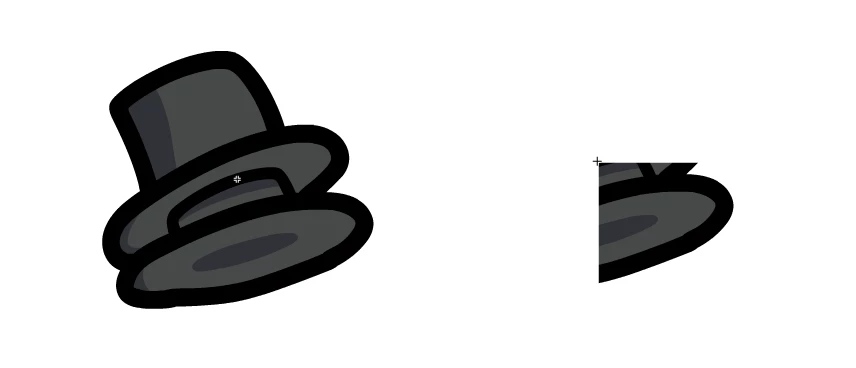



 AdChoices