Infin8
Inspiring
January 29, 2020
Répondu

Animate 20.0.1 where to specify Document class for iOS app?

This used to be within the Publish Settings panel but it now seems to have disappeared.


Could anyone please tell me how I specify the document class using Animate 20.0.1?


Thanks,


Mark

Ce sujet a été fermé aux réponses.
Meilleure réponse par JoãoCésar17023019

Hi.


Follow these steps:


1 - Click on the stage on an empty space;

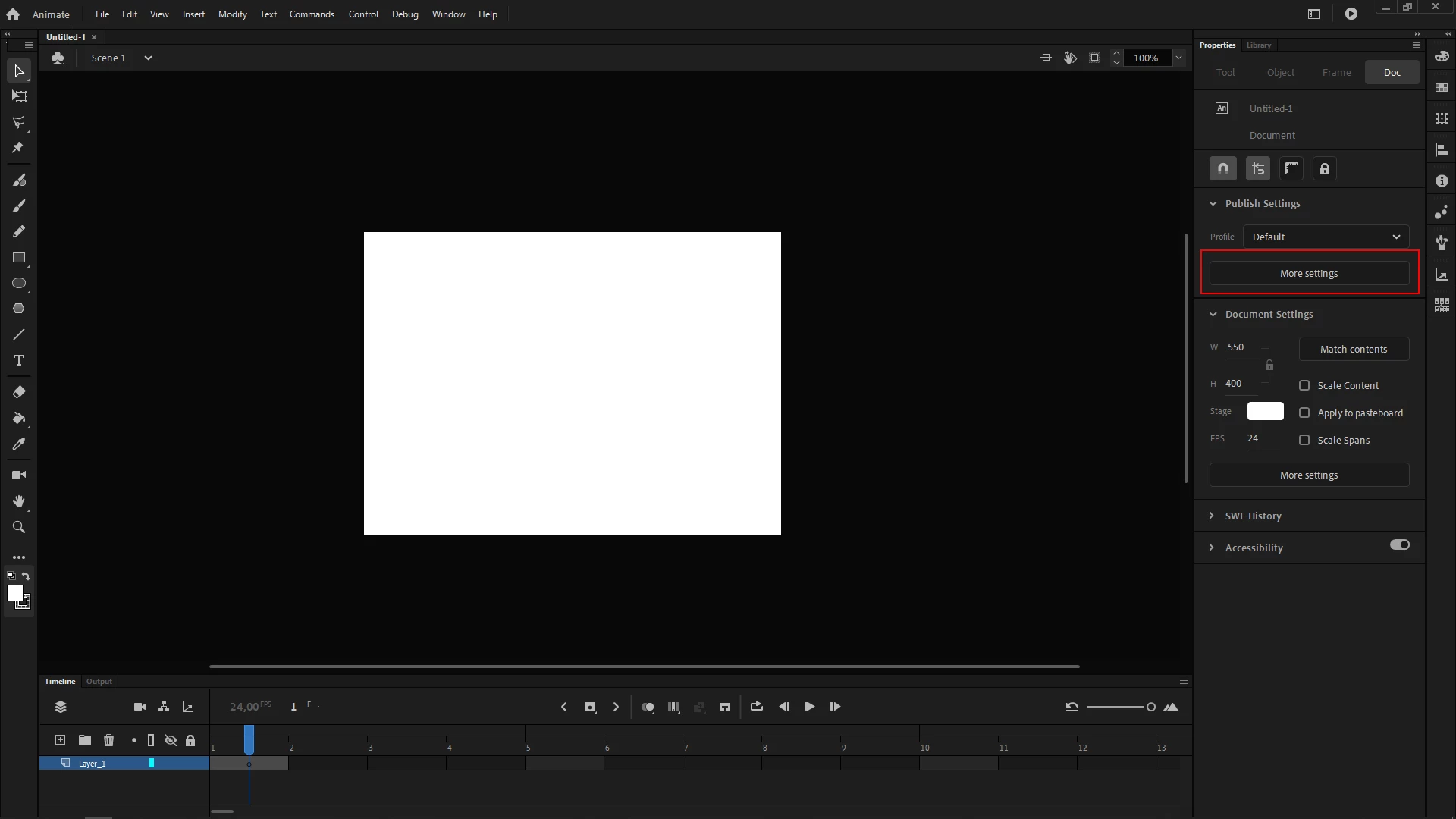
2 - Go to the Properties Panel e click on More Settings;

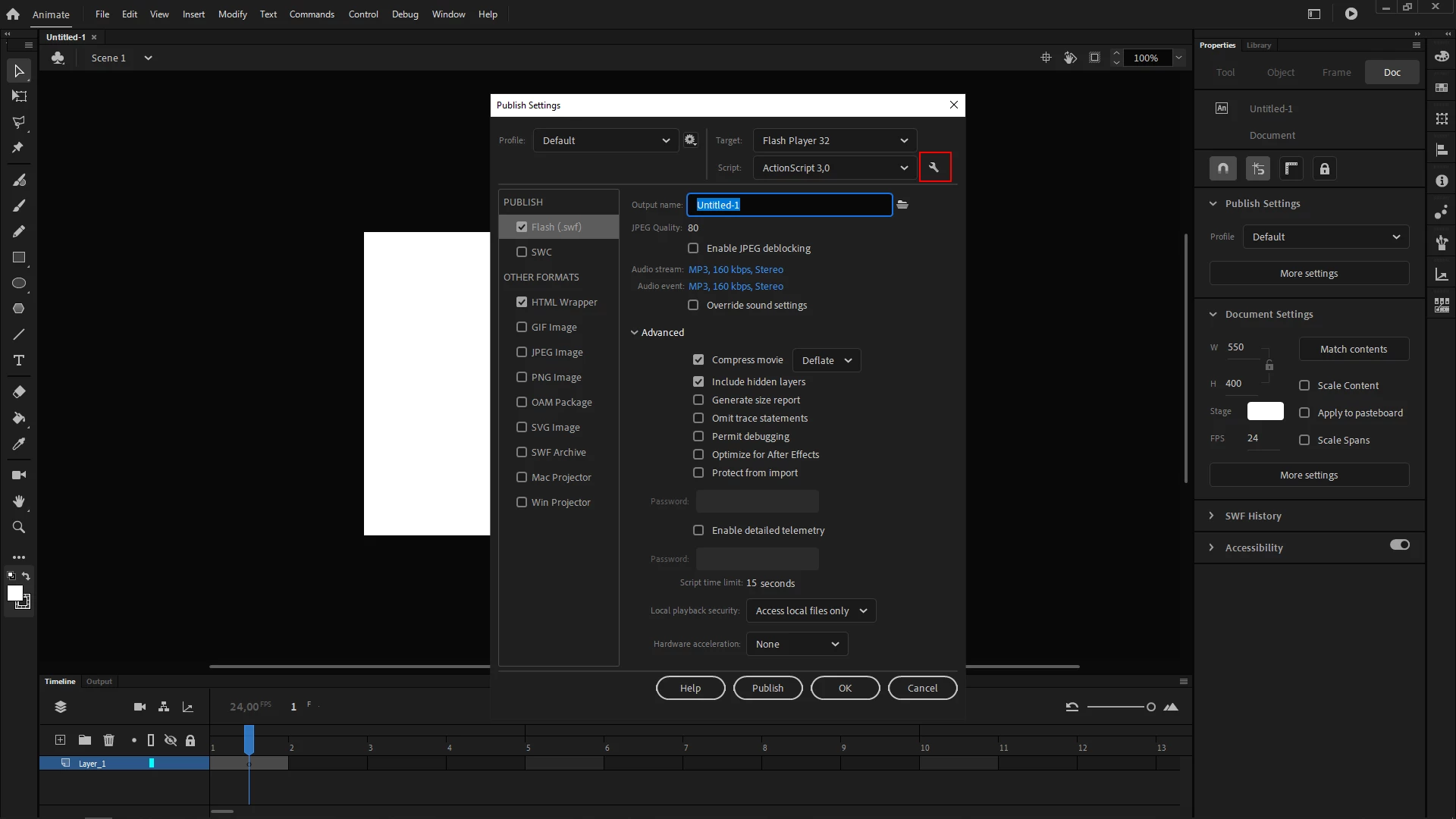
3 - In the Publish Settings (Ctrl/Cmd + Shift + F12), click on the little wrench icon to the right of the Script dropdown menu that displays ActionScript 3,0 by default;

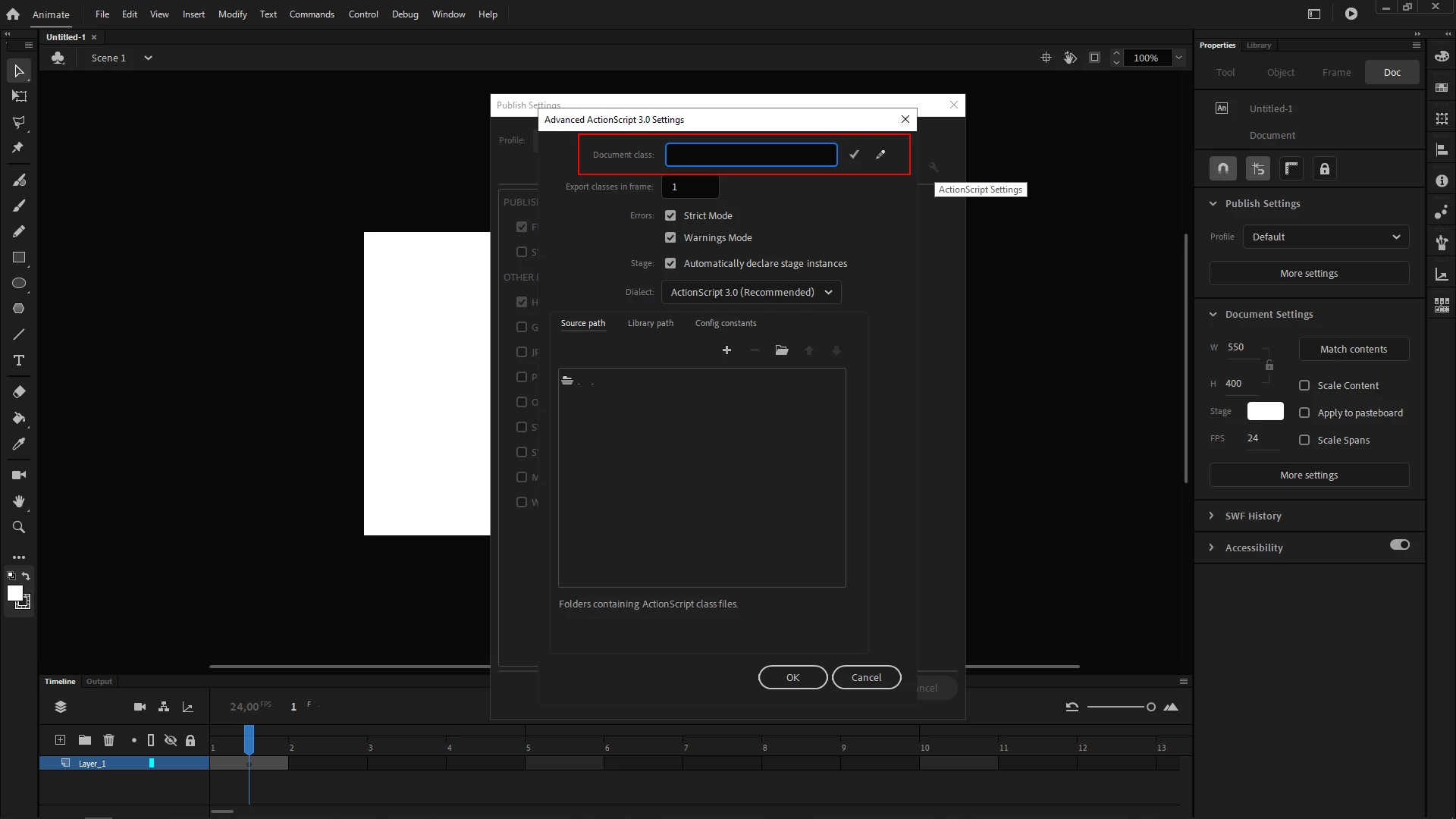
4 - Then type the name of your document class in the Document class input field without the .as extension.


I hope this helps.


Regards,

JC

1 commentaire

JoãoCésar17023019
Community Expert
Community Expert
January 29, 2020

Hi.


Follow these steps:


1 - Click on the stage on an empty space;

2 - Go to the Properties Panel e click on More Settings;

3 - In the Publish Settings (Ctrl/Cmd + Shift + F12), click on the little wrench icon to the right of the Script dropdown menu that displays ActionScript 3,0 by default;

4 - Then type the name of your document class in the Document class input field without the .as extension.


I hope this helps.


Regards,

JC

Infin8
Infin8Auteur
Inspiring
January 30, 2020

Got it. Thanks for taking the time to reply JC.

JoãoCésar17023019
Community Expert
Community Expert
January 30, 2020

Nice! You're welcome!