Thank you!
I'm trying to use Premiere Pro to render the sequence - please could you explain how to do so? I already have the frames as jpgs but can't seem to figure out the timings of it all in Premiere!
As you can tell, I'm quite the beginner with Adobe!
Thanks again
Sure.
*Better use 24-bit PNG sequence than JPG sequenece. PNGs are lossless.
You start a new project; the sequence settings should match those of your FLA document - resolution and frame rate.
When you right-click on the sequence (or from the Sequence menu) you can adjust these.
Here are some settings for a project that I work on.
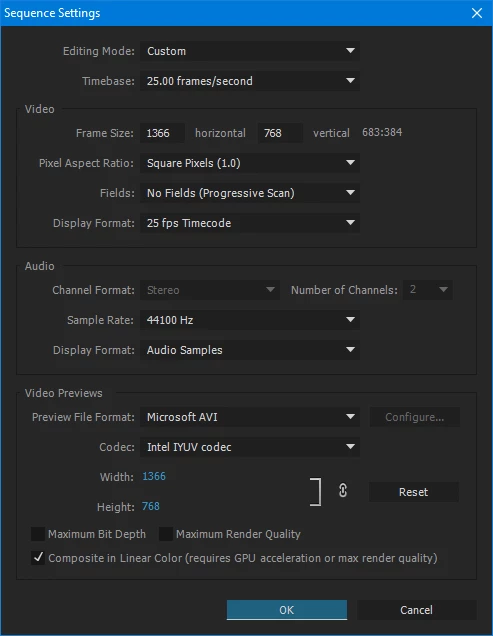
So fill in your fps and stage size here; always square pixels and no fields.
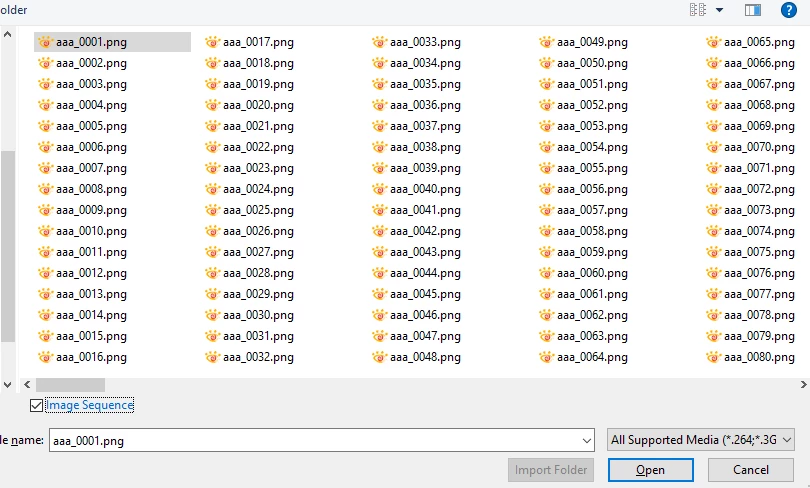
Then you choose Import from the File menu and point to your images, choose the check box Image Sequence at the bottom and click on the first image, press Open.
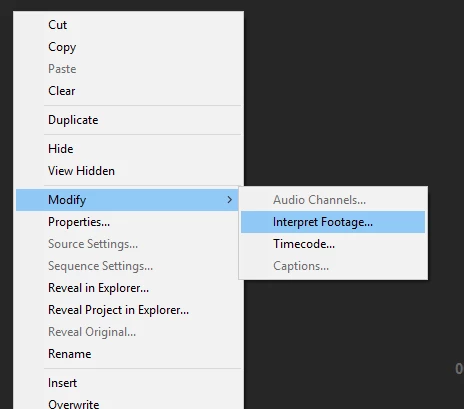
Right-click on your imported footage and choose Modify > Interpret Footage...
In the dialog, make sure the speed per image is the same as your sequence:
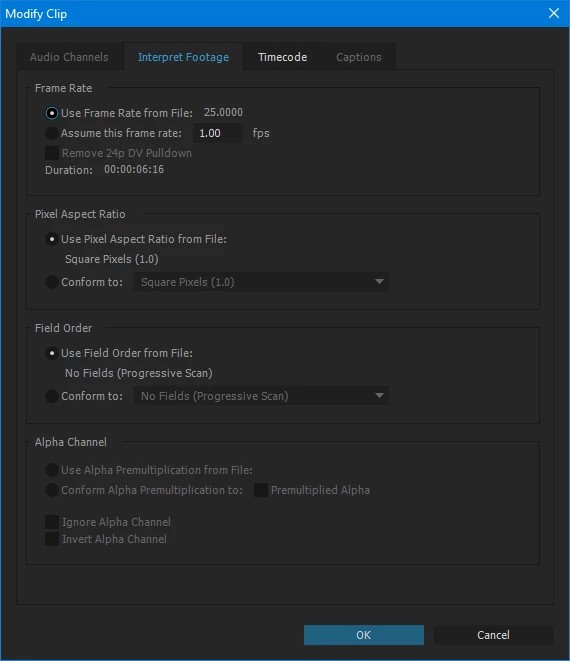
This ensures that all will be frame-perfect in the timeline.
Drag your sequence to the Timeline, right-click on it and make sure that 'frame sampling' is selected.
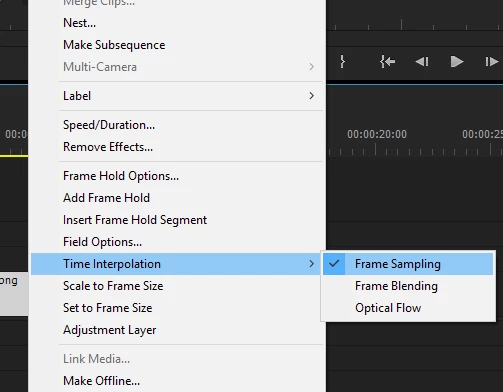
Save your file.
Later you can delete the content and use it as a template.
Now you can export.
File > Export > Media...
Choose H.264, fps and resolution that match your project.
Good luck!



 AdChoices