


Copy link to clipboard
Copied
Hi All. my is latif.
I want to ask and give me a solution to my problem. I have created a file for the APK. Android on adobe animate cc 2018. When I want to publish it always says " the apk was packaged successfully but a warning occurred " and the says: NOTE : the application has been packaged with a captive runtime.
Why did it happen. What is the solution to overcome this problem.
Thanks.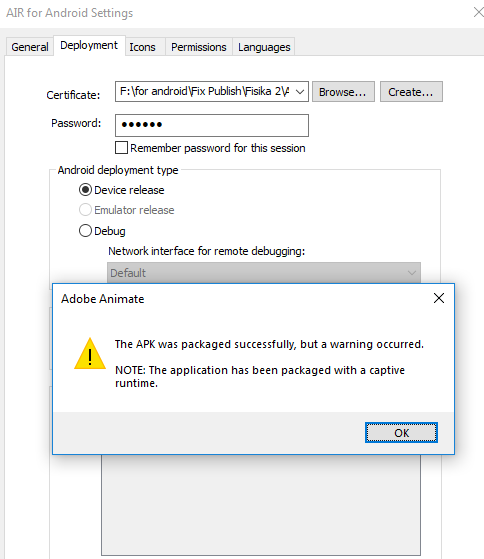


 1 Correct answer

You can add the sdk version in the ManifestAdditions, like so:
<android>
<manifestAdditions><![CDATA[
<manifest android:installLocation="auto">
<uses-sdk
android:minSdkVersion="19"
android:targetSdkVersion="26" />
<!-- OTHER MANIFEST ADDITIONS -->
</manifest>
]]></manifestAdditions>
</android>

 12
Replies
12
12
Replies
12

Copy link to clipboard
Copied
Hi, latif.
Luckily, this warning is not a problem. It's just a reminder from a time when you could choose not to package with a captive runtime. Now APK's always includes the AIR runtime along with your code when you export from Animate, so just ignore the warning. 
Copy link to clipboard
Copied
But why can't it be published to Google Play.
Can the APK file created in adobe animate cc publish to google play?
Copy link to clipboard
Copied
Yes, APK's created in Animate can be published to Google play.
If you encounter any problems during a Google Play upload, it will not be an issue related to the captive runtime warning.
Copy link to clipboard
Copied
Oh. When published to Google Play there is a warning about the target API version. What is the API target? I use the SDK version 32 on the animate that I use.
Copy link to clipboard
Copied
Oh. When published to Google Play there is a warning about the target API version. What is the API target? I use the SDK version 32 on the animate that I use.
"The button starts launching into production" there is no 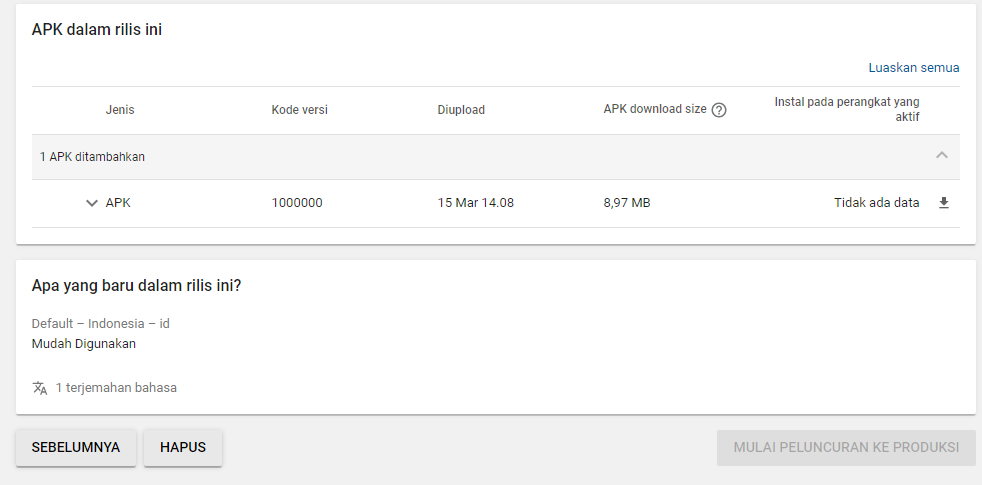
Copy link to clipboard
Copied
I would guess the warning is about the targetSdkVersion that you set in your manifest XML.
Google Play requires that you target API level 26 or higher.
Copy link to clipboard
Copied
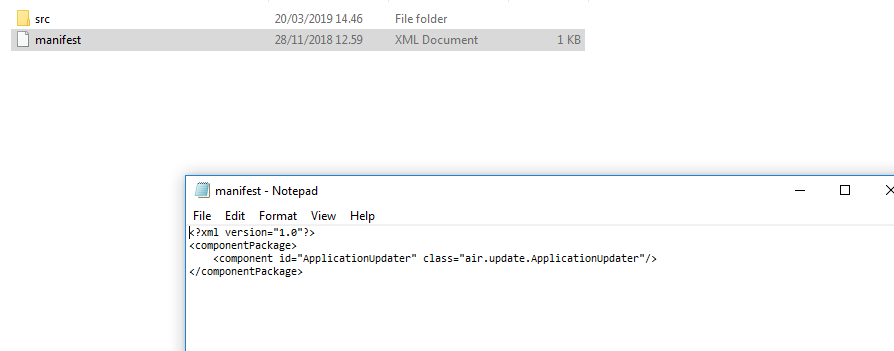
Where is the "Manifest XML" folder or location.
Copy link to clipboard
Copied
Copy link to clipboard
Copied
Adobe Animate generates the manifest XML when you set up an AIR app for Android or iOS. It resides along with your swf file and is typically named [app name]-app.xml.
Copy link to clipboard
Copied
I opened the file. But I can't find anything related to the API or SDK version.
Copy link to clipboard
Copied
You can add the sdk version in the ManifestAdditions, like so:
<android>
<manifestAdditions><![CDATA[
<manifest android:installLocation="auto">
<uses-sdk
android:minSdkVersion="19"
android:targetSdkVersion="26" />
<!-- OTHER MANIFEST ADDITIONS -->
</manifest>
]]></manifestAdditions>
</android>
Copy link to clipboard
Copied
I WILL TRY.


Get ready! An upgraded Adobe Community experience is coming in January.
Learn more
 AdChoices