
Participant
June 29, 2020
Answered

Object Drawing not working in Animate 2020

  • June 29, 2020
  • 2 replies
  • 1155 views

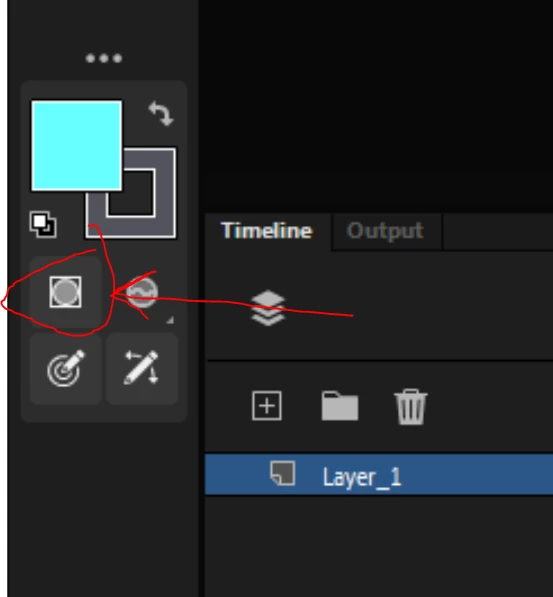
Was wondering if this has been happening to anyone else. The object drawing option doesn't seem to work in the latest update. I have it selected, but when I use the brush tool, it still draws in fills, rather than creating a drawing object.

 

This topic has been closed for replies.
Correct answer arvind_bv

Hello,

Drawing object applies only to "Paint Normal" Brush mode. As I can see you have selected "Paint Fills" as brush mode, Drawing object wont work in this case.


Thanks,

Arvind B V

2 replies

arvind_bvCorrect answer
Adobe Employee
June 30, 2020

Hello,

Drawing object applies only to "Paint Normal" Brush mode. As I can see you have selected "Paint Fills" as brush mode, Drawing object wont work in this case.


Thanks,

Arvind B V

kglad
Community Expert
Community Expert
June 29, 2020

works correctly for me.


try resetting your preferences, http://helpx.adobe.com/flash/kb/re-create-preferences-flash-professional.html

or remove

Win:
C:\Users\\AppData\Local\Adobe\Animate CC \ and
C\Users\\AppData\Roaming\Adobe\Animate\\

Mac:
/Users//Library/Application Support/Adobe// and
/Users//Library/Preferences/Adobe/Animate//