

Something seems very off with filling in colors
So basically, I use Adobe Animate CC 2019. I have not had this issue before, and this issue bothers me greatly considering I work with many gradients in my animations. Lately trying to select colors seems to be functioning in a manner that isn't intended. Say that I have two colors that I wish to use for a gradient. I use the color panel to set up my gradient, and click one of the sliders to select the colors I want to use. Dependent on what tool I'm using, it has various effects.
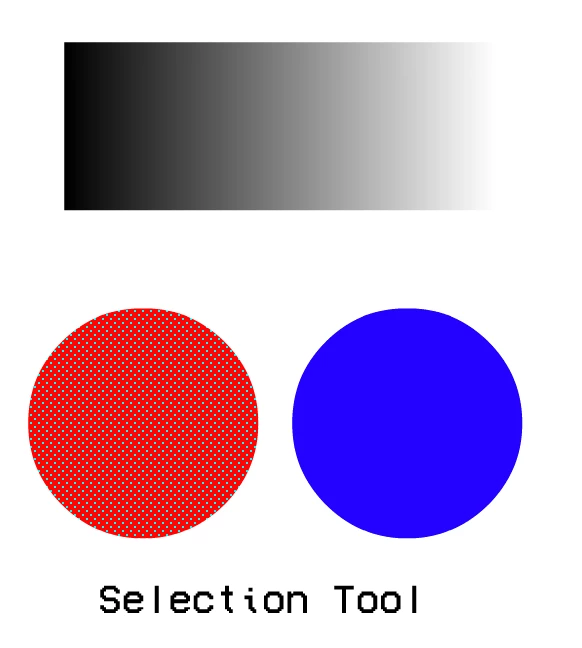
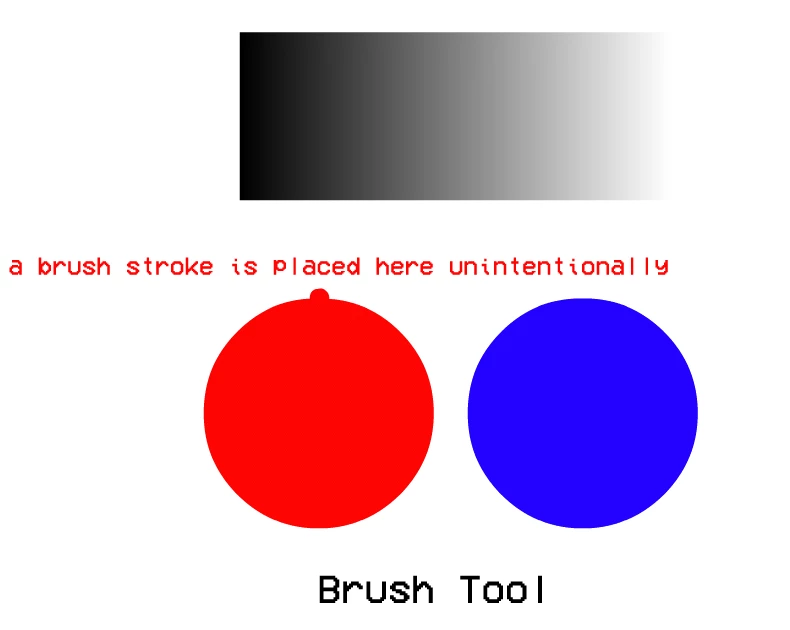
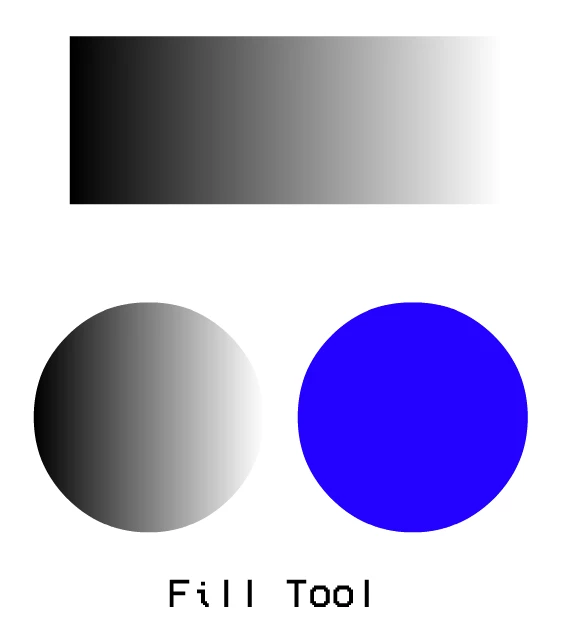
Above attached are examples of the situation that persists. Selecting the color appears to be overrided by the tool used and will act depending on the color/tool used. This is very problematic when it comes to selecting colors and trying to add gradients.
Other claimed solutions:
- Why not just use the Eyedropper tool?
I've tried using the Eyedropper tool. Not only does it seem ineffective, but it also effects my cursor when I use the Fill Tool, awkwardly growing in size and disrupting me when I wish to use the Fill Tool. 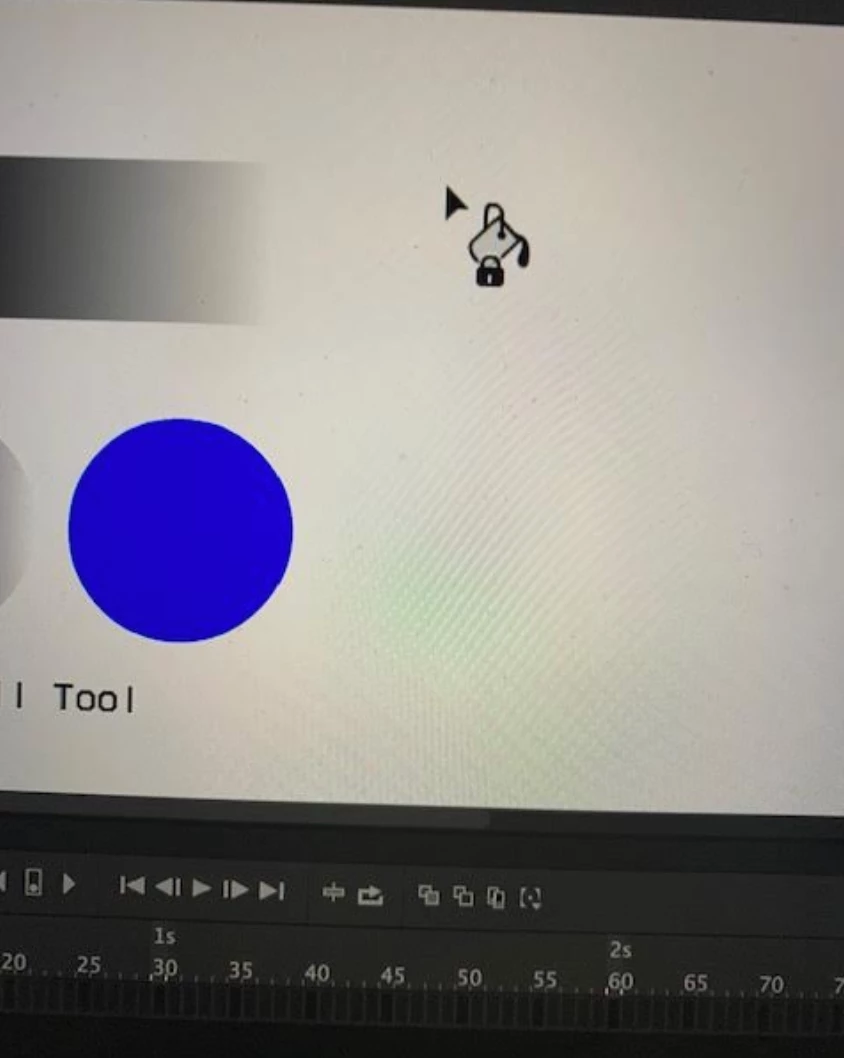 I still hope this gets fixed.
- Can't you press the Enter key to select your color?
That does work, but at the same time it will also add an input to play the timeline. That gets tedious especially if I'm selecting a color in a symbol with an already going timeline, which means that everytime I press enter, I am required to go backward to the frame I was on to fill it in.
- You're using a dated version of Animate, why not upgrade to 2020?
You do not know how much suffering I've went through using Animate 2020. I could go an entirely different topic on why I despise Animate 2020, as I've tried using it but ended up being very dissatisfied. It appears continuing to use an older version is something you all were trying to make sure I avoid, which is why I request you still allow compatibility for older versions, as it fits our range way better. It very much does not make sense to not let us have that as an option. While I could use Animate 2020 and not have this issue, that means I'd have to trade in that issue for a bigger issue, which is using Animate 2020.
I really hope somebody can help me with this issue, as it has left me with a bit of a struggle on working on my animations. Thank you!
 AdChoices