
Known Participant
July 28, 2022
Question

Adobe DNG converter is adding unwanted color

  • July 28, 2022
  • 1 reply
  • 959 views

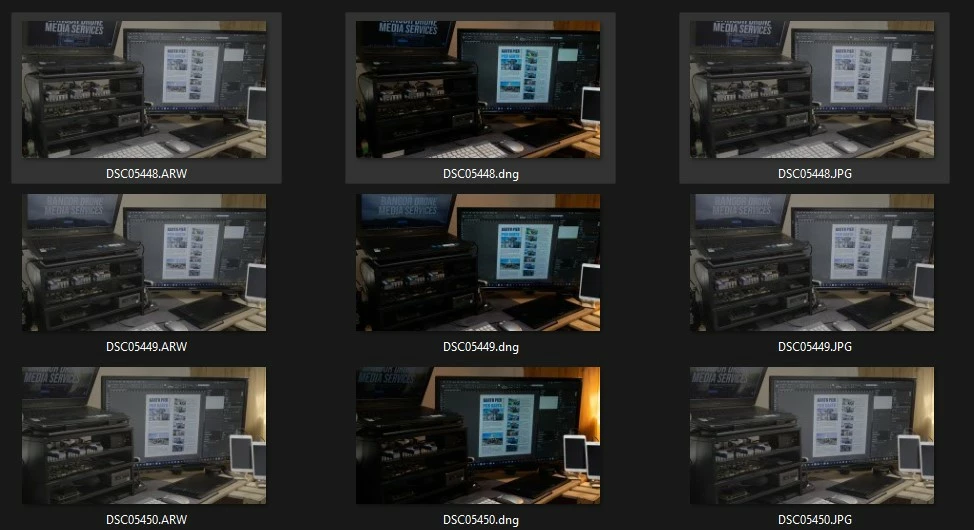
I added this here as cannot find the forum for Adobe DNG converter. I have a serious issue with not only adobe dng converter but also Lightroom, any time I import ARW into Adobe DNG converter and DNG into Lightroom, it completely messes with the flat profile.Why is it constantly adding in a color profile and changing the color of my photos? It is completely ruining all of my photos, especially darker ones. 
 

This topic has been closed for replies.

1 reply

Known Participant
July 28, 2022

The exact same color is added when importing the ARW into lightroom.

TheDigitalDog
Inspiring
July 28, 2022

Check both products for the raw presets which do affect the profile selected.

https://laurashoe.com/2020/02/11/whats-new-in-lightroom-classic-9-2-raw-defaults/

Video: https://youtu.be/XGCnR9qEqA4

Author “Color Management for Photographers" & "Photoshop CC Color Management/pluralsight"
Known Participant
July 29, 2022

@Adam22075124ijju wrote:

That obviously isn't the case, the above screenshot, the ARW is imported into DNG converter and the DNG comes out different colors. 


Due to user errors.

The whys were explained.


Sorry but you are wrong. There are no settings for DNG converter that modify the colors. I imported an slog2 image and DNG converter changed the color. That is hardly user error.