Participant
January 23, 2023
Question

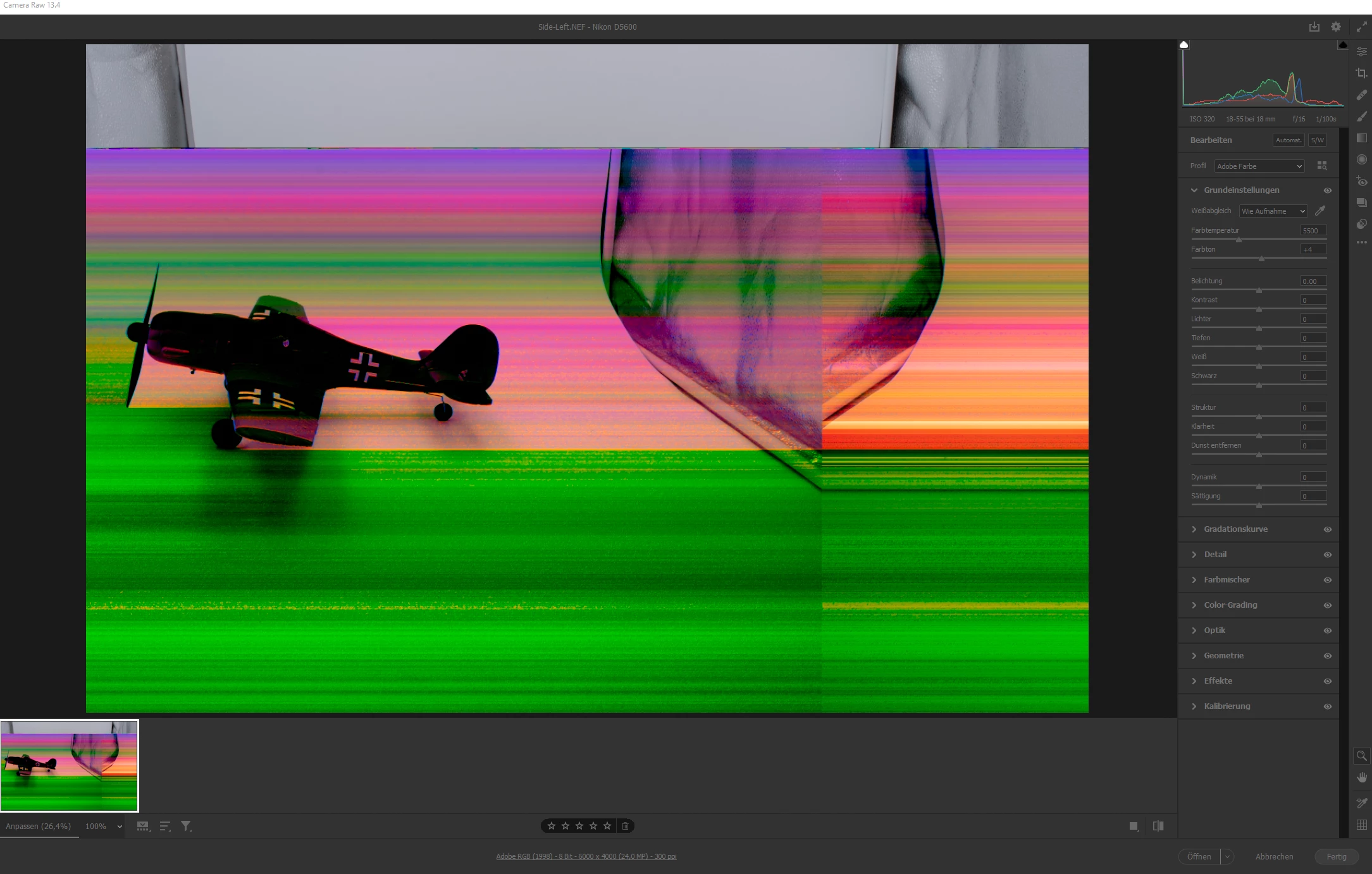
NEF is displayed wrong in Adobe Photoshop / Camera Raw

  • January 23, 2023
  • 2 replies
  • 382 views

Hello Adobe-Support,


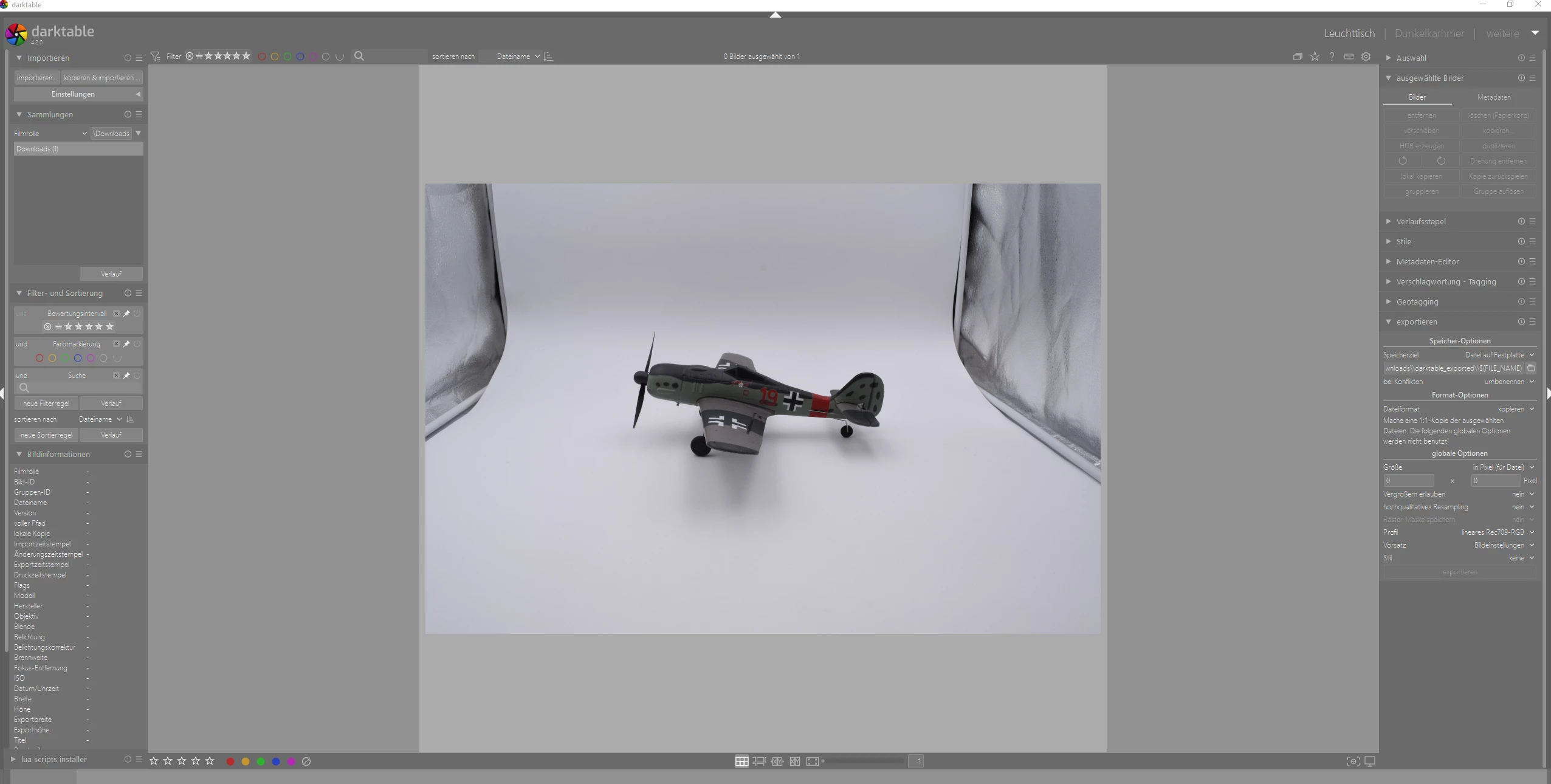
I have .NEF files. If I open them in Photoshop, the picture is displayed in strange colors, like in the first screenshot. If I open the same file with GIMP (darktable), it is displayed correctly (second screenshot). I tried it on different PC´s and it is still wrong in Photoshop. I use the newest version of Photoshop and Camera Raw. I also tried different versions. Camera is: NIKON D5600.

How to fix this problem?


This topic has been closed for replies.

2 replies

TheDigitalDog
Inspiring
January 23, 2023

First, try disabling GPU in the preferences (Performance) or alter the settings. Any better?


If turning OFF the GPU works, it's a GPU bug, and you need to contact the manufacturer or find out if there's an updated driver for it. This is why disabling GPU is an option as more and more functionality moves to the GPU in newer versions of many Adobe products. Disable third-party graphics accelerators. Third-party GPU overclocking utilities and haxies aren't supported.


Also see: https://helpx.adobe.com/lightroom-classic/kb/troubleshoot-gpu.html

Check to see that your GPU meets system requirements.

Author “Color Management for Photographers" & "Photoshop CC Color Management/pluralsight"
Participant
January 24, 2023

I dont´t use Lightroom Classic, the .NEF file opens via Camera Raw. I don´t think it´s a GPU bug, I tried the same picture on 4 different PC´s, on 3 PC´s there is this problem I mentionted above. When I open the .NEF picture with a other software, it is displayed correctly, as I already mentioned. I also completly reinstalled Photoshop a few times and tried different GPU settings. Nothing worked.

TheDigitalDog
Inspiring
January 24, 2023

Upload the problematic raw to something like Dropbox. Then the actual raw data can be evaluated in RawDigger. If the raw not preview is corrupted, that will show it.

Author “Color Management for Photographers" & "Photoshop CC Color Management/pluralsight"
kglad
Community Expert
Community Expert
January 23, 2023

<moved from enterprise&teams>