Participant
August 18, 2019
Answered

Nikon RAW files opening in Adobe raw editor like this!!
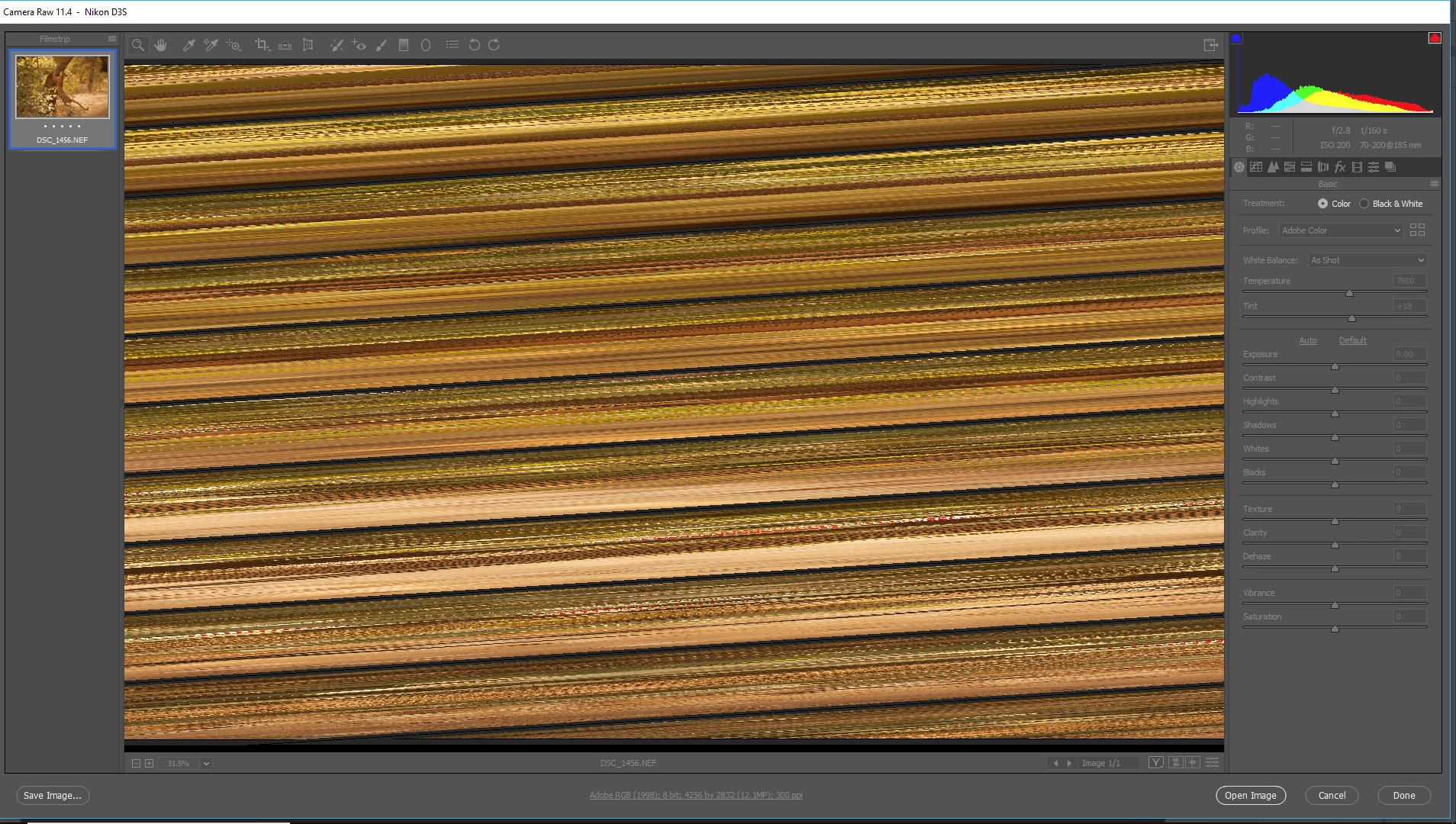
  • August 18, 2019
  • 1 reply
  • 867 views

    This topic has been closed for replies.
    Correct answer Per Berntsen

    Try to disable the GPU.

    While in the Camera Raw window, press Ctrl+K to bring up preferences.

    Uncheck Use graphics processor in the Performance tab and click OK.

    If this fixes the issue, updating your graphics driver may let you work with the GPU enabled.

    1 reply

    Per Berntsen
    Community Expert
    Per BerntsenCommunity ExpertCorrect answer
    Community Expert
    August 18, 2019

    Try to disable the GPU.

    While in the Camera Raw window, press Ctrl+K to bring up preferences.

    Uncheck Use graphics processor in the Performance tab and click OK.

    If this fixes the issue, updating your graphics driver may let you work with the GPU enabled.

    Participant
    August 18, 2019

    Thank you very much Per, all working again now!

    PECourtejoie
    Community Expert
    Community Expert
    September 13, 2019
    Ashley, please provide an answer to David!
