
Inspiring
September 9, 2024
Question

White Balance Presets Missing

  • September 9, 2024
  • 1 reply
  • 392 views

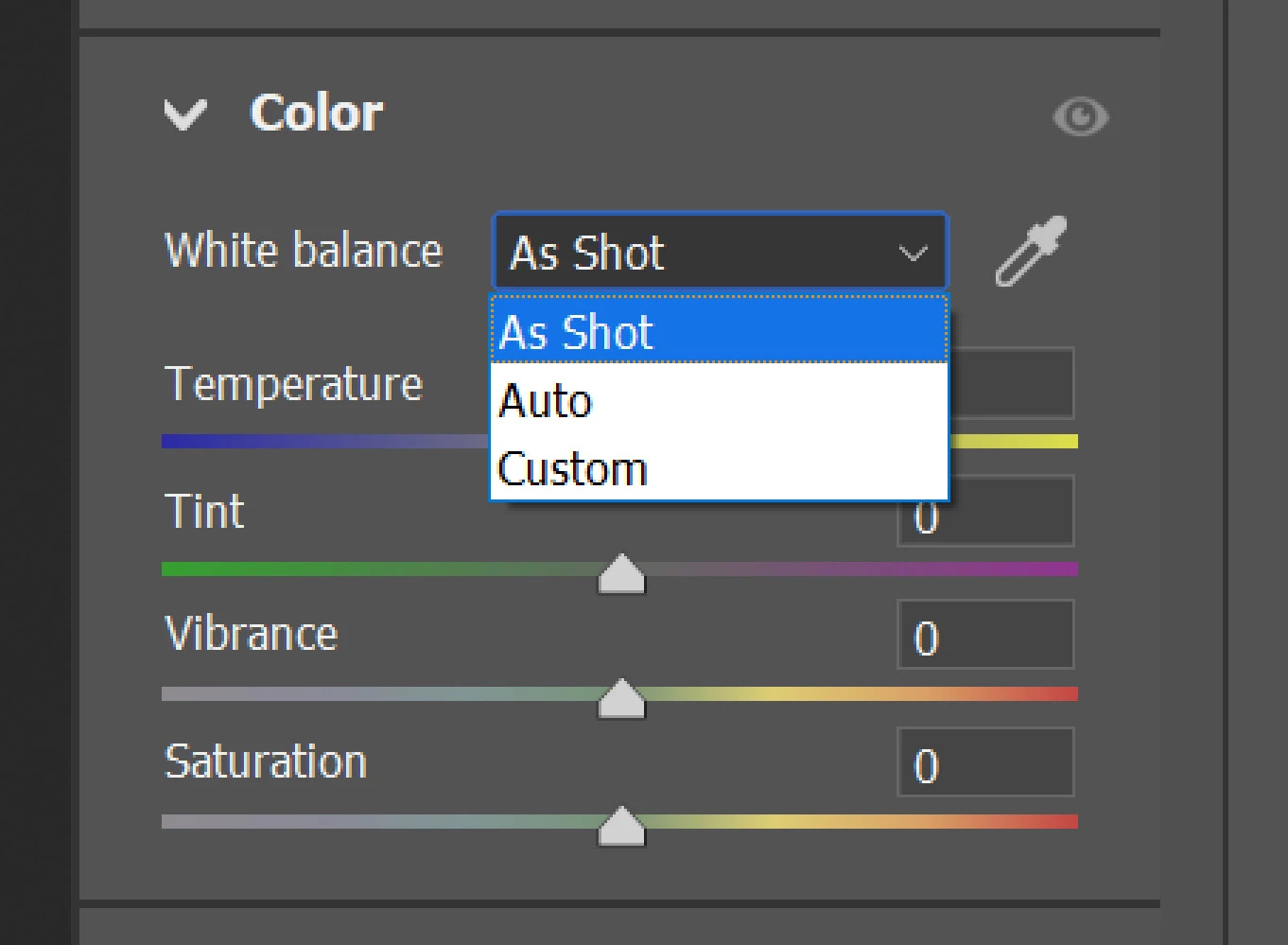
What happened to the presets for Camera Raw’s Color Balance?  My only choices in the pulldown now are As Shot, Auto, and Custom.   Gone are options like Cloudy, Fluorescent, Tungsten, etc..


I don’t use Raw very often so I don’t know when these choices disappeared.   Thinking it was a bug that was fixed, I updated to the most recent this morning (16.5?), but I still do not have the additional presets.


Thanks,


Marc Chep
 

This topic has been closed for replies.

1 reply

Inspiring
September 10, 2024

Hey, @Marc Trzepla. I'll help you figure this out.


You're working with a JPEG, or any non-raw file, try using a RAW file type and rest of the options should populate.


In the image above, I have Raw on the left and JPEG on the right.


Thanks!

Sameer K

(Use '@mention' to tag me when you reply)

David Franzen at Work
Adobe Employee
Adobe Employee
September 10, 2024

This is the expected behavior. For JPEGs or any other output-referred photo, the white balance is already baked into the image. The WB preset options are only available for raw (scene-referred) photos; the setting tells Camera Raw how to intepret the raw color data recorded by the camera.

You'll notice that the Temperture slider is quite differnt for output-referred and scene-referred (raw) photos. For raw the slider sets the specific color tempurture value to use, ex: 6500K, 5000K, etc.. For non-raw the slider's range is -100 to +100.