


Blank Screen

Copy link to clipboard
Copied
I only see a blank screen when I upload the zip file to SCORM Cloud. Any ideas?


 4
Replies
4
4
Replies
4


Copy link to clipboard
Copied
Can you tell me:
What version of Captivate are you running?
What OS are you using?
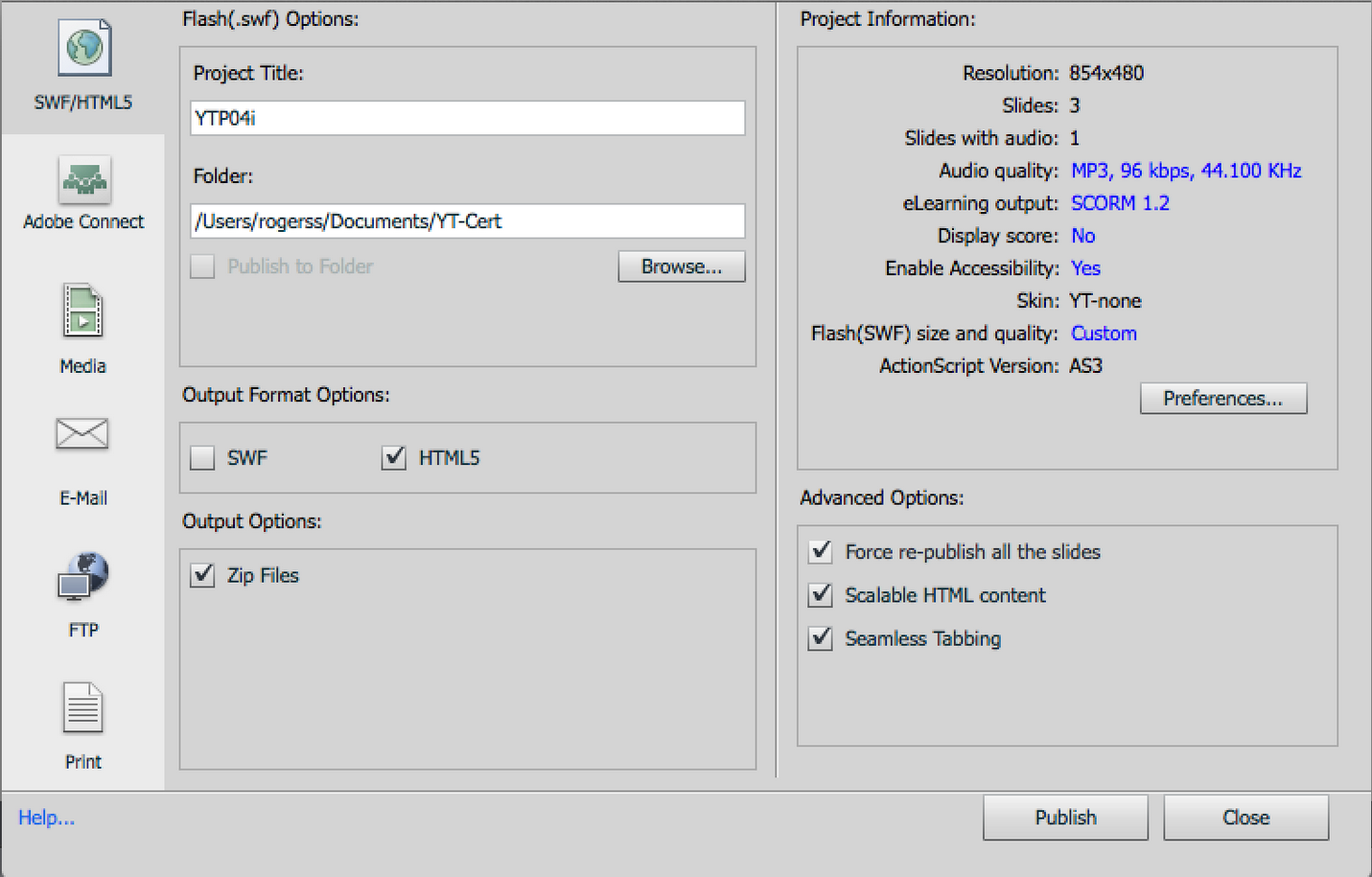
What are your publishing settings?
Justenuf
Copy link to clipboard
Copied
Version: Captivate 7
OS: Mac OS10.9 (with Capivate patch for Mavericks)

Copy link to clipboard
Copied
Looks like you're building for a mobile audience, and I can't begin to claim any expertise in that area (just started exploring the oprions in the last month), so I'll have to bow out of this thread and learn from what others say. The only thing I might suggest is to publish it checking both the .swf and HTML5 options and see if it loads on the SCORM Cloud that way. It might suggest if its an HTML5 based issue or leave you at square one. Sorry I can't be more help on this one.
Justenuf
Copy link to clipboard
Copied
Ok I will try that!
Thanks!


Get ready! An upgraded Adobe Community experience is coming in January.
Learn more
 AdChoices