


Cannot see system variables

Copy link to clipboard
Copied
Hi there,
I am trying to use system variables, but the menu is empty as per the diagram below. Do I need to activate the variables somehow?
Thanks
Mo
Captivate 4 Version 4.0.0.0 Build 1596
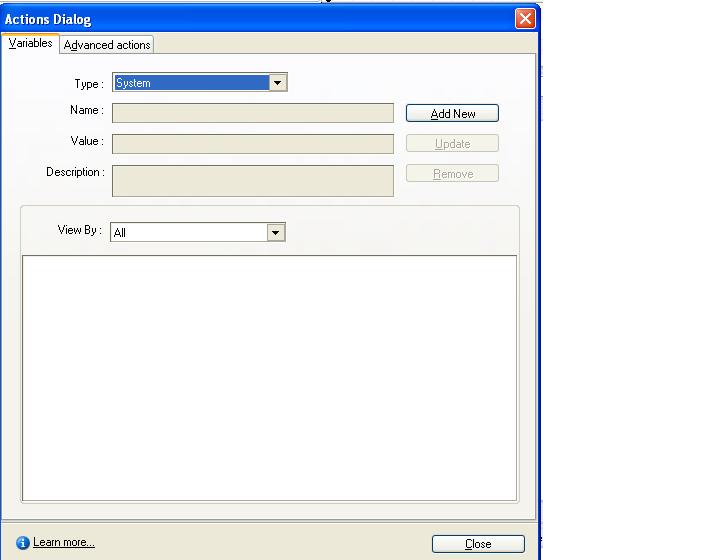


 6
Replies
6
6
Replies
6


Copy link to clipboard
Copied
Hi there
That one's a puzzler for sure. Normally just changing the view to System Variables lists them all.
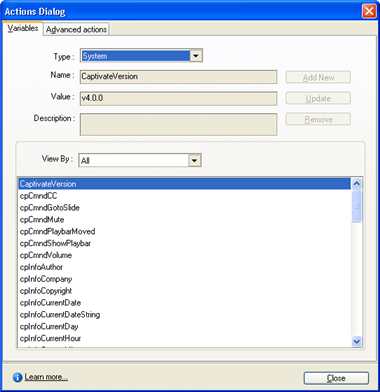
I suppose if I were in your shoes I might try clobbering the captivate_v40.dat file. For me, the file is found at this location:
D:\Documents and Settings\Rick\Application Data\Adobe\Adobe Captivate
Of course the location will likely differ for you. Basically you close Captivate, locate and either delete or rename the file so Captivate won't see it and it will bake up a fresh one on the fly. This can also solve some operational issues with Captivate.
Cheers... Rick 
| Helpful and Handy Links Captivate Wish Form/Bug Reporting Form |

Copy link to clipboard
Copied
Hi Rick,
Thanks for the quick response. I have tried deleting the file as
instructed, but no joy. The drop down menu is still populated when I
restart Captivate. I have also updated it so it is now 4.0.1 Build
1658. Do you have any other suggestions I could try?
Thanks again
Mo
Copy link to clipboard
Copied
Hi Mo
Dang! I had hopes that would have solved it. Back to the drawing board I suppose...
Out of curiosity, does Captivate seem to function normally for you? Are you able to record slides and edit them without issue? I'm thinking that if the list is missing you will likely see other issues as well.
What OS are you on? Windows XP, Windows Vista, Windows 7? How many bits? 32 or 64?
Cheers... Rick
| Helpful and Handy Links Captivate Wish Form/Bug Reporting Form |
Copy link to clipboard
Copied
Hi Rick,
I'm on Windows XP and Captivate has been working fine - I have created
four projects without any issues so far.
Let me know if you need any more info from me and thanks for your
continuing assistance.
Mo
Copy link to clipboard
Copied
I have applied a workaround as the same problem was evident even after a
reinstall. After the reinstall, I noticed the variables were present in
a blank presentation, but not in my working copy. I therefore created a
blank project and copied all of the slides across. This sorted the problem.
Is the problem likely to be have caused because I imported some material
from Captivate Version 2?
Thanks again
Mo
Copy link to clipboard
Copied
Hi Mo
Wow, that's pretty interesting. Based on what you have told us, that's the only conclusion I'd have to draw.
I'm pleased you managed to get it sorted. Sorry I wasn't of much help!
Happy Wednesday... Rick
| Helpful and Handy Links Captivate Wish Form/Bug Reporting Form |


Get ready! An upgraded Adobe Community experience is coming in January.
Learn more
 AdChoices