


- Home
- Captivate
- Discussions
- Image Button not working properly once published
- Image Button not working properly once published

Copy link to clipboard
Copied
I have several image buttons in my project. They all work as they should, with the exception of one slide.
On this slide (slide 5), my forward arrow image button is set to ONLY go to the next screen (slide 6).
On slide 6 I have my image buttons for forward and back, and then also a image button that links out to Project A, which is in articulate.
When the forward arrow is clicked on, on slide 5, it goes to slide 6, but then also opens Project A, Project A should NOT be opening at this point.
Can anyone help with this issue?


 1 Correct answer


Hi Melissa,
Please check the below mentioned actions for 5th and 6th slide :
1) On Exit for slide 5
2) On Enter for slide 6
Regards,
Nimit

 20
Replies
20
20
Replies
20


Copy link to clipboard
Copied
Try deleting the image button on slide 6 and inserting a new one to do the job. Don't copy and paste the image button from slide 5.
Copy link to clipboard
Copied
Did that and it does not work. I even deleted the slide and started all over and I still have the same problem.

Copy link to clipboard
Copied
Are the buttons perhaps covering up each other? Which one is on top of the stack in the timeline? Can you show the properties of both buttons? Do you have any action on entering that slide 6?
BTW, which version do you use?
Lilybiri
Copy link to clipboard
Copied
I am using 5.0. The buttons do not cover each other up, since they are on different slide.
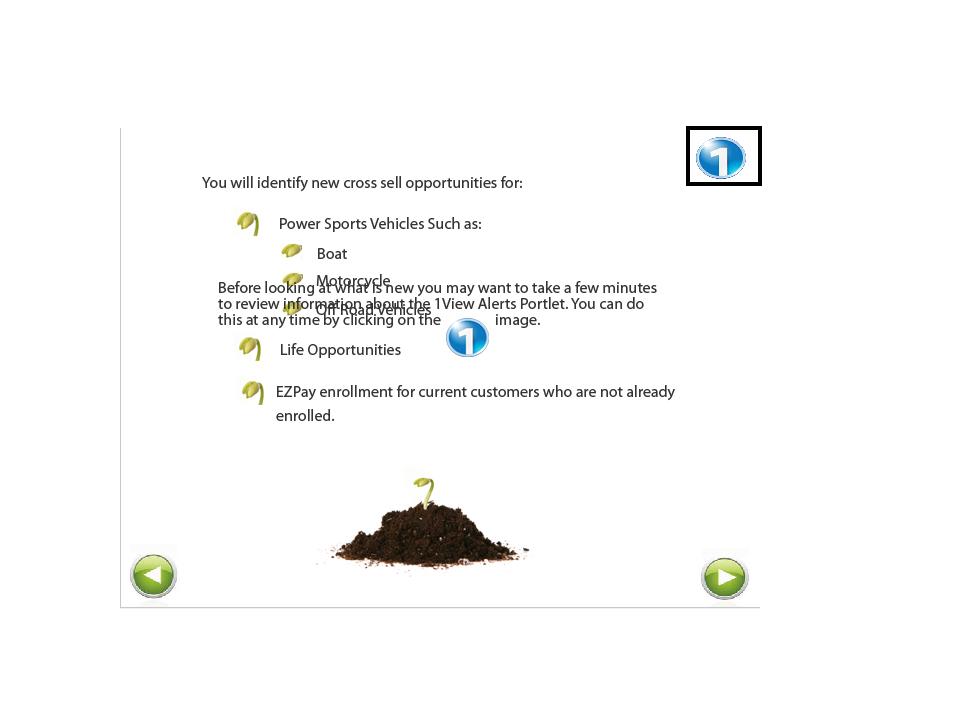
Here is Slide 5. The forward arrow that is causing a problem and opening Project A is boxed.

Here is Slide 6. The link to Project A has a box around it. This image button does not come in till the end of the slide.
Copy link to clipboard
Copied
Sorry, perhaps was not clear enough: what are the actions on success for the buttons, and do you have any action on entering slide 6?
Copy link to clipboard
Copied
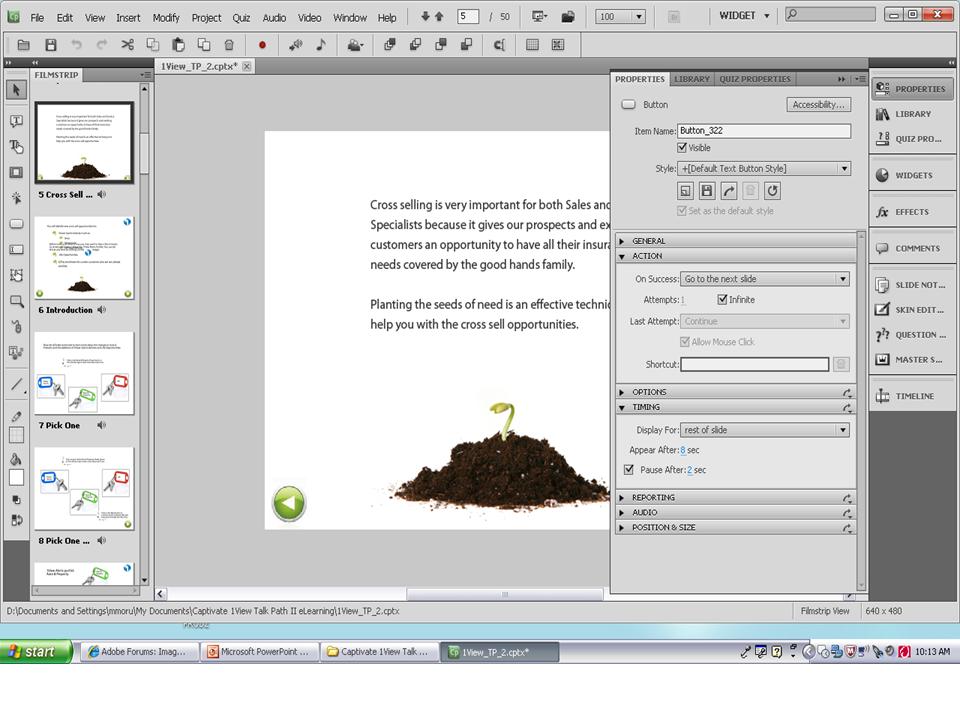
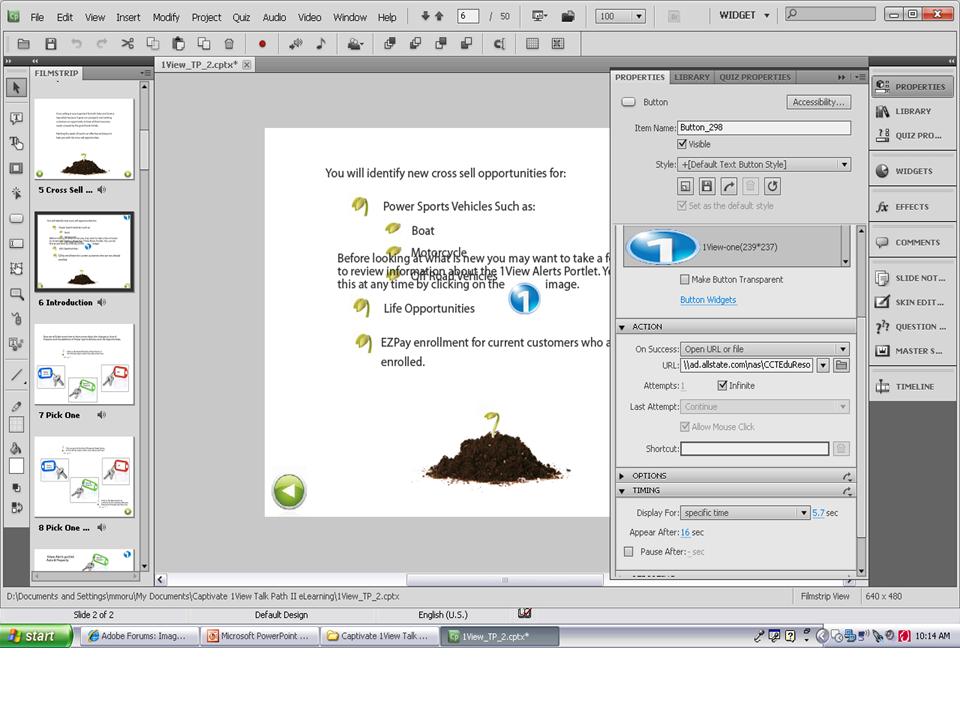
Copy link to clipboard
Copied
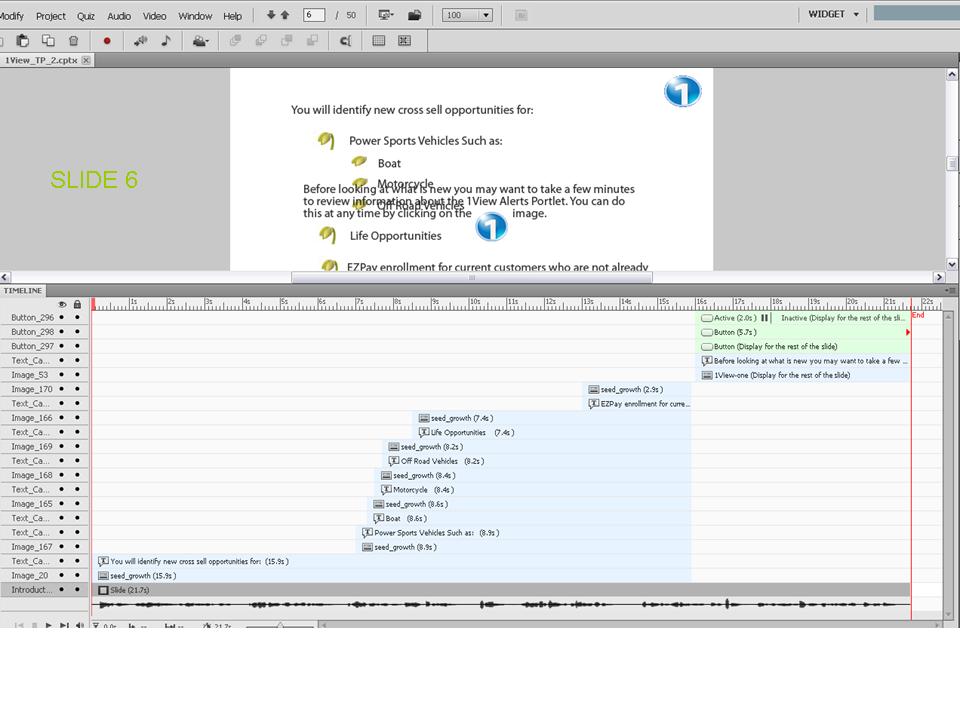
No (advanced) action on entering slide 6, sorry to insist? I think a lot is happening on that slide 6, because some text captions are probably staggered on the timeline. It would be interesting to see at which frame the jump to the other file is happening (is it opened in the same window or in a new window?).
Lilybiri
Copy link to clipboard
Copied
No advanced Actions at all. Things are coming in and going out at different times.
Copy link to clipboard
Copied
I'm at a loss, sorry. There should be a logical explanation, but difficult to guess when one cannot explore the file,
Lilybiri
Copy link to clipboard
Copied
Thank you for trying. Is there a way to send this issue to someone at Adobe?
Copy link to clipboard
Copied
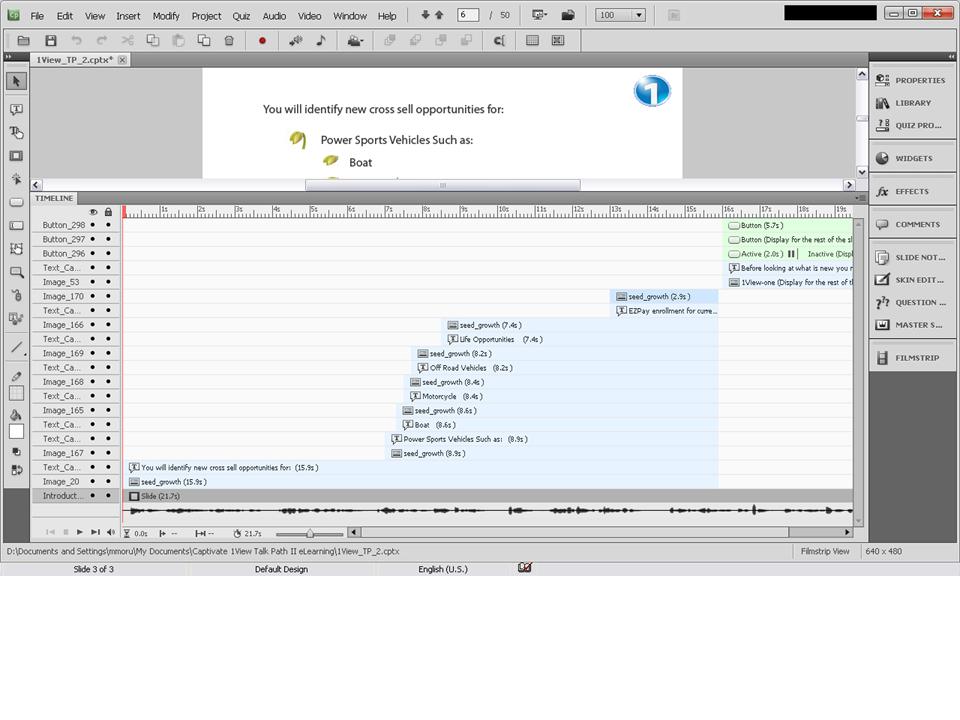
There are three buttons at the end of the timeline, can you just try to change the stack order of those?
Lilybiri
Copy link to clipboard
Copied
Not sure someone from the Adobe team will pop in, this is a user forum.
Copy link to clipboard
Copied
Stack Order?
Copy link to clipboard
Copied
Stack order: the way items are arranged on the timeline: try to move the button that is now the third (if I'm right) to the topmost position,
Lilybiri
Copy link to clipboard
Copied
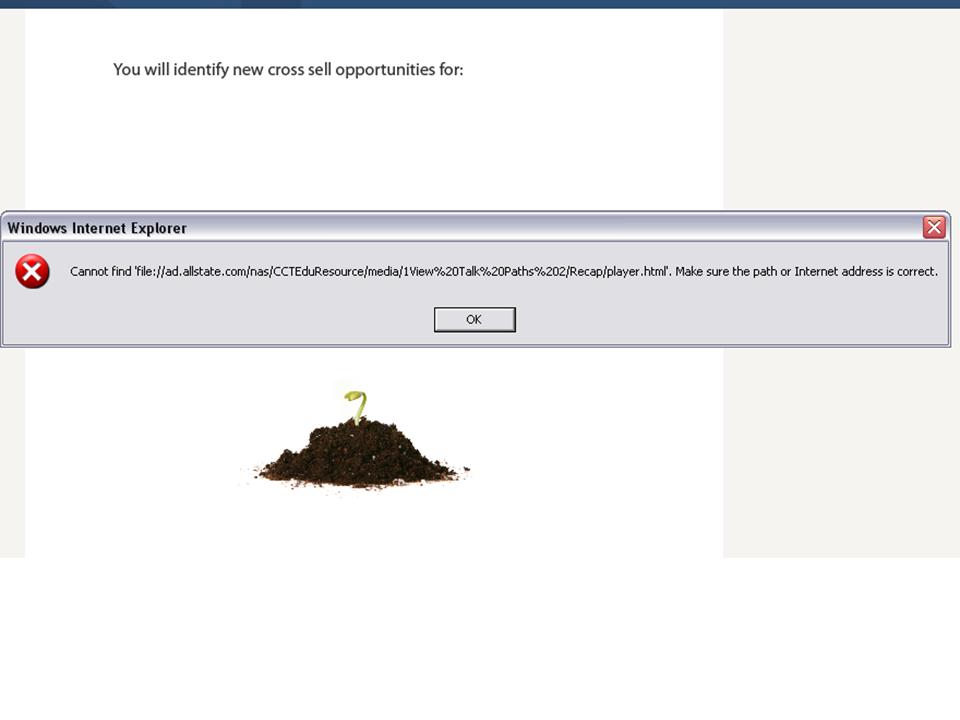
Did that, and took off the arrows on slide 5. Now when it goes to slide 6, I get an error message. See images below.

Copy link to clipboard
Copied
This error message seems to indicate that the file cannot be found. Is this file in the same folder as the Captivate file, please change the absolute path in that case to a relative path and try again.
Lilybiri
Copy link to clipboard
Copied
The error message only occus when slide 5 transitions to slide 6. The image button that actually opens that links works just fine. The problem is that when slide 5 goes to slide 6 it tries to open that link and it should not be doing that.
Copy link to clipboard
Copied
Already asked, do not remember if you replied that question: check the actions On Exit for slide 5 and On Enter for slide 6.
Copy link to clipboard
Copied
Copy link to clipboard
Copied
Hi Melissa,
Please check the below mentioned actions for 5th and 6th slide :
1) On Exit for slide 5
2) On Enter for slide 6
Regards,
Nimit


Get ready! An upgraded Adobe Community experience is coming in January.
Learn more
 AdChoices