
dottyp25589711
Participating Frequently
June 21, 2018
Answered

Main Tool Bar Set-up

  • June 21, 2018
  • 1 reply
  • 265 views

Hello,

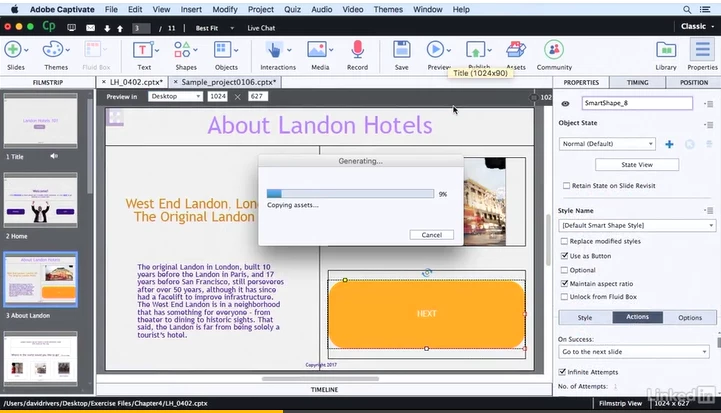
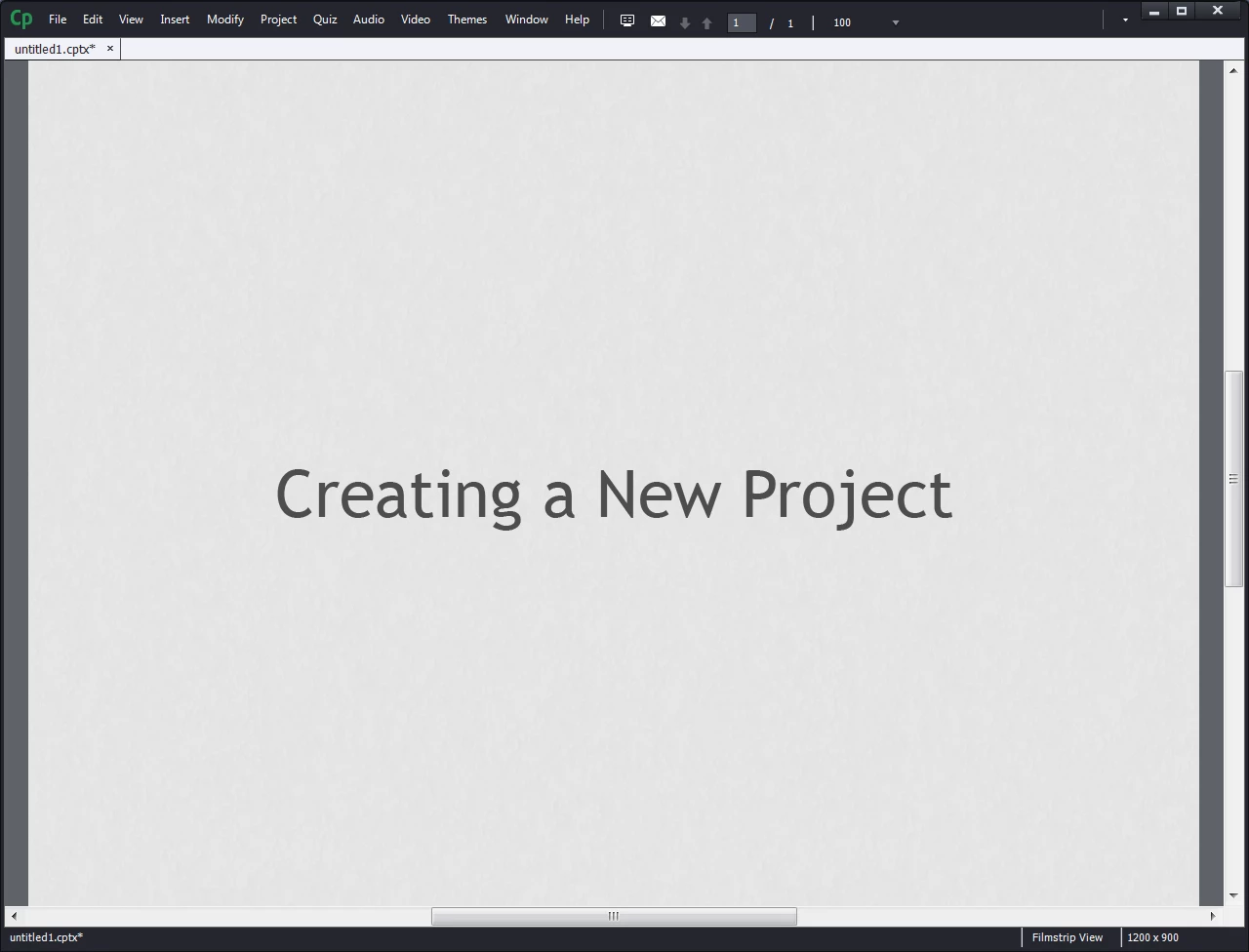
New User Issues- My toolbar set up looks wrong and I can't find a Preview button anywhere.  I want to be able to see the view with the icons automatically on a windows computer.  It is nice to be able to click preview, create text boxes and access the library and properties easily.  Can anyone assist?

Wanted View:
Current View on Windows:
    This topic has been closed for replies.
    Correct answer Lilybiri

    Something is indeed wrong  Can you check the exact version number 10.0.1.285? 

    Try to clean the Preferences. You will need Administrator rights. Close Captivate, look in the installation folder for a subfolcer 'utils' and run the CleanPreferences.... file appropriate for your OS. Try opening Captivate after that action.

    1 reply

    Lilybiri
    Legend
    June 21, 2018

    You are not in a cptx-project but in a Video Demo project, which has more limited UI! What do you see when you create a Blank Project?

    I cannot really see,  but are you still in the video Preview instead of the eidtor? How did you get to this screen.

    dottyp25589711
    Participating Frequently
    June 21, 2018

    Hello,

    I opened Captivate and clicked Blank Project

    Do I have the Editor? Am I in it?  How do I know??

    Lilybiri
    LilybiriCorrect answer
    Legend
    June 21, 2018

    Something is indeed wrong  Can you check the exact version number 10.0.1.285? 

    Try to clean the Preferences. You will need Administrator rights. Close Captivate, look in the installation folder for a subfolcer 'utils' and run the CleanPreferences.... file appropriate for your OS. Try opening Captivate after that action.