


- Home
- Captivate
- Discussions
- Multiple Text Box Entry Score Validation
- Multiple Text Box Entry Score Validation
Multiple Text Box Entry Score Validation

Copy link to clipboard
Copied
Hello,
To whoever can help me; I recently started a project where we would have
staff members fill in information in the text box. I followed the blog that
follows. There are three text boxes on the slide, and the answers are
correct and the functionalities are as follows from the blog. Unfortunately,
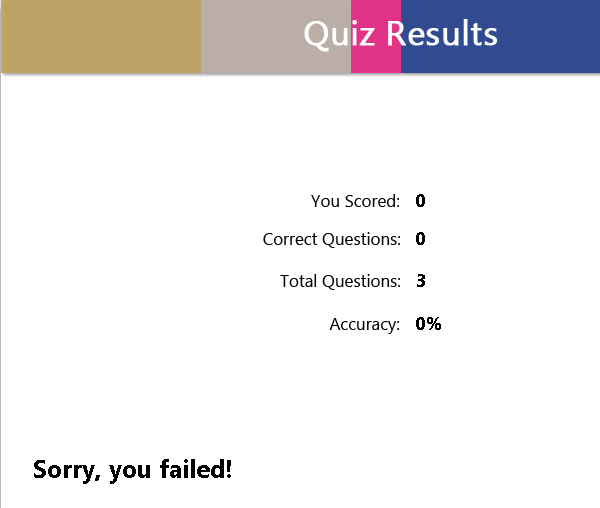
when I include the text boxes into the quiz, the quiz will not take a score. It
still shows as 0/3 at the end.
Could anyone help me with this? Thanks!



 3
Replies
3
3
Replies
3


Copy link to clipboard
Copied
Whow, is that still online, barely remembered I wrote that article (is not in my blog). This is the blog version:
One Submit button for Multiple Text Entry Boxes? - Captivate blog
Don't blame me, those TEB's in the article were validated but NOT scored.
If you want them scored, individually you need to complete the Submit process for each TEB separately, not with one Submit button that is checking all the inputs.
Can you impose the sequence? In that case easiest way would be to spread over 3 slides, or ot stagger the TEB's on the timeline.
Which version are you using? The article was written for 5.0, I suspect you are on a more recent version and things have changed. Which output is your goal, because SWF and HTML5 output not always have same features.
Copy link to clipboard
Copied
Hello,
I am currently using Captivate 8. Yes, when I saw the date, I was hoping that it would still be active in Captivate 8 (which it is). But, it looks like I will have to make three separate TEB's like you said. So, what I am working on are a series of simulations where the user needs to enter in the correct data. This is my third one I am on. The first one dealt with TEB's as well, and I did what you suggested, which was the three separate submits. The second dealt with click boxes, which was a fun time in itself. I figured the third one I would give the one submit thing a try to make it less cluttered.
I will stick with the original plan of having three separate for now. Would you happen to know if there will be a feature where you can validate three answers with one submit button? I think that would be awesome!
Thanks again!
Copy link to clipboard
Copied
I strongly doubt that will happen, although it probably is possible with JavaScript.
If you need an individual score for each TEB (which is a scored object) the multi slide approach is the easiest way. If a global score for all TEB's is OK there is another possibility, explained in this post:


Get ready! An upgraded Adobe Community experience is coming in January.
Learn more
 AdChoices