


- Home
- Captivate
- Discussions
- Re: Serial Number Not Valid Captivate 2017
- Re: Serial Number Not Valid Captivate 2017
Serial Number Not Valid Captivate 2017

Copy link to clipboard
Copied
Hi All,
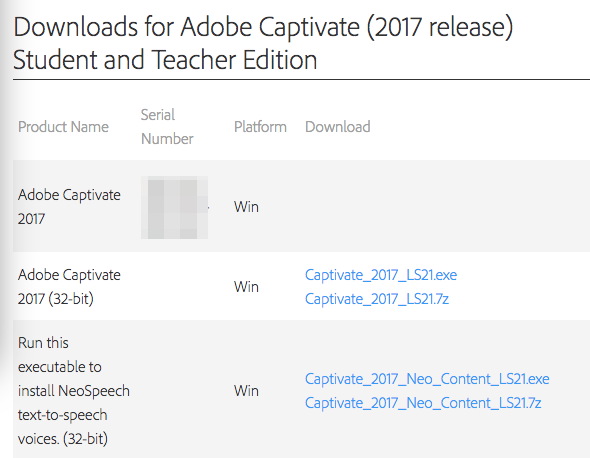
Purchased and dowloaded Captivate 2017 in September. I remember having a similar issue when I tried entering my serial number the first time I did this, but I can't seem to get it to work again. That being said, I downloaded the program to an old computer, now I have a new computer and can't get it into it. I have successfully downloaded the Captivate App at the trial point. When I launch it opens Captivate and the Adobe App. The Adobe app asked for a sign in (which I know and which has the correct serial number linked to it). I sign in and then it prompts me to use the trial or use a license. I enter in the number (I've done this numerous times and have not been able to make it work), but it says "Serial number is not valid for Adobe Captivate 2017." I have purchased that program, I have the latest updates installed. I work in IT and run support, so I have checked everything that I can think of to fix it.
Screenshots below, serial numbers intentionally blurred. Account verification and error message.



 5
Replies
5
5
Replies
5


Copy link to clipboard
Copied
This is a user forum and such a problem can only be solved by a staff member. I will try to warn them, and someone will contact you for sure. Please be patient.


Copy link to clipboard
Copied
Hello,
Please contact our support team for this issue, using the link: https://helpx.adobe.com/contact.html
Regards
Ashish
Copy link to clipboard
Copied
Sorry, Ashish, someone from staff will contact this person, was confirmed after I sent out a 'cry'' for help yesterday.
Copy link to clipboard
Copied
Thanks, I have personally sent an email to the user to troubleshoot this issue.
Copy link to clipboard
Copied
Great! Thanks so much.


Get ready! An upgraded Adobe Community experience is coming in January.
Learn more
 AdChoices