


- Home
- Captivate
- Discussions
- Simple timed button appears before time set to app...
- Simple timed button appears before time set to app...
Simple timed button appears before time set to appear when user clicks screen

Copy link to clipboard
Copied
I have a project that I have published to an .exe and a.pdf. On each slide is a simple Next button. I have set the button to appear at different times on each slide, and to pause after aprox. 20-25 seconds. I've just discovered that the user can click in areas on some of the slides and make the button appear sooner than the time limit I put on the button. I do not have any click boxes on the screen anywhere. Can someone explain why this might be happening?


 6
Replies
6
6
Replies
6


Copy link to clipboard
Copied
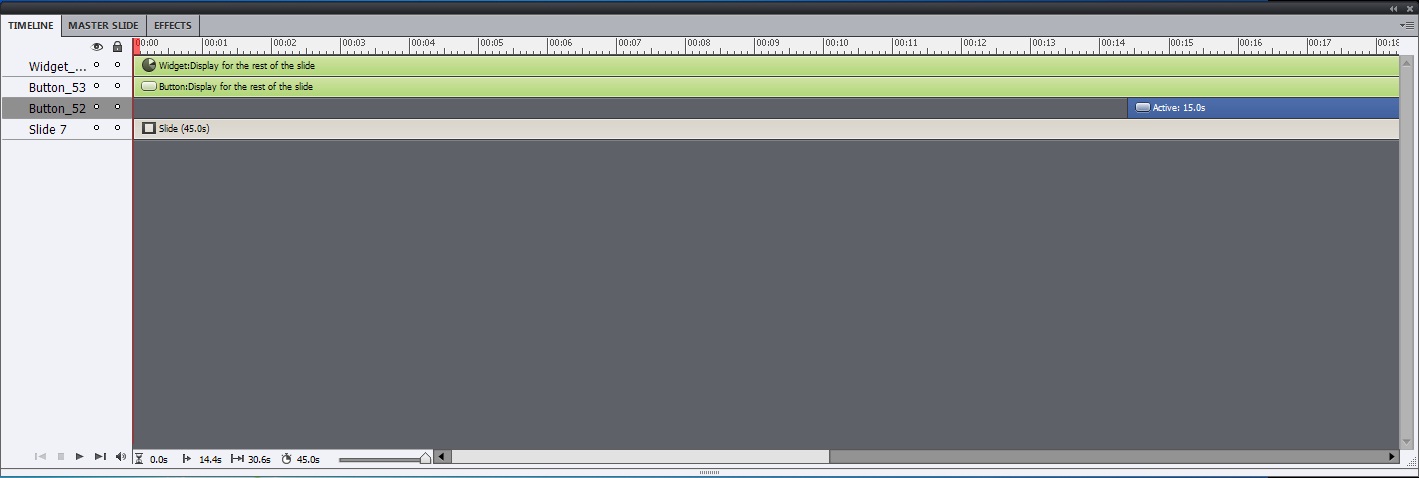
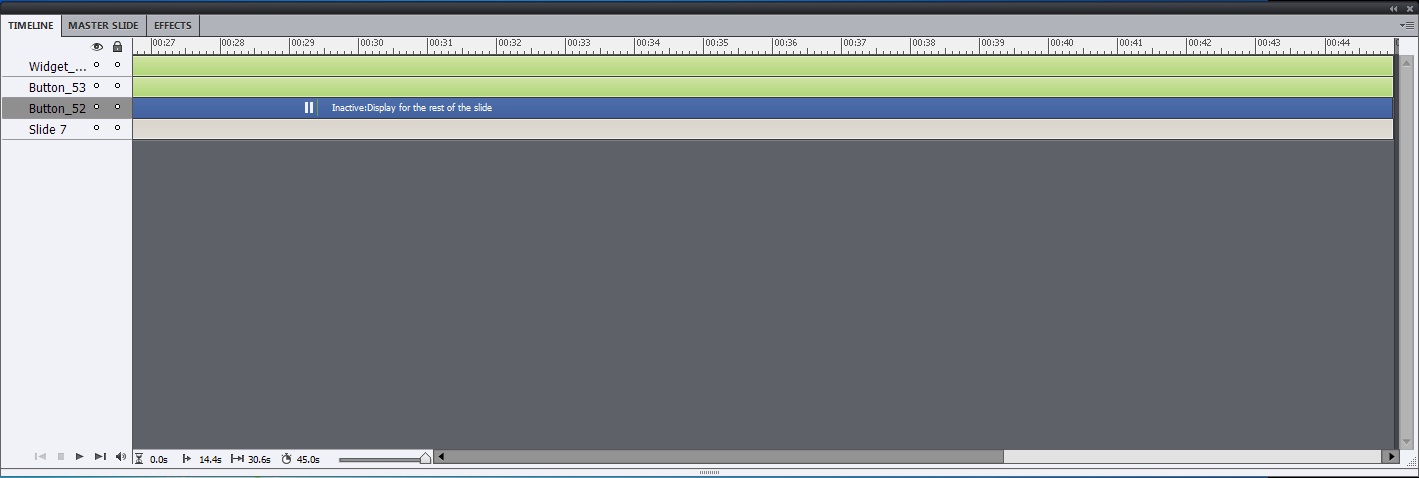
Seems very strange. Could you post a screenshot of the timeline?
Copy link to clipboard
Copied
Thank you for your quick reply. To create the project, I imported a power point presentation. There is audio and/or animation on most of the slides. Also, when I publish, I open the project as administrator. On most of the slides there is a widget and a back button.

Copy link to clipboard
Copied
Hello there,
Your screenshot shows a widget in the timeline? What widget is that? Will this happen even if you don't have the widget?
Thanks,
Vish
Copy link to clipboard
Copied
Vish,
The widget is a Captivate/flash widget (button) that we created to navigate back to the first slide and open the file open dialog box when clicked. When I removed it from the slide, the behavior was still there. I also noticed now, that the PowerPoint animation goes straight to the end of the animation when I click the slide. I have 101 slides, which I know is large, plus 8 videos. The videos slides do not show the Next button when you click on the slide. The other button on the slide is a simple captivate Back button, similar to the Next button, but without pause or show after. The Back button is right next to the Next button.
Copy link to clipboard
Copied
Hello there,
Can you please share this file with me to take a look? You can mail to viswanat@adobe.com, it is difficult to visualize the issue with just a description.
Thanks,
Vish
Copy link to clipboard
Copied
Vish asks about the widget (could be an ineractive widget). You have another button on top of the timeline, that seems not to have a pausing point. Where is that button on the stage compared with the Next button and what is its function?
Lilybiri


Get ready! An upgraded Adobe Community experience is coming in January.
Learn more
 AdChoices