Exit
  • Global community
    • Language:
      • Deutsch
      • English
      • Español
      • Français
      • Português
  • 日本語コミュニティ
  • 한국 커뮤니티
0

Linking files

New Here ,
Jul 06, 2020 Jul 06, 2020

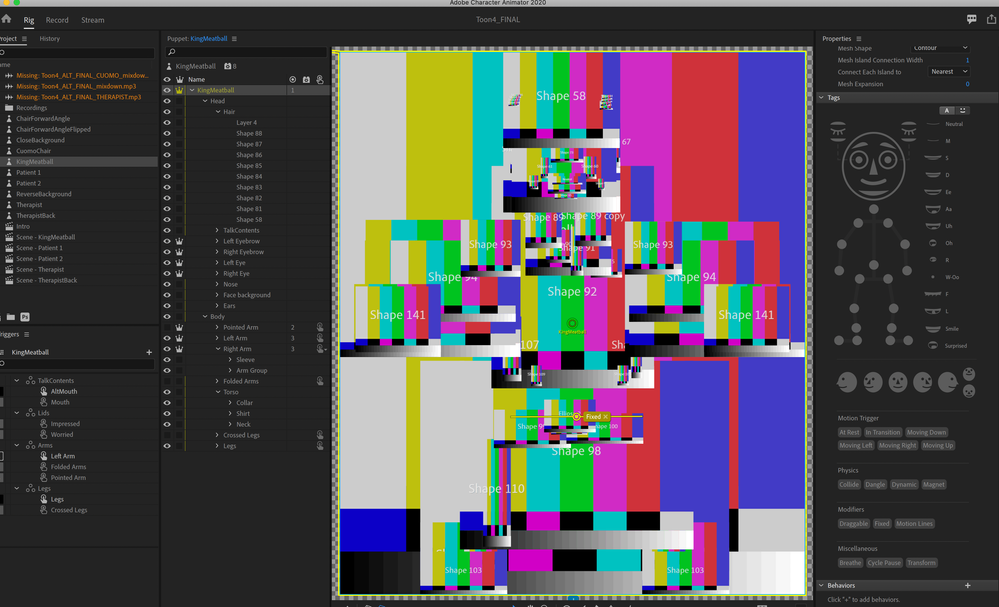
Screen Shot 2020-07-06 at 6.05.17 PM.pngI had been storing the PS files connected to my rig on my desktop, but then made the mistake of moving them, resulting in this. Any advice on how to re-link? Or will I need to build a new rig?


Thanks!

TOPICS
Rigging
284
Translate
Report
Community guidelines
Be kind and respectful, give credit to the original source of content, and search for duplicates before posting. Learn more
community guidelines

correct answers 1 Correct answer

LEGEND , Jul 06, 2020 Jul 06, 2020

Its easy to relink. Single click on puppet in Project panel then look at properties. The first one is "Path". Click on that and you can update the path to the new file location. I think that should solve your problem.

Translate
LEGEND ,
Jul 06, 2020 Jul 06, 2020
LATEST

Its easy to relink. Single click on puppet in Project panel then look at properties. The first one is "Path". Click on that and you can update the path to the new file location. I think that should solve your problem.

Translate
Report
Community guidelines
Be kind and respectful, give credit to the original source of content, and search for duplicates before posting. Learn more
community guidelines