Participant
January 9, 2019
Question

Dangle hair jitters/stutters

  • January 9, 2019
  • 6 replies
  • 2777 views

Hi,

I'm currently working on a rigged character with dangling hair. At first it worked great but now something strange happens and I can't find out what the problem can be. When I add dangle to the hair and I move the head in Record mode, the hair moves but jitters. I've tried to make the head independent but then it still jitters.

I've followed multiple tutorials but still I cannot fix it on this character. Does anyone know how to fix this or what I did wrong?
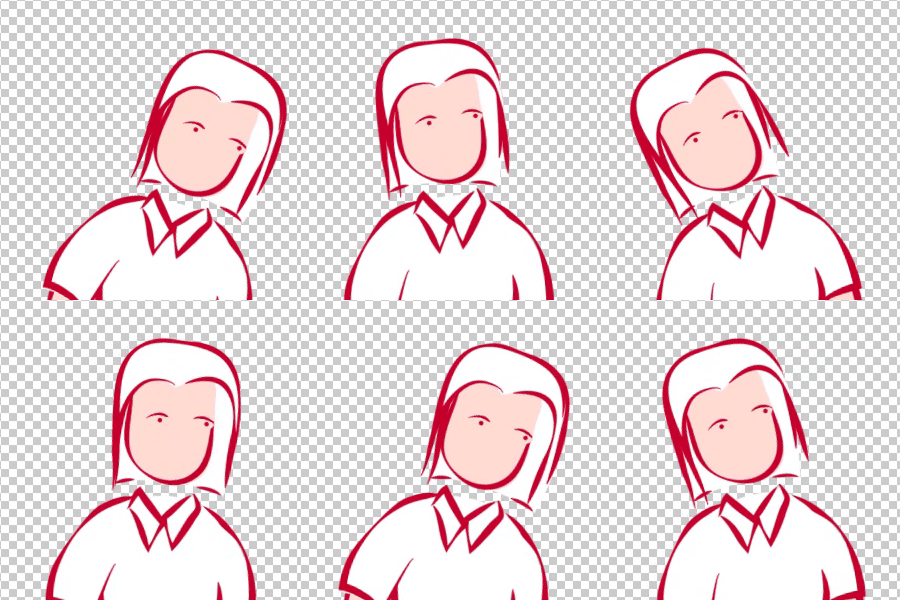
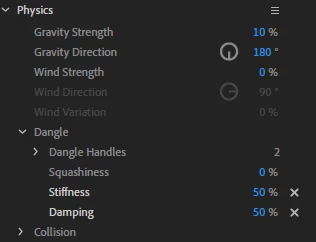
Changing the physics in any way does not stop the jitter.

Thank you for your time!

This topic has been closed for replies.

6 replies

Participating Frequently
November 25, 2024

It is now the end of 2024 and this is still an issue.


My time with Character Animator has been absolutely miserable and the software is in such a buggy state that I think even charging for it is bordering on irresponsible. Every issue I troubleshoot for (I have at least one or two bugs per hour) is several years old. It's scary to use in a real world setting when doing client work, because it's so hard to foresee all the issues that are bound to crop up, thus making it impossible to accurately estimate any given task.

Participating Frequently
February 16, 2022

Has anybody found a solution to this problem? It seems to happen when scaling the character. At 100% it's fine.
Thank you!

Jeff Almasol
Adobe Employee
Adobe Employee
February 16, 2022

Is it happening in the latest versions of the app (e.g., 22.2)? Are you able to provide a shared link to a .puppet file to help us reproduce the issue? Thanks.

Participating Frequently
February 16, 2022

I have the last update of Character Animator. At 100% puppet scale everything is fine, but when I change it the dangling becomes Jittery. It's exactly the same problem as described by jtomberg. 
Wetransfer link to the Puppet: https://we.tl/t-3EEQMHdO97


Jeff Almasol
Adobe Employee
Adobe Employee
May 29, 2020

Just curious... was this issue in Version 3.3 (the latest)? There were some jitter issues addressed in recent versions.

Participant
July 10, 2020

I also have the stutter problem, in the latest version I believe. And I figure out what causes it for me. If the puppet is at 100% scale there is no stutter. But when I shrink the character in a scene there is lots of stuttering and random flips of the hair in random directions.

Jeff Almasol
Adobe Employee
Adobe Employee
July 10, 2020

Are you able to post a picture of the puppet showing where the Dangle handles are relative to the rest of the puppet? I'm curious if there's a way to isolate the dangling parts from the rest of the puppet by making those parts independent layers in the pupper hierarchy. We've found that doing that in some scenarios can reduce jittery results.

Participating Frequently
May 22, 2020

I have the same problem. But in export, the stutters do not go away.

alank99101739
Legend
January 9, 2019

It could be something like your machine is near the edge of its CPU limit? Or maybe the antivirus software was running in the background for a while? Dunno!

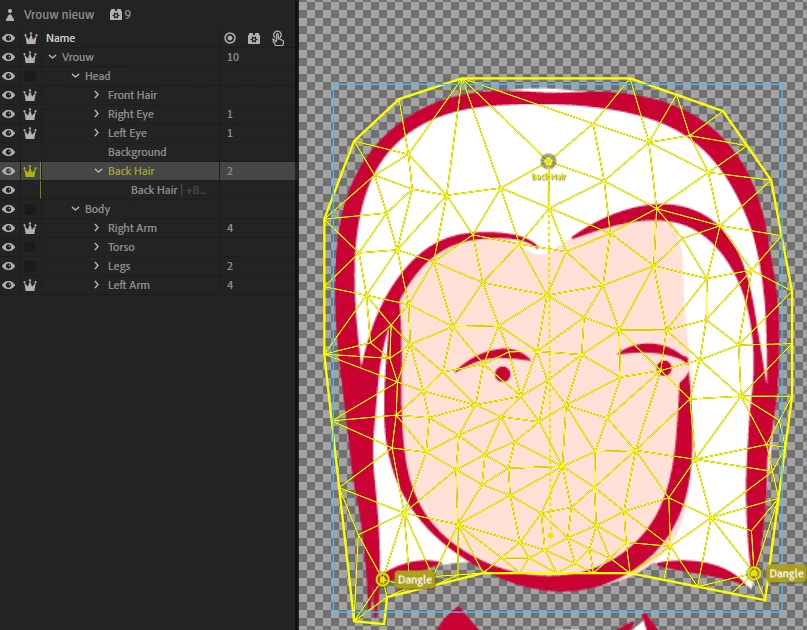
What I would say however is the big yellow rectangle when you see it in the mesh is an indication of a problem that can cause undesirable warping. Not the problem for you hair, but might cause other problems later. Its cause by having to images in the same dependence group that are not connected. CH tries to work out the outline around the layer content, and if not connected, it gives up. This could be a few stray pixels, or something more significant. You can tell to use “Contour” instead of “Auto” for mesh detection, which forces it to pick a contour no matter what (I assume it picks the biggest object it can find), but more often its an error in the artwork - something snuck into the wrong layer.

If you click through the layers in rigging mode with the mesh on you should be able to identify which dependence group (my name for a set of layers that CH groups together because they are not independent - each independent crown creates a new dependence group for the layer and its children (unless they also have a crown)).

The other one is to just flush the cache (use the refresh button).

But my guess is it ran out of CPU. The real time playback mode approximates rendering (like streaming mode) based on available CPU, complexity of puppet, etc. So it can jitter more. Recording mode takes as much CPU as needed to do it right, meaning exporting media for a video is not identical to playback mode.

jtombergAuthor
Participant
January 10, 2019

Yeah, it's strange. When loading up the old rig Character Animator starts lagging as well, but when checking the CPU it's at 10% throughout. I also changed the character to "Render as vector" in the new rig which seems to work more fluid as well.

But I did find my problem with the rig as you suggested. I did not connect the dependent head to the torso, as the graphic didn't need a neck. I drew the neck and hid it. Now the contour matches perfectly.

Thank you for your great help, you've helped me out a lot!

alank99101739
Legend
January 9, 2019

Could you include a video or animated GIF demonstrating? There can be initial bounce at the start of a recording while things settle down (and in v2 you can now get around this by specifying a subrange of a scene to export).  Is the jitter just at the start of the recording? Or all the way through?

The other question is whether there is some rigging issue like things getting stuck together unexpectedly. If you turn the yellow mesh icon on, and watch how the mesh moves, it might give a hint where something is stuck.

But a video or similar would be a big help to understand exactly what you are experiencing.

jtombergAuthor
Participant
January 9, 2019

Thank you for your quick reply. Here a capture before and during recording. Also a playback where it keeps jittering.

source.gif

I've downloaded an example puppet and changed it to my own graphics. I also changed all the dangle properties to 100% and now it does seem to work all the sudden!

giphy.gif

I checked it with my previous rig but I still cannot find the error I made. I did some things different in the layer order, but when changing that in my previous rig it still jitters. I created a new Character Project, used the example rig and rigged all over again. Now it does not seem to jitter anymore :/