
The measuring tool and scale ratios
For mac users-
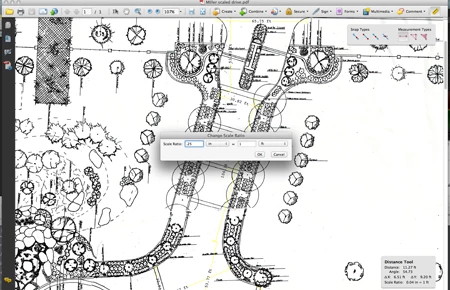
I use Adobe to open and work with Architectural plans. The measure tool has been a valuable partner in working up bids and scaling things when no measurements exist. However, no one has addressed how to use the scale tool for these type of drawings. Here is what I have come up with. Hold the option key and click the drawing and the change scale ratio menu appears. If your drawing says 1/4=1' use .25 in the scale ratio / select inch = use 1 in the next window / and ft in the last.
Any of these digits should get you an accurate scaling of your document providing it was scanned properly. I have been looking for a list like this for years. I hope it helps you.
.50 for 1/2" = 1'
.1250=1/8"=1'
.25 for 1/4=1'
.37 FOR 3/8=1'
.75 FOR 3/4=1'
0.09375 FOR 3/32 =1'
.189 FOR 3/16 =1'
0.0625=1/16 = 1'
0.0425 =1/20 =1'
 AdChoices