
richardj21724418
Known Participant
November 10, 2018
Answered

Benq SW2700PT sRGB mode gamma - no linear section

  • November 10, 2018
  • 5 replies
  • 8283 views

I'd been wondering why images appear to be higher contrast in sRGB mode on my Benq SW2700PT monitor than in AdobeRGB mode.  On investigaton I find it's because the monitor doesn't support the linear region in the sRGB gamma curve but applies a gamma of 2.2 across the whole range, from black to white.  If I view a black & white image in AdobeRGB and then switch the monitor to sRGB (without changing my monitor profile) I'd expect the shadows to lighten, but they stay the same.  In other words, the monitor is using the same 2.2 gamma curve for sRGB as it uses for AdobeRGB (AdobeRGB gamma doesn't have a linear section).  This means when I switch to sRGB mode and apply the sRGB profile, the shadows become too dark.

It's the same if I calibrate the monitor to sRGB primaries with Palette Master Element.  The gamma is applied across the whole range.  There is no option available for the linear section.

Is this normal behaviour for monitors?  I might expect it of budget consumer models but the SW2700PT is supposed to be aimed at the premium consumer market, even edging into professional.  I notice it's the same on my old Dell U2410 monitors, which were also higher end models in their day.

When I view in sRGB mode, is there an alternative sRGB profile I should be using, without the linear section?  Up until now I've simply been using sRGB IEC61966-2.1.
    This topic has been closed for replies.
    Correct answer D Fosse

    A-ha!  I've found a work around.

    I've tweaked the TRCs in the sRGB Color Space Profile file to be the single 2.199219 gamma found in AdobeRGB1998.  sRGB mode looks a whole lot better now.

    If I can't convince the brains here that this was the problem, there's absolutely no point in me trying to tell BenQ!


    In theory you're right. In practice the sRGB emulation is setting the primaries very accurately, but doesn't bother with the tone curve. And honestly - why should it? It doesn't really matter in a color managed environment anyway. This is all remapped from one to the other and any differences in TRC are invisible to the user.

    The "black point compensation" kicks in long before the sRGB black toe. Defined as Lab values, the monitor black point never goes that deep, nowhere near where sRGB levels out.

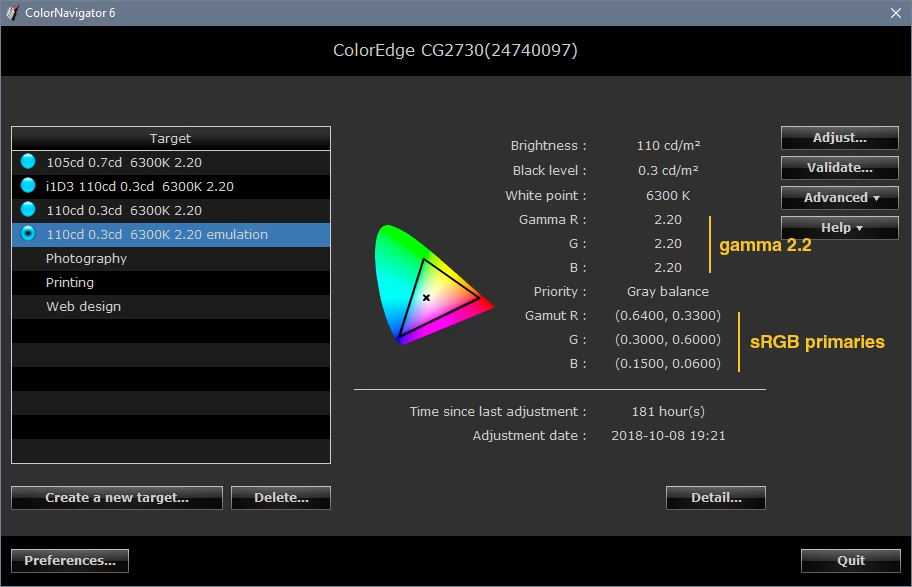
    Eizo ColorNavigator does the same thing. The sRGB emulation is strictly about setting the primaries.

    If you have inconsistencies between monitor presets, this isn't the reason. It has to be other bugs in the BenQ software.

    5 replies

    richardj21724418
    Known Participant
    November 12, 2018

    I'm sorry to bore you further with this but hopefully I'm nearing the bottom of the 'rabbit hole'.

    I 'calibrated' the monitor to sRGB using PME.  Remember, there's no meaningful ICC profile output file produced by PME when calibrating to a standard colour space.  I assume you're supposed to use the standard profile file. e.g. sRGB IEC61966-2.1.  You guys will tell me that's wrong, although I still don't understand why.  If the monitor is properly calibrated to sRGB, then sRGB is the right profile to use.

    However, I'm sure the monitor applies a single 2.2 gamma curve, not the correct sRGB TRC.  This means the standard sRGB profile won't be correct for the calibration, which rather defeats one of the main purposes of having a calibrated sRGB monitor, namely to be able to view non-colour managed applications correctly.

    My work around was to produce a version of the sRGB IEC61966-2.1 profile, but modify it with a simple 2.2 gamma curve.  This seems to work well, although it doesn't help with non colour managed applications which blast image data straight at the display.  A real pity that.

    To verify this I calibrated the computer to the (calibrated) display using i1Profiler.  This uses the same hardware and is based on similar software to PME, so you'd expect similar results....except the tone curves should get corrected.  Bingo!  To my eye I can't tell the difference between this calibration and the hardware calibration using my modified sRGB IEC61966-2.1 with linear LUTs in the GPU.  I should probably reserve judgement until I've done some difference blend mode jiggery with Photoshop to closer inspect the differences, but on initial visual inspection I'm blown away by the match.  For me it's further confirmation of the sRGB tone curve issue with the BenQ.


    It's a shame BenQ haven't got this quite right.  The hardware calibration is very impressive and were it not for this TRC issue I think they'd have nailed it.  Really, it's how hardware calibration should work IMO.  If a monitor is properly calibrated to a standard space, you use the profile applicable for that standard space.  You should need to mess with creating a non-standard profile.  Why would you?  The monitor is calibrated to the standard profile.


    I may try telling BenQ about this, but somehow I know, just know, it will be even harder than explaining to you lot!

    TheDigitalDog
    Inspiring
    November 12, 2018

    richardj21724418  wrote

    I'm sorry to bore you further with this but hopefully I'm nearing the bottom of the 'rabbit hole'.

    I 'calibrated' the monitor to sRGB using PME.  Remember, there's no meaningful ICC profile output file produced by PME when calibrating to a standard colour space. 

    Sure there is. The calibration may be conducted in the panel like my SpectraView but an ICC profile still exists. It has to exist as all ICC aware applications still need that to conduct Display Using Monitor Compensation! The profile is meaningful. It's not loading a LUT itself to adjust the behavior to the display but none the less, it exists, it is used.

    Now do you realize that sRGB is a synthetic construct? It's based on a number of constructs outlined above and based on, among other items, P22 phosphors. It isn't just three primaries and a gamma value. Your display is rather unlikely to produce sRGB as defined. The sRGB working space is yet another beast here. And as we've tried to tell you, the behavior of your display, set to some mimic of sRGB or otherwise, is separate from this and all other RGB working spaces, equally synthetic in construct.

    IT doesn't matter a lick what the TRC or gamma of your display is. It's described by the display profile. It can be a mile away from sRGB just as it can be nothing like Adobe RGB (1998) or ProPhoto RGB yet you can still use all of those working spaces in a color managed application and produce 'correct' previews (if everything is working as it should, your software may not), DUE to Display Using Monitor Compensation. Hence the rabbit hole comment.

    Yeah, perhaps it's a shame BenQ hasn't got this right. They certainly are not Eizo or NEC but want people to think they are. I have zero experience with them nor intend to but I have lots of experience with SpectraView and to a lesser degree Eizo and they do get this all right.

    You get what you pay for.

    Author “Color Management for Photographers" & "Photoshop CC Color Management/pluralsight"
    richardj21724418
    Known Participant
    November 12, 2018

    thedigitaldog  wrote

    richardj21724418   wrote

    I'm sorry to bore you further with this but hopefully I'm nearing the bottom of the 'rabbit hole'.

    I 'calibrated' the monitor to sRGB using PME.  Remember, there's no meaningful ICC profile output file produced by PME when calibrating to a standard colour space. 

    Sure there is. The calibration may be conducted in the panel like my SpectraView but an ICC profile still exists. It has to exist as all ICC aware applications still need that to conduct Display Using Monitor Compensation! The profile is meaningful. It's not loading a LUT itself to adjust the behavior to the display but none the less, it exists, it is used.

    After calibrating to sRGB PME does output an ICC profile, but it's useless.  Regardless of the calibration colour space selected, the profile is always written for the native gamut.  This means colours look way undersaturated, as you'd expect for a profile that's been designed for a wide gamut.

    Last year I had lengthy exchanges with BenQ about this (lengthy exhanges? Me?).  I could not get any sensible response and it didn't help that it was in garbled English. The order PME does things doesn't feel entirely right.  I tried to tell them that the profile was being created at the wrong stage, but they were having none of it!

    Then it dawned on me that if the monitor is properly calibrated to a standard colour space, you simply use the standard ICC profile for that colour space.  Why not?

    D Fosse
    Community Expert
    Community Expert
    November 12, 2018

    Yeah. The whole exercise is pointless. What you want is color management without color management.

    The only reason you would ever want the monitor to accurately emulate sRGB, is if you're working without color management, in applications that don't do it. Then it's useful to limit the gamut to sRGB, so you're not completely thrown off track.

    If, on the other hand, you want your sRGB content to be accurate, you work with full color management. End of story

    FWIW - digging into the ColorNavigator software I see there are several advanced options for profile emulation, just as there are options for almost everything else under the sun including emulating an iPad and any other display. I might need that once or twice in my life, but for now I can't imagine what those situations might be.

    Inspiring
    November 12, 2018

    It might be helpful to have a look at the table values for the Gamma=2.2 TRC and

    the sRGB-TRC (if the graph in #4 should not be sufficient), calculated for normalized

    values 0.0...1.0 and shown for not normalized variables 0...255. The end of the linear

    slope is at 0.03928 (10 of 255).

    x     y1=x^2.2     y2=for sRGB     y3=y2-y1

    The second table shows the values rounded for integers 0...255.

    Best regards --Gernot Hoffmann

    Inspiring
    November 11, 2018

    Let`s assume there is a difference between the monitor TRC (exactly G=2.2) and the profile TRC

    for the monitor (exactly like that of sRGB). Or vice versa.

    Here are the TRCs for both:

    The difference is nowhere larger than 1% full scale, let's say 2 to 3 units of 255.

    Now I'll show a test. Will this small difference be perceivable? An S-like curve is applied to the images.

    By toggling preview On/Off one can see a tiny difference, like a flicker. One cannot perceive the

    difference absolutely, like an application of Shadow/Highlight for lifting shadows. The effect of the

    deviation between the G=2.2 TRC and the sRGB-TRC  is very small.

    If everything is correctly color managed (TRCs belong to color management workflows), no difference

    will be visible.

    Best regards --Gernot Hoffmann

    richardj21724418
    Known Participant
    November 11, 2018

    Hi Gernot & Neil,

    Thanks for your replies.

    The numerical difference between the sRGB curve and a single gamma of 2.2 is actually quite significant in the shadows.

    Using Photoshop you can find the differences between the shadow values with the sRGB gamma and the single gamma of 2.2 used by AdobeRGB (I know this is a crude approach but Photoshop tends to get the numbers right).  In 8-bit mode, in order to obtain the same output as 5, 10 and 20 in sRGB gamma it requires 13, 18 and 27 respectively in 2.2 gamma.  That's quite a difference IMO.

    I could upload a couple of demonstration images but suggest you try it yourself.  Create a monochrome (B&W) image in Photoshop in sRGB working space.  Then assign (not convert) the profile to AdobeRGB (this assigns a single gamma of 2.2 to an image that is profiled to sRGB gamma).  Note how the shadow areas get darker. This is exactly the effect I'm seeing with a monitor calibrated to a single gamma of 2.2 when using the standard sRGB profile – the monitor requires much larger shadow values than provided by sRGB.

    With a 'conventional' monitor you calibrate the computer to the monitor, rather than calibrate the monitor directly.  When you do this of course you will need to characterise the monitor output and produce a custom profile for the sRGB gamut.  This means non-colour managed applications still won't display correctly because the monitor isn't a pure sRGB device.

    However, one of the reasons for having a monitor with internal 3D LUT calibration is surely that you can calibrate the monitor to a standard colour space, such as sRGB?  You should then be able to treat the monitor as a pure sRGB device and use the standard sRGB profile.  This means non-colour managed applications will display correctly. Of course, they'll always be a minor deviation from the ideal device but nothing like I'm seeing.  It's clear from simulation with Photoshop where the problem lies - the monitor gamma is 2.2, not sRGB.

    Palette Master Element doesn't even provide a characterisation profile following calibration to sRGB or AdobeRGB primaries (it does output a profile, but this is to native space!).  My assumption is they expect you to use the standard sRGB/AdobeRGB profiles, but it’s absolutely hopeless asking Benq customer support!

    Going back to my original question, would you expect a premium level monitor which has been hardware calibrated to sRGB to use a basic 2.2 gamma?  Even the factory sRGB mode appears to be calibrated to basic 2.2 gamma.  My wife’s modest Dell does a better job of displaying sRGB shadows, but then it is a dedicated sRGB monitor!

    It's really not something I should be losing much sleep about as I don't normally work in sRGB.  Just I noticed it when trying to sort of print calibrations and wanted to get to the bottom of it, in case it indictaed a problem elsewhere.  I'll just add it to the list of Benq/PME issues.

    D Fosse
    Community Expert
    D FosseCommunity ExpertCorrect answer
    Community Expert
    November 11, 2018

    A-ha!  I've found a work around.

    I've tweaked the TRCs in the sRGB Color Space Profile file to be the single 2.199219 gamma found in AdobeRGB1998.  sRGB mode looks a whole lot better now.

    If I can't convince the brains here that this was the problem, there's absolutely no point in me trying to tell BenQ!


    In theory you're right. In practice the sRGB emulation is setting the primaries very accurately, but doesn't bother with the tone curve. And honestly - why should it? It doesn't really matter in a color managed environment anyway. This is all remapped from one to the other and any differences in TRC are invisible to the user.

    The "black point compensation" kicks in long before the sRGB black toe. Defined as Lab values, the monitor black point never goes that deep, nowhere near where sRGB levels out.

    Eizo ColorNavigator does the same thing. The sRGB emulation is strictly about setting the primaries.

    If you have inconsistencies between monitor presets, this isn't the reason. It has to be other bugs in the BenQ software.

    TheDigitalDog
    Inspiring
    November 10, 2018

    Viewing in what application? Not what I see on my SpectraView if I understand what you're saying. In an ICC aware application, the profiles should account and compensate here. Could it be an issue with the creation of either a LUT based profile or the profile being built in the V4 spec? Not all applications deal with these options well. The gamma of the display calibration really shouldn’t play a role. Can your software calibrate to an option called "Native Gamma" and if so, any difference?

    The shadows shouldn’t lighten; they should preview the same.

    Author “Color Management for Photographers" & "Photoshop CC Color Management/pluralsight"
    richardj21724418
    Known Participant
    November 10, 2018

    The SW2700PT has internal calibration.  In other words, the calibration process programs the gamma and colour space response curves into the monitor, rather than it being handled by the computer's GPU LUT.

    If I calibrate the monitor to native mode it's fine (just about!).  And of course, I use this with the profile created for that native calibration.

    It's also fine with Adobe RGB, using the standard AdobeRGB profile, which has a simple gamma of 2.2.

    However, the monitor also has a factory calibrated sRGB mode.  In this mode I expect it to behave as a monitor to sRGB specification and to use it with the standard sRGB profile.  But it doesn't because the factory calibration has been performed using a simple gamma of 2.2.  It lacks the linear section contained in the sRGB profile.  This means images appear higher contrast in sRGB mode because the shadows get crushed.

    Of course, the factory calibration won't be perfect. so it's also possible to calibrate the monitor to sRGB.  However, again this is performed using a gamma of 2.2, without a linear section.  There's no profile file required from the calibration process.  The monitor is calibrated to sRGB via its internal LUTs.  Once calibrated, I thought it should function as close as possible to the sRGB spec and should be used with the standard sRGB profile.

    richardj21724418
    Known Participant
    November 10, 2018

    In fact, Palette Master Element doesn't inspire confidence when it offers users to set gammas other than 2.2 for AdobeRGB and sRGB calibrations.  If you're calibrating to a standard colour space I don't see there should be options for deviating from the correct gammas, otherwise they won't be correct for the standard profiles.