
Participant
July 14, 2018
Answered

Color Management Photoshop CC vs Instagram

  • July 14, 2018
  • 2 replies
  • 29715 views

Hello,

I have a color management question.  I mostly edit my photographs for web. (instagram/website) The problem I am having is that when I edit my images I get very specific with my color.  I then will save the images using the Export > Save for Web (legacy) feature.  Once I've uploaded the jpeg file to instagram I'm noticing massive color shifts.  I just uploaded a portrait I spent hours on.  In photoshop on both my calibrated Eizo and macbook pro screen the image was relatively neutral.  Now that it is uploaded to Instagram I am noticing a subtle blue shift in the overall image.   I can of course delete it and reupload with the correct adjustments, but I am getting really frustrated by working this way.  I don't want to correct an image to my liking on both of these screens only to find out that it doesn't really look all that great on my phone screen.  Does anyone have any EDIT > Color Settings suggestions?

Thank you!
    This topic has been closed for replies.
    Correct answer rob day

    Everyone says to click Srgb,

    What do you mean by click Srgb? Where are you doing that? I’m getting a perfect match between Photoshop and OSX browsers.

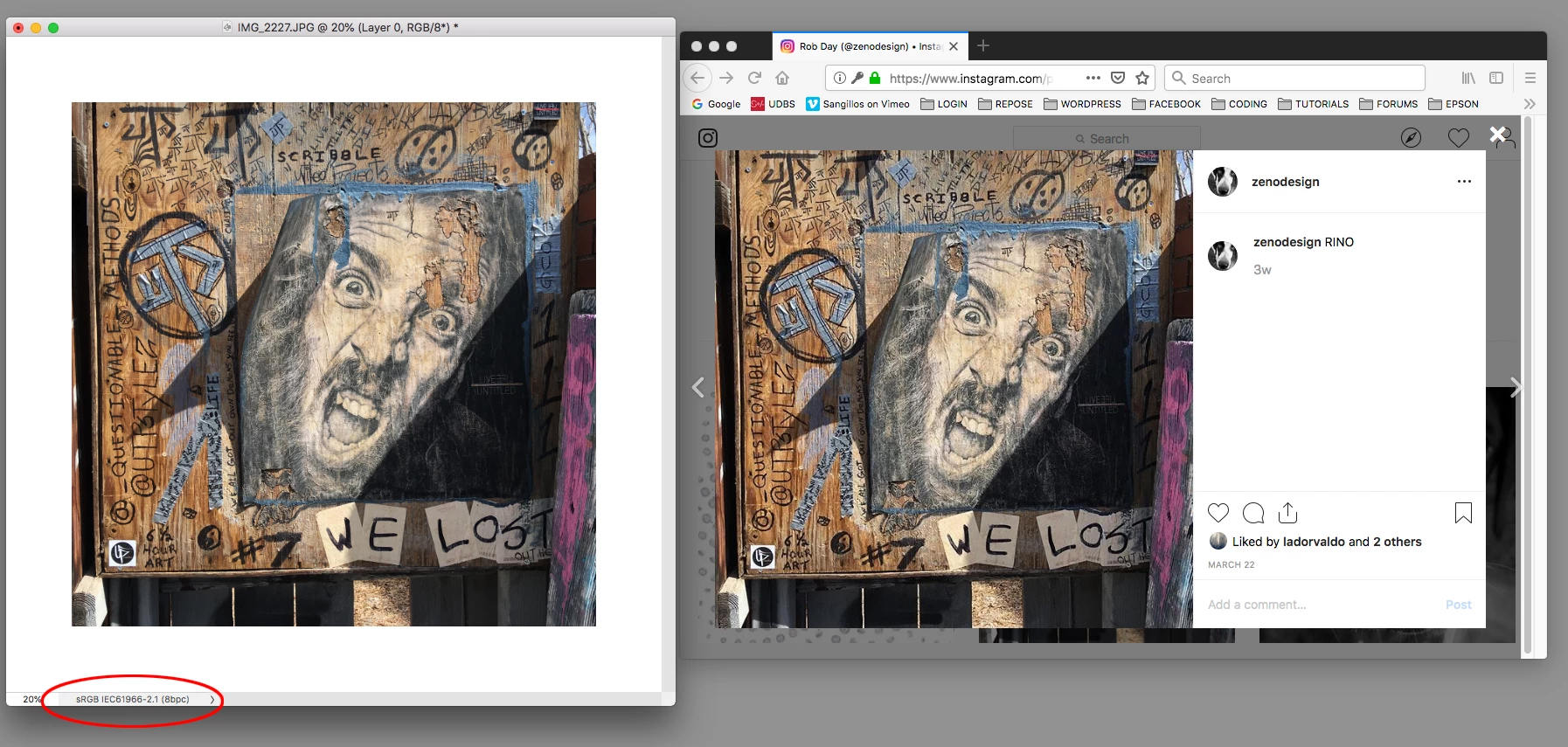
    Here my Photoshop file has sRGB assigned, and to the right the Instagram page viewed in Firefox.

    Phone OSs are not color managed—the displays are not profiled—so there‘s not much you can do about that. For me sRGB is acceptable on my iOS phones and tablets.

    2 replies

    davescm
    Community Expert
    Community Expert
    July 14, 2018

    Hi

    I don't use Instagram but in general terms:

    When you Save for Web have you converted to sRGB and Embedded the profile - both should be checked.

    When you view the image are you using a browser that is color-managed and uses both the embedded profile of the image and the monitor profile of your display. Not all do this correctly. On Windows, Firefox does (if set up correctly).

    Like I said , I don't use Instagram but if it is including the embedded profile and not stripping it - then with both the above conditions met, it should display correctly.

    Dave

    Participant
    April 15, 2019

    Everyone says to click Srgb, but i have done this multiple times with no avail... there is something off about uploading to instagram and no one seems to know what is happening. I have tried uploading and export with a million different settings but they don't work

    rob day
    Community Expert
    rob dayCommunity ExpertCorrect answer
    Community Expert
    April 15, 2019

    Everyone says to click Srgb,

    What do you mean by click Srgb? Where are you doing that? I’m getting a perfect match between Photoshop and OSX browsers.

    Here my Photoshop file has sRGB assigned, and to the right the Instagram page viewed in Firefox.

    Phone OSs are not color managed—the displays are not profiled—so there‘s not much you can do about that. For me sRGB is acceptable on my iOS phones and tablets.

    Per Berntsen
    Community Expert
    Community Expert
    July 14, 2018

    I'm guessing that you are exporting an Adobe RGB or ProPhoto image, and not checking Convert to sRGB and Embed color profile in the Save for web dialog. Checking these two boxes ought to fix the problem.

    Most web browsers are color managed these days, and will assign sRGB to untagged images, but if the image is in the Adobe RGB or ProPhoto color space, it will display cold and unsaturated.