


- Home
- Connect
- Discussions
- Re: Can I upload PowerPoint directly into Connect ...
- Re: Can I upload PowerPoint directly into Connect ...

Copy link to clipboard
Copied
I have a PowerPoint file (.ppt as well as .pptx) and the slides are fairly simple - mostly bullet point lists in Arial or Calibri font (nothing wild and crazy). When I upload the content directly into the Connect envrionment, the formatting of the slides (in the share pod) is all wacky. Instead of it sizing the slides to fit the share pod, the bullet points go down past the bottom of the pod and cannot be read.
I was told that the only solution to this is to purchase Adobe Presenter and publish my PowerPoint files (using Presenter) into Adobe Connect. That is not an option for me at my company. It seems like uploading a simple PowerPoint should be a basic feature of Connect without having to download/purchase Presenter licenses. Maybe I'm wrong. Below are a few images in case this is not making sense. If anyone has advice, PLEASE let me know. I cannot possibly using connect for virutal training if slides look the way they do below. Thanks!
The first image is the PowerPoint slide
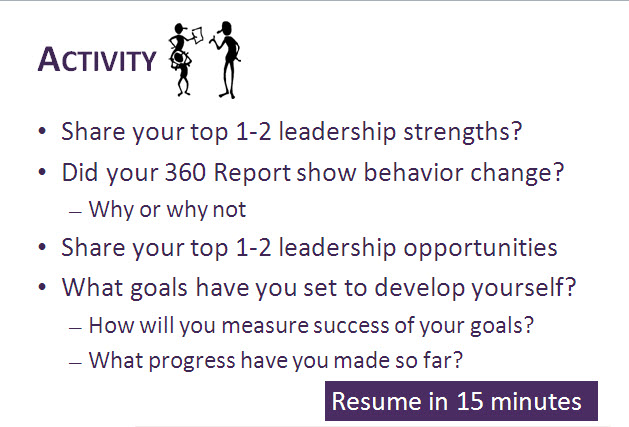
Here is what it looks like in the Share Pod:



 1 Correct answer

Mr. Market,
I'd make sure everything is in Ariel. I've had to change fonts before in a case like this. Calibri isn't a supported font.

 4
Replies
4
4
Replies
4


Copy link to clipboard
Copied
Mr. Market,
I'd make sure everything is in Ariel. I've had to change fonts before in a case like this. Calibri isn't a supported font.
Copy link to clipboard
Copied
Thanks Robert,
I tried to ask Adobe for a short list of supported / unsupported fonts but the tech kept telling me he could not give me that information. I thought I tried Arial to no avail but I can do so again. Just reformatted everything in Garamond and it worked fine.
Thank you again.

Copy link to clipboard
Copied
There was a good discussion about fonts in Connect here: http://forums.adobe.com/thread/854295
Copy link to clipboard
Copied
Thank you Jorma. That was VERY helpful. It is amazing to me that I have worked with PowerPoint for years and yet never knew about embedding fonts! Aprpeciate the direction.

Get ready! An upgraded Adobe Community experience is coming in January.
Learn more
 AdChoices