Copy link to clipboard
Copied
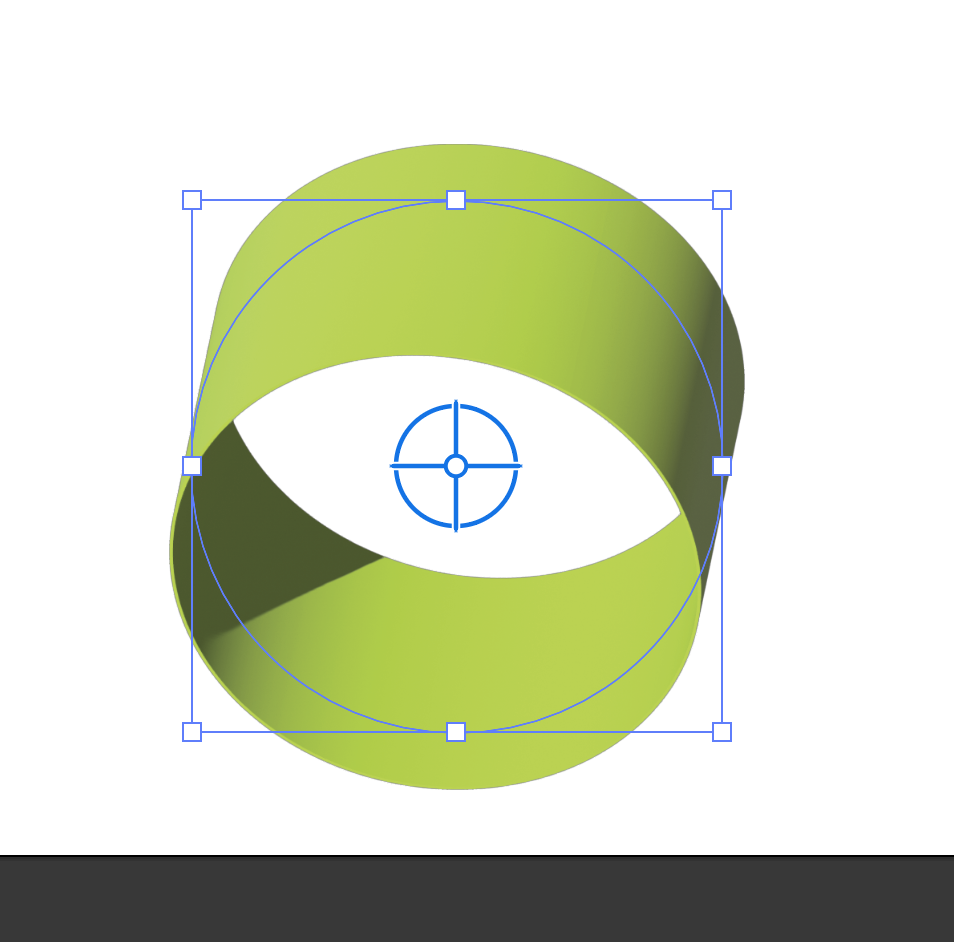
When I import a 3D object created with Illustrator into Dimension, add a simple color to it, it appears to have a folded paper look (i.e., the material is not seamless). The object is seamless when I export it from Illustrator. How do I address this?
Thank you.


 1 Correct answer

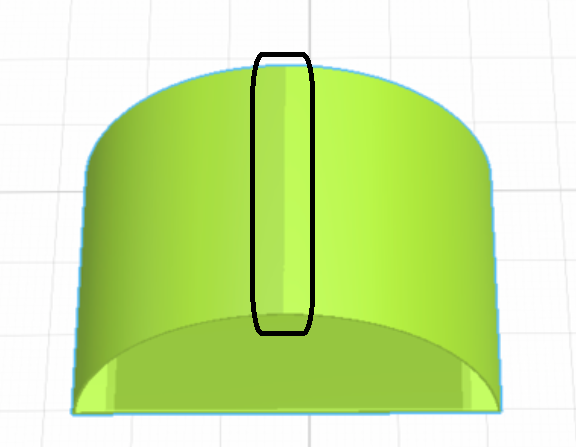
the seam is in the model because its made by extrusion but should go away when you rendor the scene... what we we are looking at in your screengrab is just a simple preview
as for what replces Dimension now that it is finished, Stager has come out... its basically just Dimension with a few extra materials for a lot more $ but you can try it

 5
Replies
5
5
Replies
5

Copy link to clipboard
Copied
If Dimension is no longer being supported, which app do we use to finish 3D objects created in Illustrator? I'm paying $50/month and love my subscription, but can't see paying another $30 or $50 to simply finish 3D objects for Aero. This seems absolutely unethical. Either pay the Substance fee or go elsewhere? Wow.


Copy link to clipboard
Copied
Youe object that have been created in Illustrator must have the same look in Dn. Why we are seeing half of it? May be the second part is hidden in underground?
Copy link to clipboard
Copied
the seam is in the model because its made by extrusion but should go away when you rendor the scene... what we we are looking at in your screengrab is just a simple preview
as for what replces Dimension now that it is finished, Stager has come out... its basically just Dimension with a few extra materials for a lot more $ but you can try it
Copy link to clipboard
Copied
No, it shows up when I export the asset to Aero. It is seen in my Aero project as well.
Thank you for your response, Norway. ❤️
Copy link to clipboard
Copied
Never mind, you are correct. It is not showing up in Aero. I had seen it previously.. maybe I did something wrong. I'm not sure. I do not see it now, though. Sorry for the trouble.

Get ready! An upgraded Adobe Community experience is coming in January.
Learn more
 AdChoices