Participating Frequently
April 11, 2020
Answered

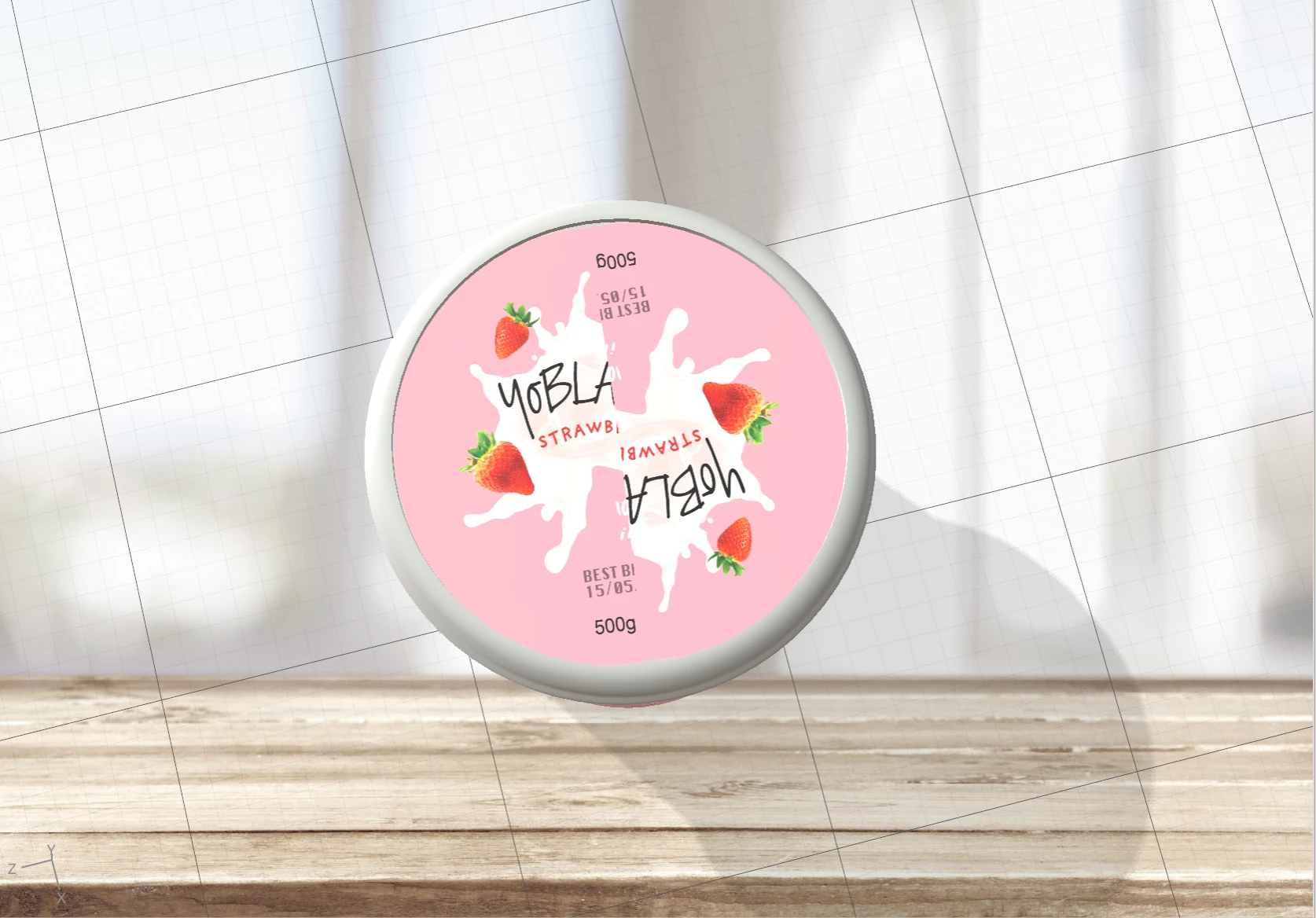
Placed decal distorted/split

  • April 11, 2020
  • 4 replies
  • 2430 views

So i've created my own obj model on dimension for a yoghurt tub packaging for the tub and the lid and I am currently struggling to place the decal image on the lid. It seems to have been having a malfunctioning split  and I cant seem to fix it in any way. I've tried googling and youtube but nothing seems to relate to my issue. Is there any way I could fix this? I've placed it in png file, jpg and psd but nothing seems to change. 

This topic has been closed for replies.
Correct answer Ussnorway7605025

i got your file and have repaired the errors

your file back = https://adobe.ly/2RykcKQ
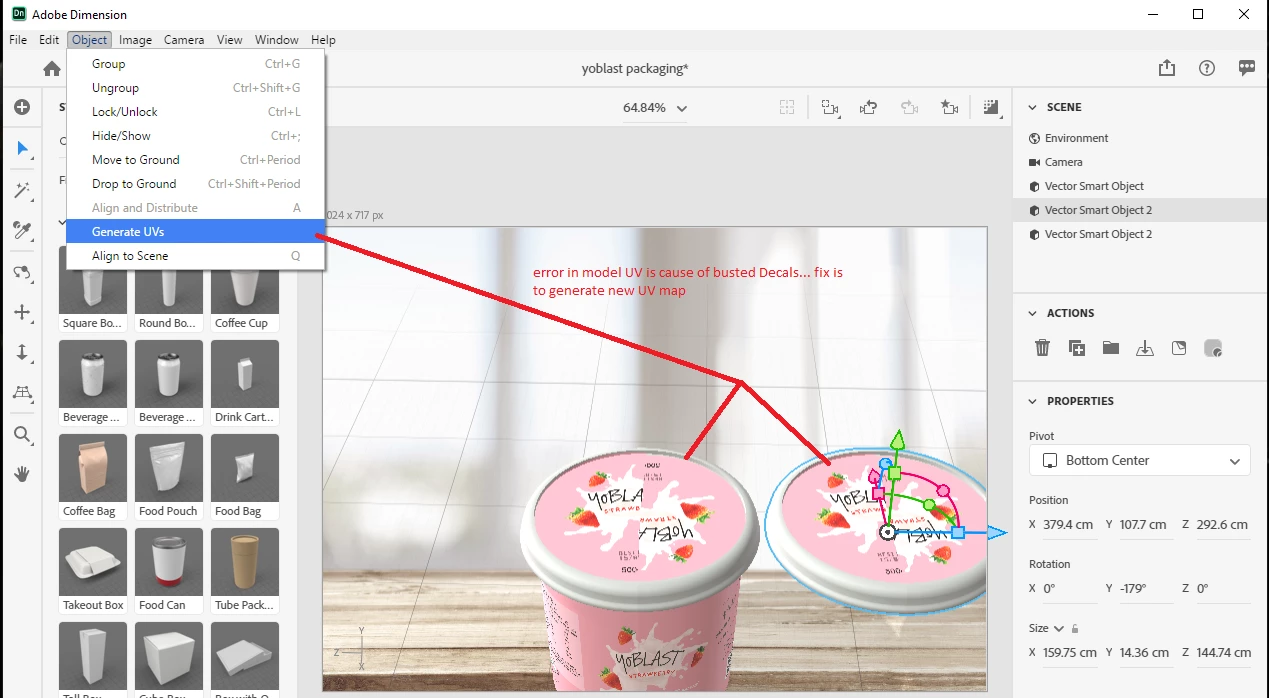


  • error 1 is the model itself and very common for new makers... its easy to fix by just asking Dimension to build a new UV map
  • error 2 is also common but important because adding a decal to this model will cause Dimension to crash [giving you a BS error message] and will also make any 3d print fail

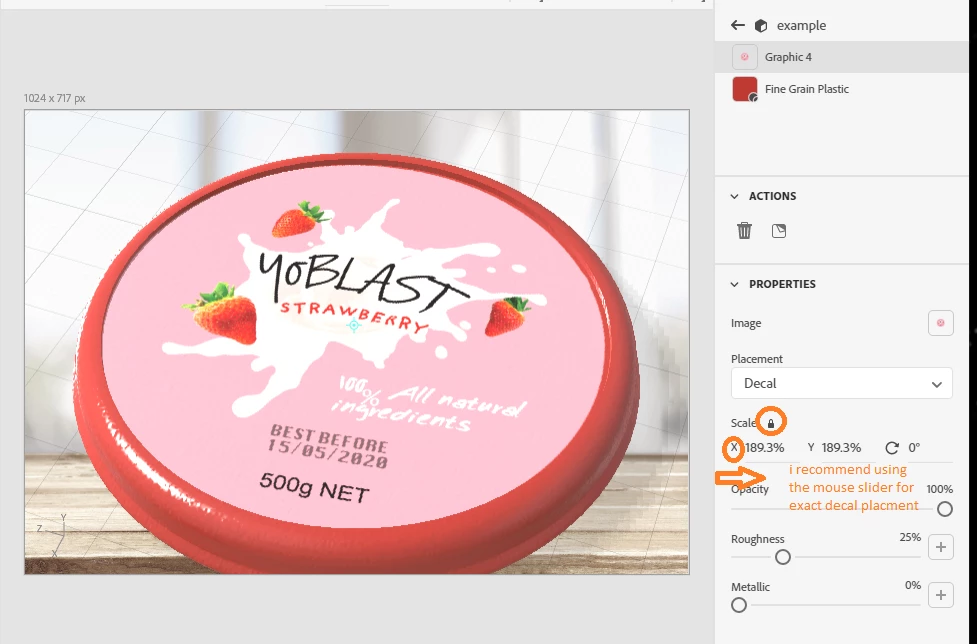
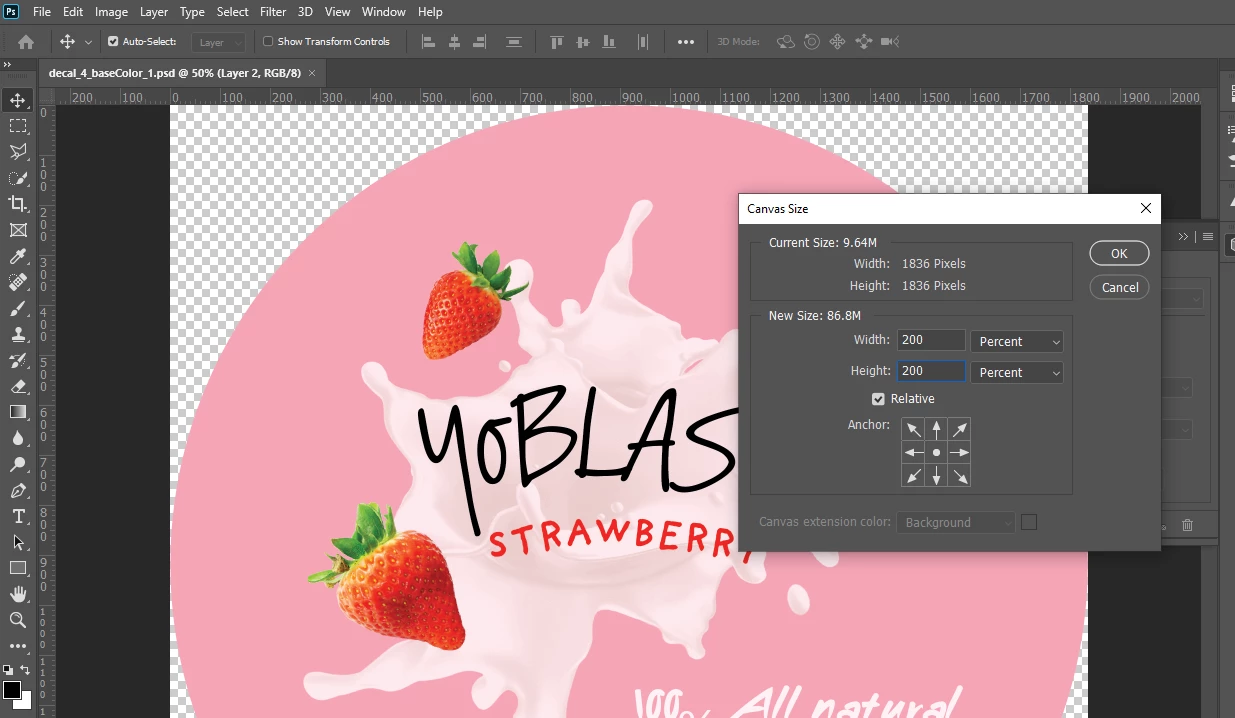
I recommend adding blank space around Decal to save yourself going nuts trying to place them... note i added 200% to the image so the correct placement will be around 180-190% and i use my mouse [with the lock] to adjust this by eye


I also recommend adding at least 1 bookmark so you can move a model around to test and then just click the bookmark to jump back for rendors


final note the pink mark on the front of the test rendor is noise from the model under i.e, the cup... i didn't repair it because the question is about the lid but I figgure you may want to know


all up these are small errors... you did well mate, good luck!


p.s, nice design

4 replies

Ussnorway7605025
Ussnorway7605025Correct answer
Legend
April 14, 2020

i got your file and have repaired the errors

your file back = https://adobe.ly/2RykcKQ
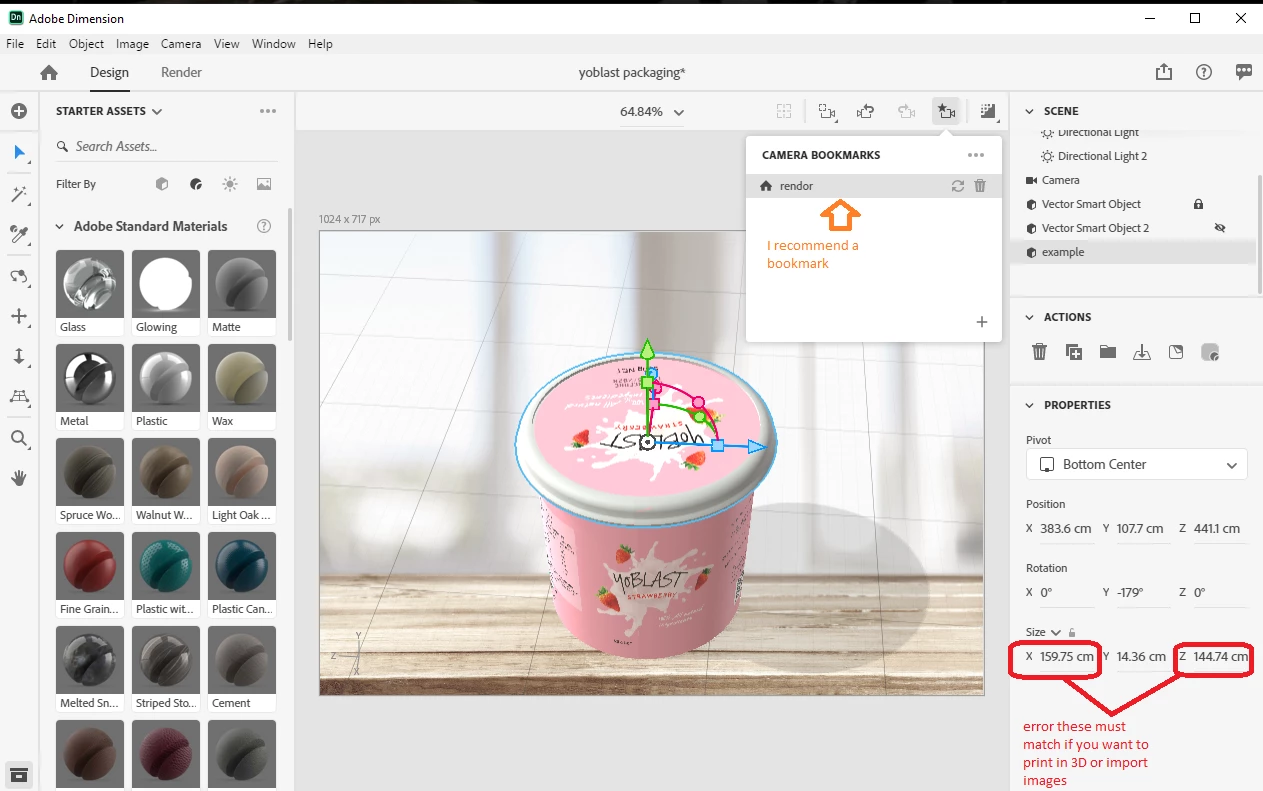


  • error 1 is the model itself and very common for new makers... its easy to fix by just asking Dimension to build a new UV map
  • error 2 is also common but important because adding a decal to this model will cause Dimension to crash [giving you a BS error message] and will also make any 3d print fail

I recommend adding blank space around Decal to save yourself going nuts trying to place them... note i added 200% to the image so the correct placement will be around 180-190% and i use my mouse [with the lock] to adjust this by eye


I also recommend adding at least 1 bookmark so you can move a model around to test and then just click the bookmark to jump back for rendors


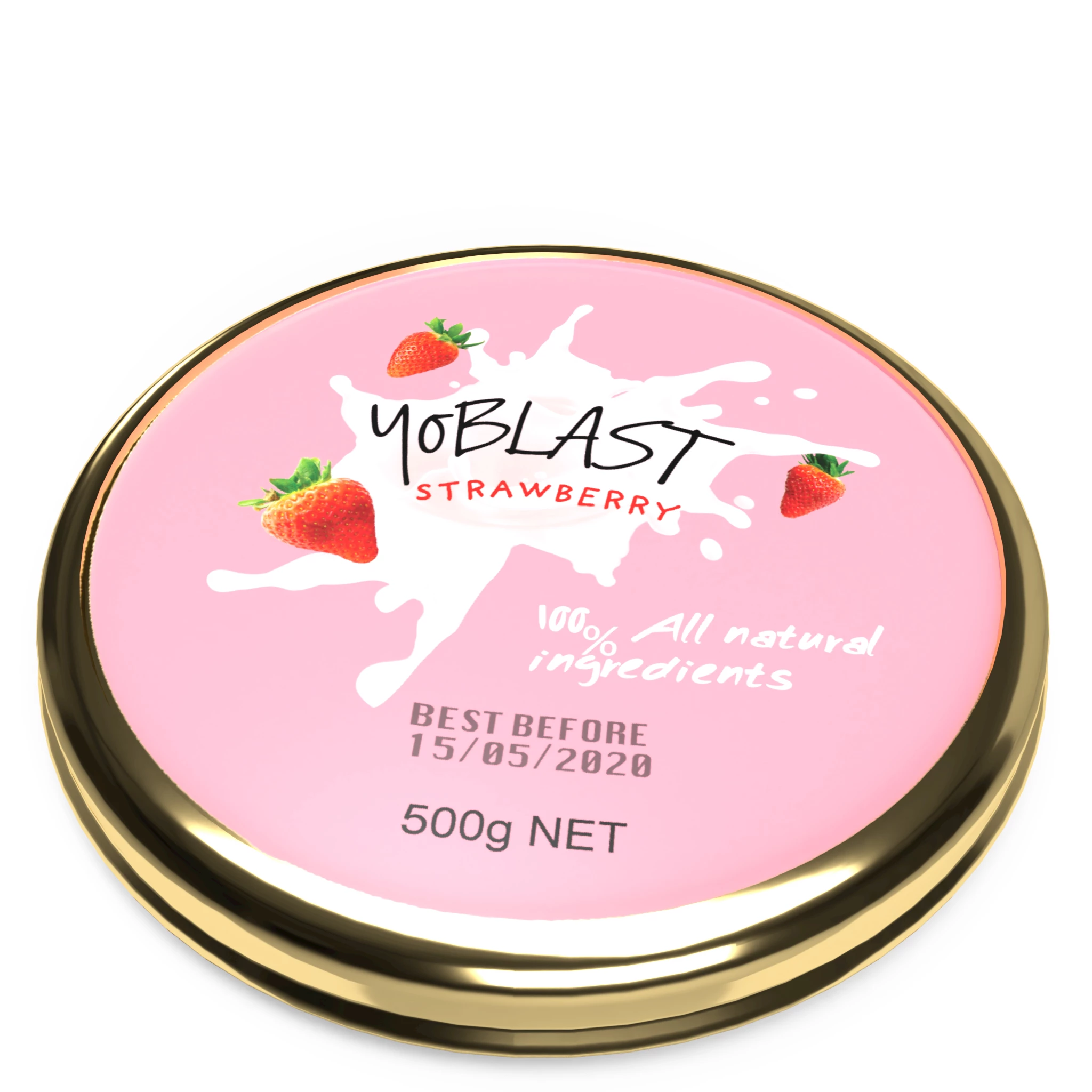
final note the pink mark on the front of the test rendor is noise from the model under i.e, the cup... i didn't repair it because the question is about the lid but I figgure you may want to know


all up these are small errors... you did well mate, good luck!
 

p.s, nice design
Quinni NAuthor
Participating Frequently
April 14, 2020

Thank you so much for your help!I really appreciate it! I also like the gold finishing touch that you did at the end, you made it look amazing! 🙂 

Ussnorway7605025
Legend
April 13, 2020

the Dn file will have both the Obj and the decal so yes that is the best option... if you zip it then creative cloud will allow or there are 3rd party systems; we tranfer, dropbox etc

Quinni NAuthor
Participating Frequently
April 13, 2020

I cant seem to post my zip file to you or anything but here's a dropbox link which includes the dn file as well as the obj and images. 


https://www.dropbox.com/sh/3ew8uug2w6d0604/AABnlywr5TWQ42AzIExDVWJqa?dl=0

Ussnorway7605025
Legend
April 11, 2020

i would use the magic wand to select [just] the top of the model, give that a new material and then place the decal


if you share the Dn file I can take a better look at it for you

Quinni NAuthor
Participating Frequently
April 12, 2020

I did what you've told me to do with the magic wand, still doesnt make any difference. I'll share the Dn file for you along with the images as well if you like

Ares Hovhannesyan
Community Expert
Community Expert
April 11, 2020

I am not shure but can you check decals filling option in property panels?. it looks like you have check mirror option for "Fill". 

Quinni NAuthor
Participating Frequently
April 11, 2020

Actually I only put it up as Decal. This is what my property panel looks like right now. When I try putting it in as a fill the whole thing becomes abnormally distorted and stretched.