
Adobe Animate OAM file in Dreamweaver Responsive problem.
I am playing around with placing in an OAM file into dreamweaver from Adobe Animate. When I scale the browser The RED LINE under the IMAGE which is a DIV does not move up with the SCALED ANIMATION of the MOUNTAINS.
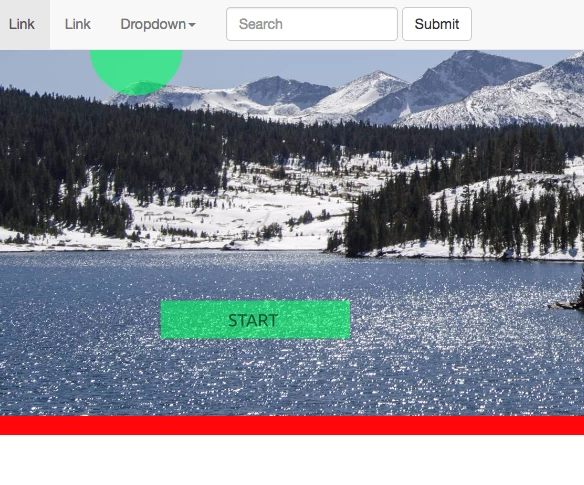
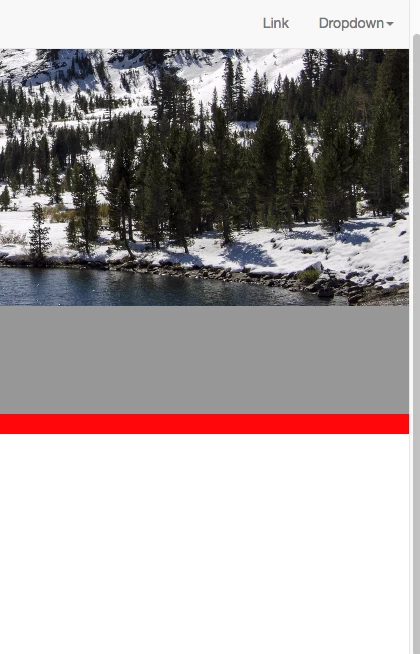
As you can see with the GRAY area that red bar should be up against the Image when the browser scales it. What setting do I need to change? Thanks!
CODE BELOW.
<body style="padding-top: 50px">
<nav class="navbar navbar-default navbar-fixed-top">
<div class="container-fluid">
<!-- Brand and toggle get grouped for better mobile display -->
<div class="navbar-header">
<button type="button" class="navbar-toggle collapsed" data-toggle="collapse" data-target="#topFixedNavbar1" aria-expanded="false"><span class="sr-only">Toggle navigation</span><span class="icon-bar"></span><span class="icon-bar"></span><span class="icon-bar"></span></button>
<a class="navbar-brand" href="#">Brand</a></div>
<!-- Collect the nav links, forms, and other content for toggling -->
<div class="collapse navbar-collapse" id="topFixedNavbar1">
<ul class="nav navbar-nav">
<li class="active"><a href="#">Link<span class="sr-only">(current)</span></a></li>
<li><a href="#">Link</a></li>
<li class="dropdown"><a href="#" class="dropdown-toggle" data-toggle="dropdown" role="button" aria-haspopup="true" aria-expanded="false">Dropdown<span class="caret"></span></a>
<ul class="dropdown-menu">
<li><a href="#">Action</a></li>
<li><a href="#">Another action</a></li>
<li><a href="#">Something else here</a></li>
<li role="separator" class="divider"></li>
<li><a href="#">Separated link</a></li>
<li role="separator" class="divider"></li>
<li><a href="#">One more separated link</a></li>
</ul>
</li>
</ul>
<form class="navbar-form navbar-left" role="search">
<div class="form-group">
<input type="text" class="form-control" placeholder="Search">
</div>
<button type="submit" class="btn btn-default">Submit</button>
</form>
<ul class="nav navbar-nav navbar-right">
<li><a href="#">Link</a></li>
<li class="dropdown"><a href="#" class="dropdown-toggle" data-toggle="dropdown" role="button" aria-haspopup="true" aria-expanded="false">Dropdown<span class="caret"></span></a>
<ul class="dropdown-menu">
<li><a href="#">Action</a></li>
<li><a href="#">Another action</a></li>
<li><a href="#">Something else here</a></li>
<li role="separator" class="divider"></li>
<li><a href="#">Separated link</a></li>
</ul>
</li>
</ul>
</div>
<!-- /.navbar-collapse -->
</div>
<!-- /.container-fluid -->
</nav>
<div class="container-fluid-placement">
<object id="EdgeID" type="text/html" width="3020" height="820" data-dw-widget="Edge" data="animation_assets/ball/Assets/ball.html">
</object>
</div>
<div class="container-fluid-red"> more info</div>
<script src="js/jquery-1.11.3.min.js"></script>
<script src="js/bootstrap.js"></script>
</body>
 AdChoices