Participating Frequently
January 23, 2017
Answered

An FTP errot as occured

  • January 23, 2017
  • 2 replies
  • 4133 views

I have tried to connected to my database in 127.0.0.1:8088 am getting an error message "An FTP error occurred- cannot make connection to the host. Internal data error. Failed to receive network data."

I have made exceptions in my eset nod 32 smart security 9 firewall for Dreamweaver CC 2017.
This topic has been closed for replies.
Correct answer Nancy OShea

Nancy I have done all that, I have created Apache 2.4 server on xammp. but i cant access it as I have indicated in the error produced during testing


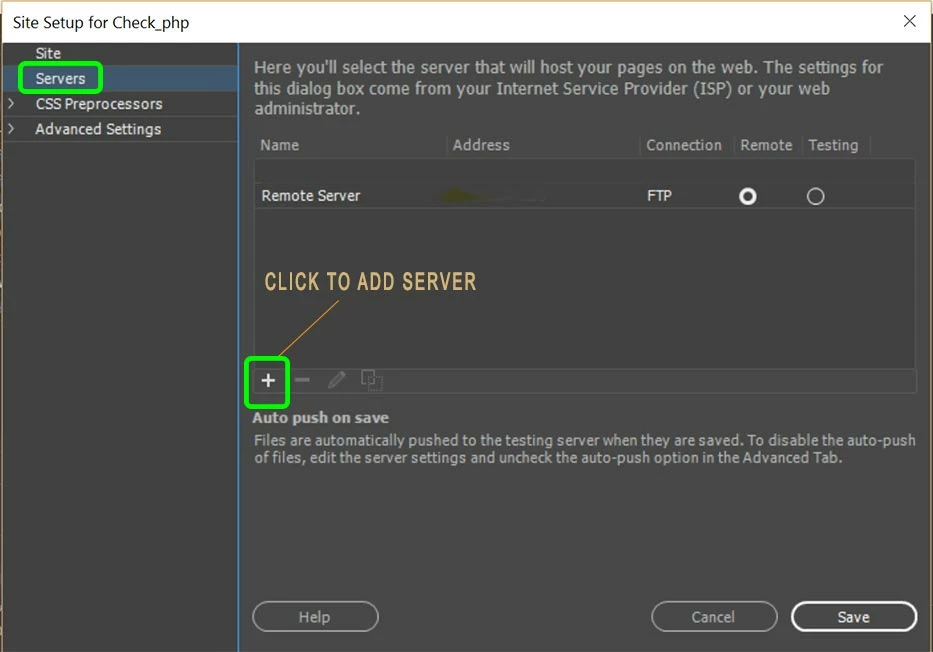
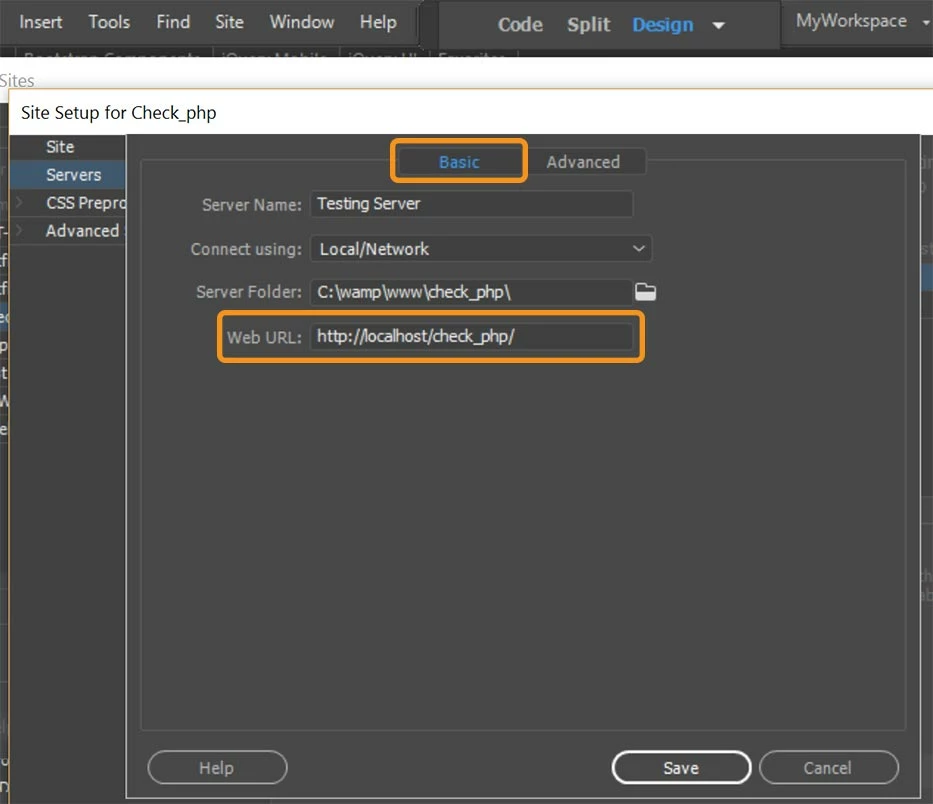
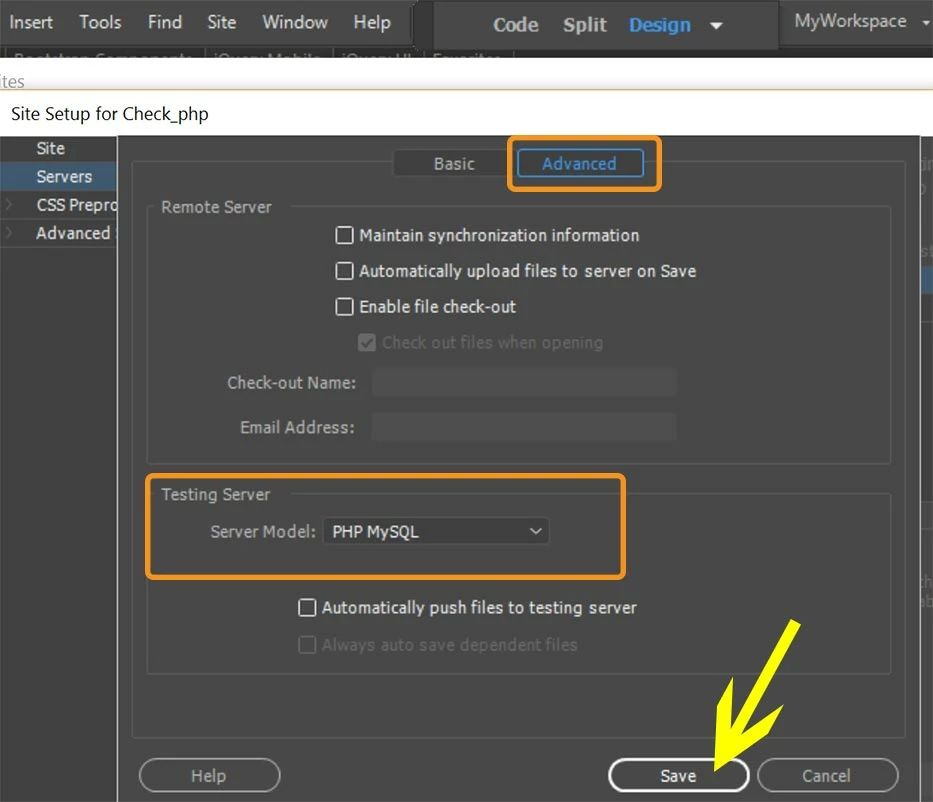
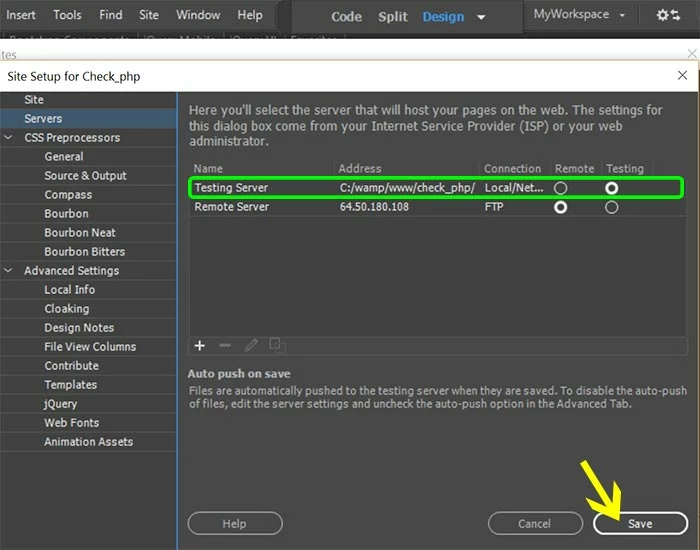
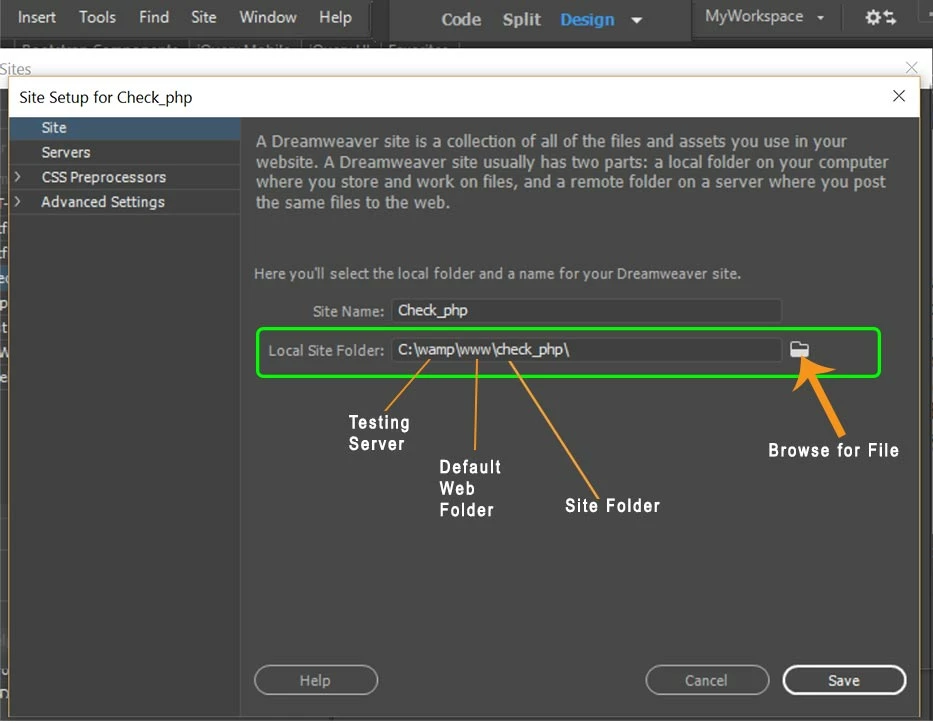
Define your local testing server in DW.  See screenshots below.  In my example, I'm using Wamp server and my default web directory is www.   Yours is xampp and htdocs.

Servers > Basic tab

Advanced Tab

Final screen

2 replies

pziecina
Legend
January 24, 2017

What exactly are you trying to do?

Are you trying to use your remote database to see its content in Dw, or are you trying to upload files to it?

Participating Frequently
January 25, 2017

Am getting this message from DW ""An FTP error occurred- cannot make connection to the host. Internal data error. Failed to receive network data." when am trying to connect to my localhost 127.0.0.1:3306. This occurs when I was testing the connection. I earlier explained am using Eset Nod 32 Smart Security 9. I have made all the necessary exceptions, Am also using a router to access my internet. Please not am not trying to use a remote server, am trying to use my localhost. 

pziecina
Legend
January 25, 2017

You do not use ftp to connect to a localhost server on your drive, this is a little old but see -

http://www.extendstudio.com/blog/2010/03/how-to-make-a-testing-server-work/

Preran
Community Manager
Community Manager
January 23, 2017

Can you try the solutions in Troubleshoot FTP issues in Dreamweaver  and let us know if they helped?

Thanks,

Preran

Participating Frequently
January 23, 2017

I have tried all these methods and I have also uninstalled all Microsoft servers products and IIS, I have made exceptions in the Firewall but still I get the same message.

Filezilla is not connecting either to my localhost.

Nancy OShea
Community Expert
Community Expert
January 23, 2017

Filezilla is an FTP client.  It has nothing whatsoever to do with database connectivity.   For that you need server-side code.

Can you please explain exactly what you're trying to do?

Nancy

Nancy O'Shea— Product User & Community Expert