Known Participant
January 23, 2017
Answered

Annoying loading animation above preview window. Can't seem to get rid of.

  • January 23, 2017
  • 2 replies
  • 1397 views

Hi all,

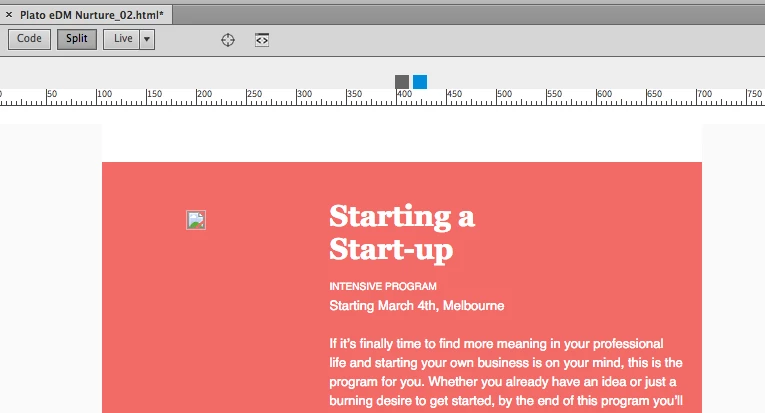
i'm seeing the following loading animation (blue/ grey squares) above my work area. Very distracting, no 'X' button or way to get rid of.

Thanks.
    This topic has been closed for replies.
    Correct answer pziecina

    Wow, don't the majority of projects use images hosted externally, even when testing locally?

    On restart it went away, but it happens fairly commonly. Now it's this odd ruler thing which i can't make heads or tails of, and doesn't seem to align to the boarders of my project... I have nothing that aligns completely left and ends just off centre to the right..

    Anyway, thanks for your (very punctual) help!
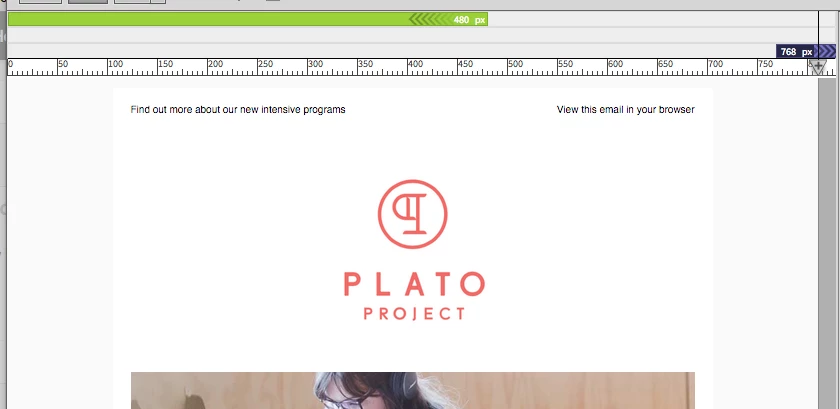

    The ruler and 'green' bar if that is what you are referring to is the 'visual media query' indicator. To turn this off, go to the 'common toolbar', (the vertical one, used to be called coders toolbar) and the icon looks like an icon containing 3 horizontal lines.

    As for external images, etc. js files appear to work in general, but other resources can and often do cause problems, I have found that opening in code view does help, (though this may be my imagination and wishful thinking ).

    2 replies

    Jon Fritz
    Community Expert
    Community Expert
    January 23, 2017

    I see that every once in a while in the Visual Media Queries bar, usually it only lasts a few seconds.

    It could mean that you have an error in your media queries that DW doesn't know how to parse through. You might benefit from running the validator here to catch any major structural issues:

    The W3C CSS Validation Service

    That icon is used elsewhere in the program and will typically pop up if you're having connection issues and try to use certain features.

    It might also be worth making sure DW can peak its head out from behind the firewall and access everything it's supposed to.

    Pat481Author
    Known Participant
    January 23, 2017

    Thanks for your help Jon, i've posted an update which is awaiting moderation.

    Pat481Author
    Known Participant
    January 23, 2017

    it does validate. The issues seem to be with the app.

    pziecina
    Legend
    January 23, 2017

    Have you any code in your html that loads any external resources?

    Pat481Author
    Known Participant
    January 23, 2017

    Yep, just images. They are all visible in the preview window.

    pziecina
    pziecinaCorrect answer
    Legend
    January 23, 2017

    Wow, don't the majority of projects use images hosted externally, even when testing locally?

    On restart it went away, but it happens fairly commonly. Now it's this odd ruler thing which i can't make heads or tails of, and doesn't seem to align to the boarders of my project... I have nothing that aligns completely left and ends just off centre to the right..

    Anyway, thanks for your (very punctual) help!


    The ruler and 'green' bar if that is what you are referring to is the 'visual media query' indicator. To turn this off, go to the 'common toolbar', (the vertical one, used to be called coders toolbar) and the icon looks like an icon containing 3 horizontal lines.

    As for external images, etc. js files appear to work in general, but other resources can and often do cause problems, I have found that opening in code view does help, (though this may be my imagination and wishful thinking ).
