
Swan Web Team
Participant
November 29, 2016
Answered

Auto upload compiled SCSS/SASS/LESS output file in Dreamweaver 2017

  • November 29, 2016
  • 1 reply
  • 1637 views

Hi all,

Is there a way for Dreamweaver to automatically upload the .css file generated by the SCSS compiler, please?

My Site is set up with FTP and SCSS compiling perfectly, and I have upload on save ON.

Thanks,

David
This topic has been closed for replies.
Correct answer BenPleysier

I don't think it will do this automatically, not that I would have the feature activated if it were true. I prefer to test locally before uploading anything.

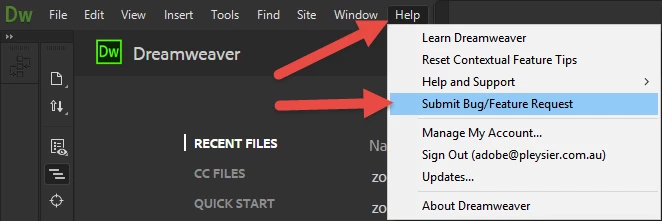
If you feel that I have not shared your sentiment, please make your wish known to Adobe by going to the wishlist (read: Feature Request).

1 reply

BenPleysier
Community Expert
BenPleysierCommunity ExpertCorrect answer
Community Expert
November 30, 2016

I don't think it will do this automatically, not that I would have the feature activated if it were true. I prefer to test locally before uploading anything.

If you feel that I have not shared your sentiment, please make your wish known to Adobe by going to the wishlist (read: Feature Request).

Wappler is the DMXzone-made Dreamweaver replacement and includes the best of their powerful extensions, as well as much more!
friedrichb59129600
Participant
January 1, 2021

Hi Ben,

that you prefer to test locally is laudable, but then you might as well disable automatic upload completely.

After you tested everything locally you can then synchronize everything with your server and start the whole testing process over again.

Again, it does not make sense to automatically upload all your project files, but to leave out the CSS file.

Fred

Nancy OShea
Community Expert
Community Expert
January 1, 2021

Hello @friedrichb59129600,

Happy New Year!


Automatically uploading files to remote server on SAVE is a recipe for disaster.  And so is file sync especially for sites that use a content management system like WordPress to update the site.  


Additionally, I keep files on remote server like .htaccess that must NEVER be in my local folder.  And conversely, I have local files that are NOT ready to be deployed on the remote server yet.  So for me, syncing files would be catastrophic. I never use it.


The traditional UP and DOWN arrows in Files Panel (F8) are all I use.  My local testing server is set-up for ensuring everything works properly BEFORE I upload to the remote server with Ctrl + Shift + U.  It may seem cumbersome to less experienced developers but it's a proven workflow that has served me well for many years. 


Nancy O'Shea— Product User & Community Expert