
Inspiring
May 11, 2025
Answered

Cannot upload Dreamweaver Site to GoDaddy Hosting

  • May 11, 2025
  • 4 replies
  • 805 views

Hello All,

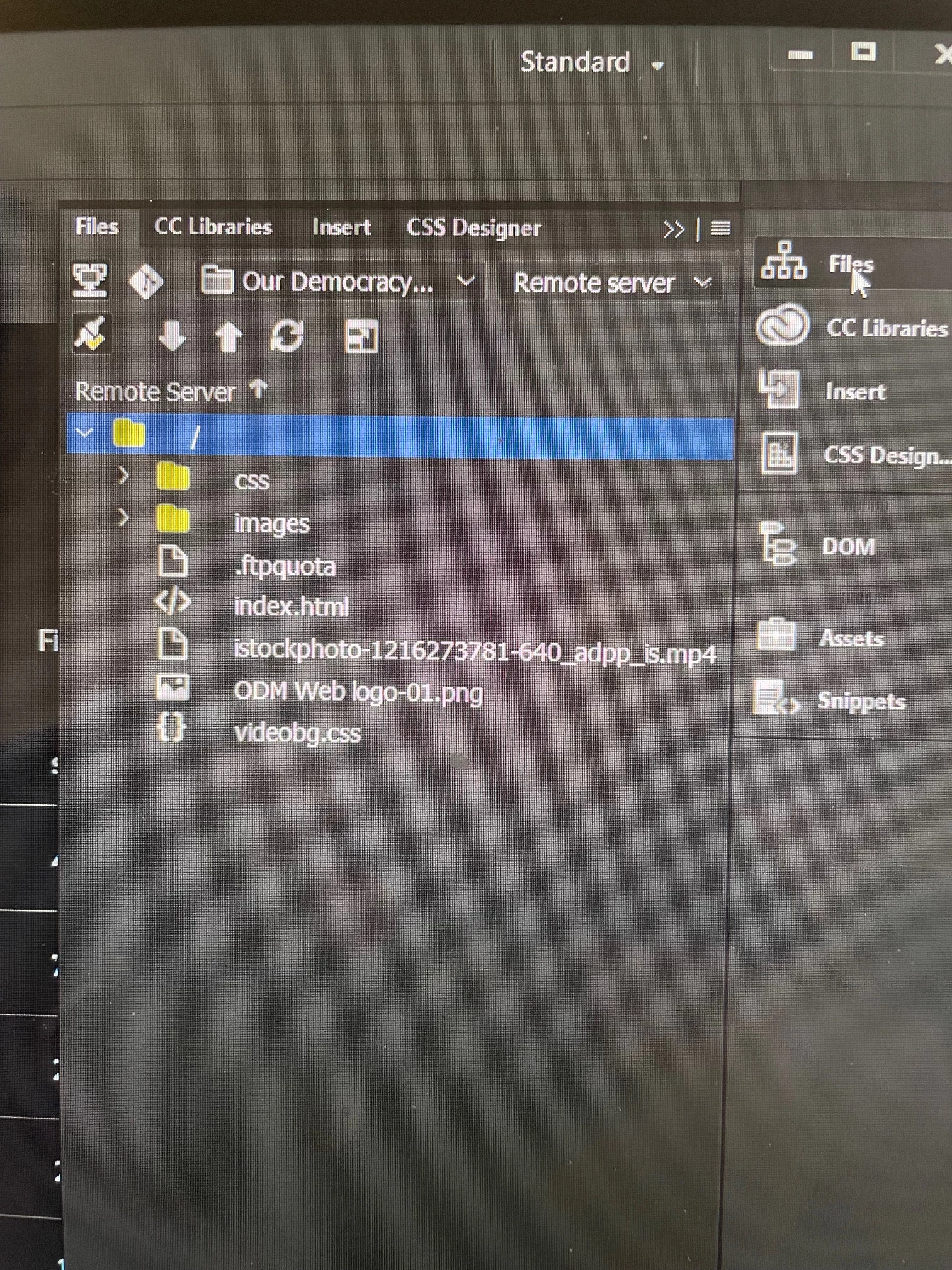
I was on the phone with GoDaddy for a couple of hours. I purhased hosting for a site that I built, but I am not able to connect by ftp and upload. Specifically, Go Daddy has said that it needs to upload to the public_html folder that is available as I witnessed on the cpanel. However, no matter how variations of public_html I put into the site seteup, it will not connect. The only way it connects is when I put in a /. But then, when I look at the remote server menu in DW, I don't see any of the files and folders I could see in cpanel including public_html. Anyone know how to fix this?
    Correct answer Kevin E.

    Thanks all for your help. What I ended up doing is getting new hosting with Hostinger. And even then, for a while, we were having a challenge connecting the ftp but I finally got it done!

    4 replies

    Participating Frequently
    June 12, 2025

    I ran into similar issues in the past when helping a client connect Dreamweaver to shared hosting on cPanel-based platforms (like GoDaddy or Hostinger). FTP access sometimes behaves oddly depending on how the root directory is assigned at the account level.

    For long-term stability and fewer surprises, I’ve started moving my projects to cloud-based environments instead of shared hosting. AWS and Infomaniak are good options if you're comfortable managing more technical setups, but for European clients who want a simple, stable VPS with full root access and support in French/English, UNIVIRTUAL has worked well for me, especially when combined with SFTP over a clean directory tree. It really helps to have predictable infrastructure when dealing with older tools like Dreamweaver.

    Kevin E.AuthorCorrect answer
    Inspiring
    May 12, 2025

    Thanks all for your help. What I ended up doing is getting new hosting with Hostinger. And even then, for a while, we were having a challenge connecting the ftp but I finally got it done!

    Nancy OShea
    Community Expert
    Community Expert
    May 12, 2025

    See screenshots.


    Server credentials:


    NOTE:

    The Server Root Directory /public_html/ is a virtual folder.  Which is to say, it should NOT appear as a folder within Local Files.  The Local Root is your computer's Local Site folder, whatever you named it.


    Expanded Files panel: Remote server on the left, Local Files on the right.


    Nancy O'Shea— Product User & Community Expert
    Community Expert
    May 11, 2025

    When you define your site you have the option to define your remote server. In the remote connection details you will change the root directory to be /public_html/ and then you will see your directory. If you go into /public_html/ this is where your html files live that your visitors will see. There are files that are above this that you will not see by connecting this way, but those other files are not necessarily ones you need to be editing in DW. The fact that you are connecting and have those basic files suggests to me you are connecting to the remote server fine. If you upload your own index.html file are you not seeing it online?

    Kevin E.Author
    Inspiring
    May 11, 2025

     just tried Filezilla. And I was able to connect...it shows the same files as Dreamweaver...not all of the ones I can see in the cpanel. This is very weird!

    Community Expert
    May 12, 2025

    Based on a recommendation I found on another thread, I completely reset the GoDaddy server and entered the new information. Now, both Dreamweaver and FileZilla only show one file on the server: ftpquota.


    It looks like based on your connection details you are ending up in the public_html folder even if you are not entering it, especially if you are not entering a path for both DW and Filezilla.


    When you enter from Godaddy you are likely looking at your site root which includes public_html as a subfolder. So you will always see more files there. If you need to see those files when you log in through FTP you should be logging in with an FTP account that has root access. Otherwise, what could also explain what you see is that your created FTP account does not have root access and may only have access within the public_html folder which could explain why you cannot go above this level and why entering /public_html as a path would fail because the FTP user's assigned path could be the public_html folder of your site.