
davidre7
Participant
December 20, 2016
Answered

css colour of text wont change

  • December 20, 2016
  • 3 replies
  • 580 views

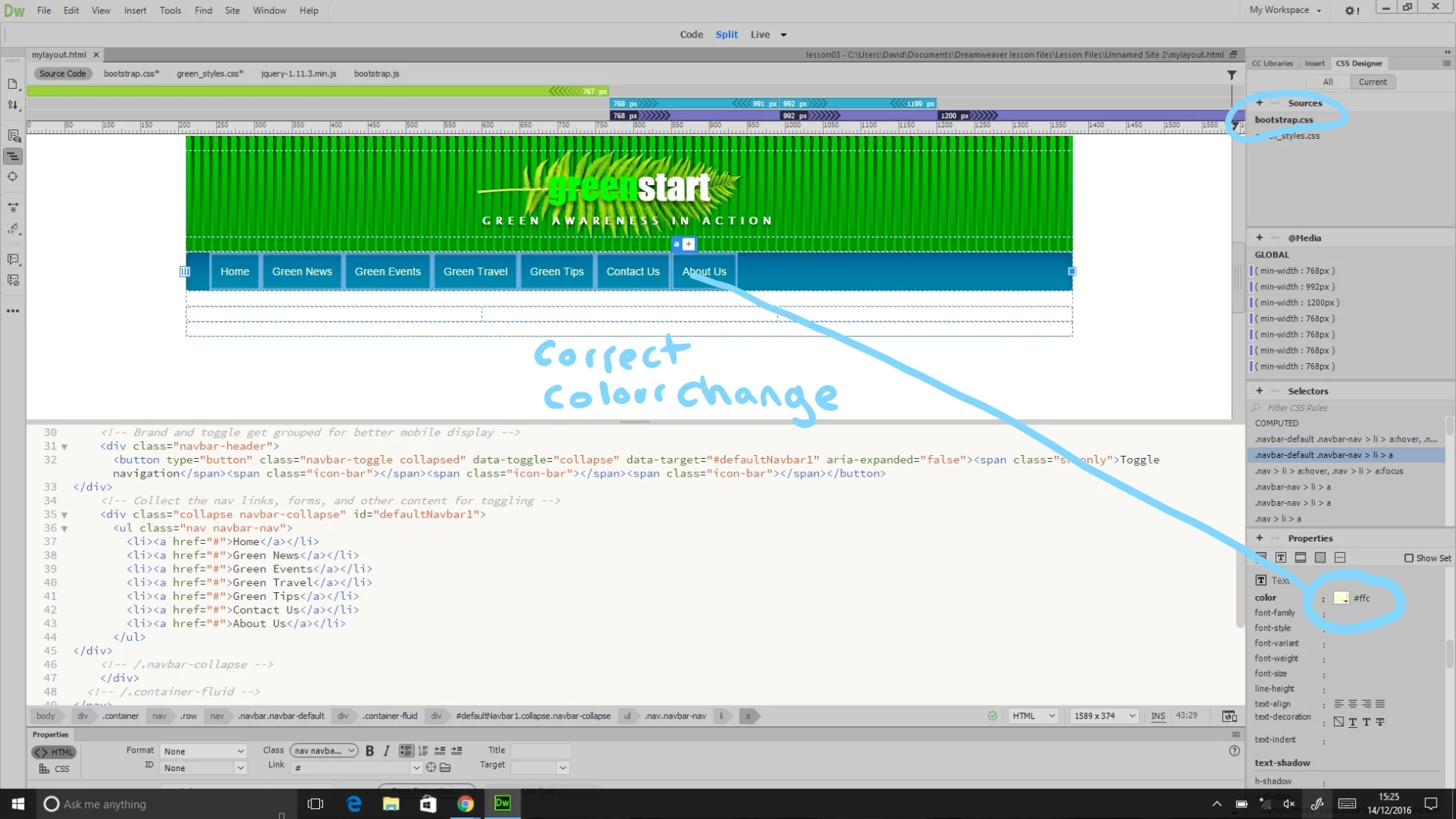
Hello, im learning dream weaver cc and going through 2015 classroom in a book lesson 06 styling the navigation bar. I cannot change the colour of the navbar text in the css "greenstyles" sheet. If i make the same changes to the bootstrap sheet, the text change works ok. but I must be doing something wrong. Any ideas would be appreciated. if i make the same change in the bootstrap, then they work, but this is not the correct method displayed in the book
This topic has been closed for replies.
Correct answer BenPleysier

Did you save the green_styles.css document after you made the changes?

3 replies

davidre7
davidre7Author
Participant
December 21, 2016

Thank you for your for reply. I have not saved the green styles sheet out of fear! as the changes did not change the color of the text i didnt think it was worth saving? have i missed a trick here?

Thanks!

Legend
December 21, 2016

davidre7 wrote:

Thank you for your for reply. I have not saved the green styles sheet out of fear!

Out of fear of what?

You can't damage anything as long as you dont change anything in the bootstrap.css file, unless you know what you are doing.

If you want to make changes to the css styling you do that in an independently linked stylesheet which should be inserted AFTER the link to the default bootstrap.css file

Copy the styling from the bootstrap.css file and paste it into a new linked stylesheet, make the changes in that and save it. The new styling will overide the styling in the bootstrap.css file

BenPleysier
Community Expert
BenPleysierCommunity ExpertCorrect answer
Community Expert
December 20, 2016

Did you save the green_styles.css document after you made the changes?

Wappler is the DMXzone-made Dreamweaver replacement and includes the best of their powerful extensions, as well as much more!
Nancy OShea
Community Expert
Community Expert
December 20, 2016

Bootstrap stylesheet should come first in your document.

Your custom overrides should always be below Bootstrap.css.

Also ensure that  you're styling the proper selectors.  Bootstrap selector names can be quite long.

As an example, if you're using the default navbar.  These would be the correct selector names to use in your custom stylesheet.

.navbar-default .nav > li > a,

.navbar-default .nav > li > a:focus {

    color: #FFC;

}

Finally, if your styles are not sticking for some reason, add !important to your custom values.  But don't overuse it.

.navbar-default .nav > li > a,

.navbar-default .nav > li > a:focus {

    color: #FFC !important;

}

Nancy

Nancy O'Shea— Product User & Community Expert