
Participant
April 16, 2018
Answered

Design View Bug

  • April 16, 2018
  • 1 reply
  • 1262 views

Using the following code:

<html>

<head>

<title></title>

</head>

<body>

<p>

    <font face="verdana, geneva, sans-serif">

        <span style="font-size: 12px;">Dreamweaver Test</span>

    </font>

</p>

</body>

</html>

When I open a file with the contents the Split/Design View shows this:
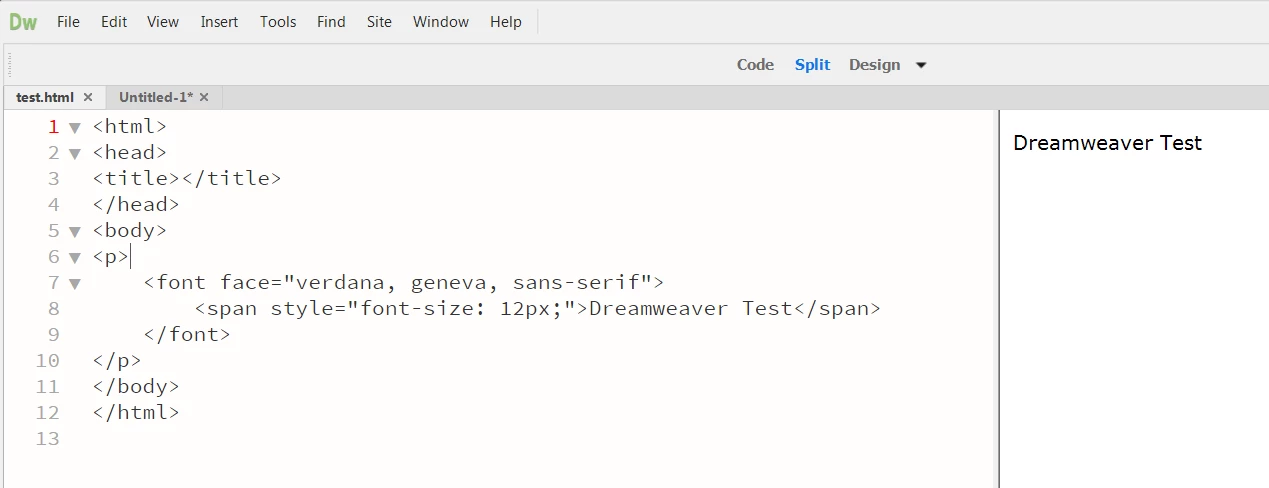
When I copy and paste into a new tab it shows this:
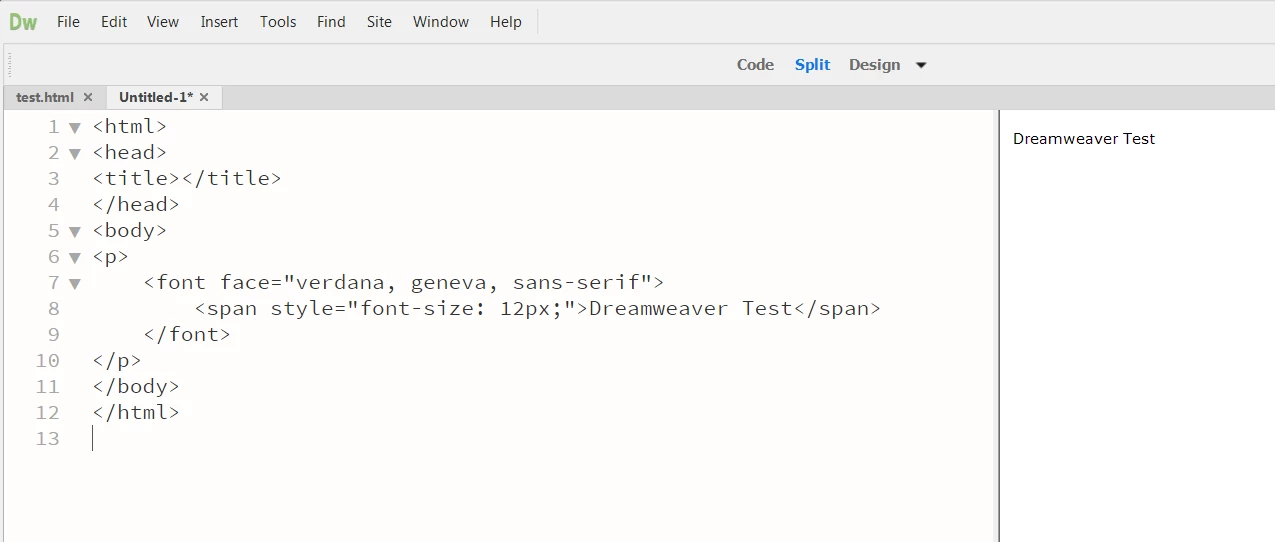
The appearance of the text is incorrect when the former, and correct in the latter.

Reproducible: 100%
OS: Windows 7
DW: CC 18.1 Build 10155

    This topic has been closed for replies.
    Correct answer Jon Fritz

    I'm not understanding why Jon's post was marked as "CORRECT". He confirmed this is a bug as he was able to reproduce the issue.

    Can someone provide a link to submit this to Adobe developers?

    Thanks!


    It's also available in DW under Help > Submit Bug/Feature Request

    Adobe Dreamweaver: Bugs

    1 reply

    Jon Fritz
    Community Expert
    Community Expert
    April 16, 2018

    Can you verify your magnification setting is 100% in that document?

    View > Design View Options > Magnification

    Magnification is "per document" so subsequent copy/pastes from the original would not be zoomed in on.

    Participant
    April 16, 2018

    The magnification level for both documents is 100%.

    When I save the second file (and close DreamWeaver) and then reopen the file, the font size changes.

    Nancy OShea
    Community Expert
    Community Expert
    May 15, 2018

    The code is not mine. I am not in control of user submitted code.

    Dreamweaver should be:

    #1) Consistent

    #2) Render the way a browser would render

    The issue has been confirmed by what appears to be an Adobe MVP.


    If you use invalid code (denoted by a red X under your document), you can expect rendering issues in Design View because it's not a browser.  At best it's an approximation of what you'll see in some older browsers.  Design View is a holdover from the old Macromedia days. My understanding was that Design View would eventually be phased out and replaced with Live View.  So I doubt the engineers will be putting much effort into Design View bugs.

    See screenshots below.  The first with your invalid code.

    The second shows the same code with obsolete font face tag closed.

    Nancy O'Shea— Product User & Community Expert