
Participant
June 28, 2017
해결됨

Dreamweaver design view: formatting not showing, only text and links

  • June 28, 2017
  • 5 답변들
  • 8376 조회

Dreamweaver design view:  formatting not showing, only text and links on nested template pages and htm pages, but shows on main template pages.  Need help ASAP.  See screen shots below.  The website is www.colonialstock.com.  Let me know if you see anything in the code, doing it on all pages

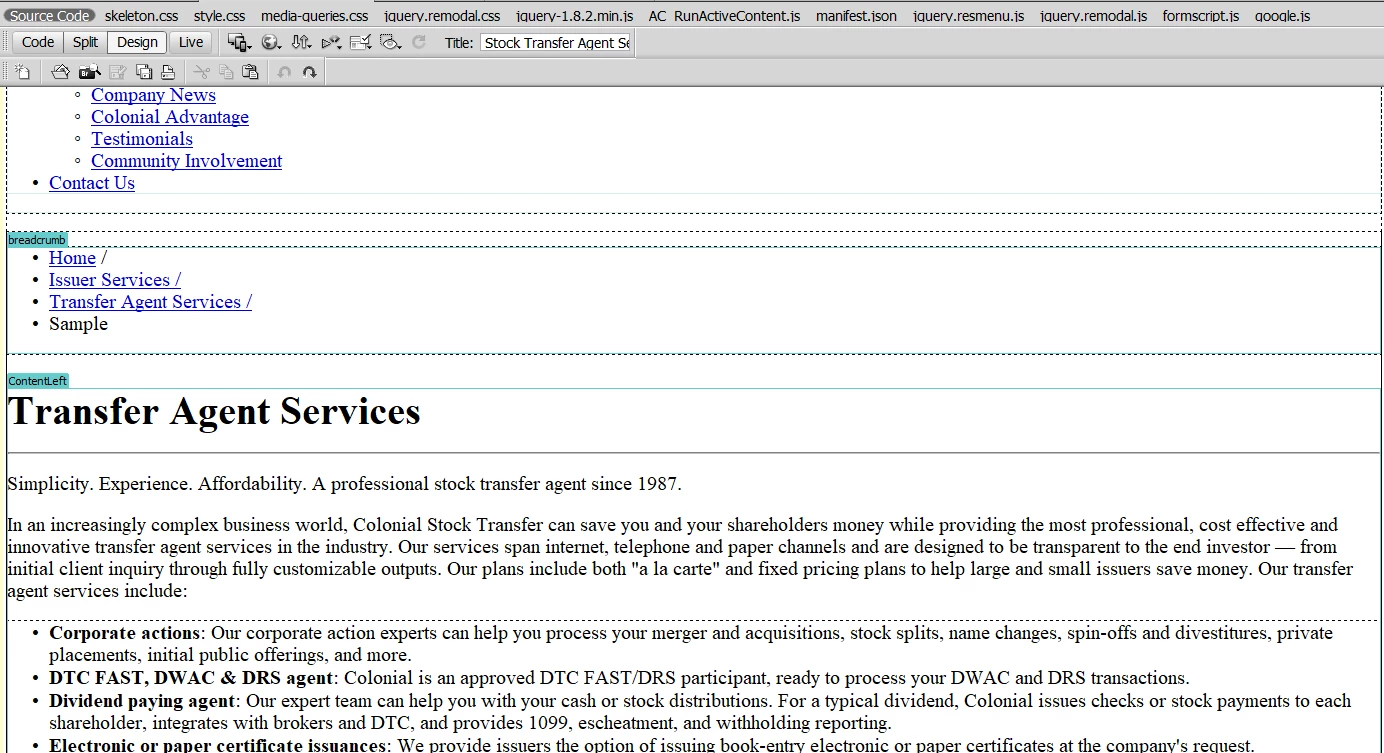
This is the ERROR: Here is the design view for my nested template and normal html pages.  The design is not showing full formatting etc even though style sheet is attached.
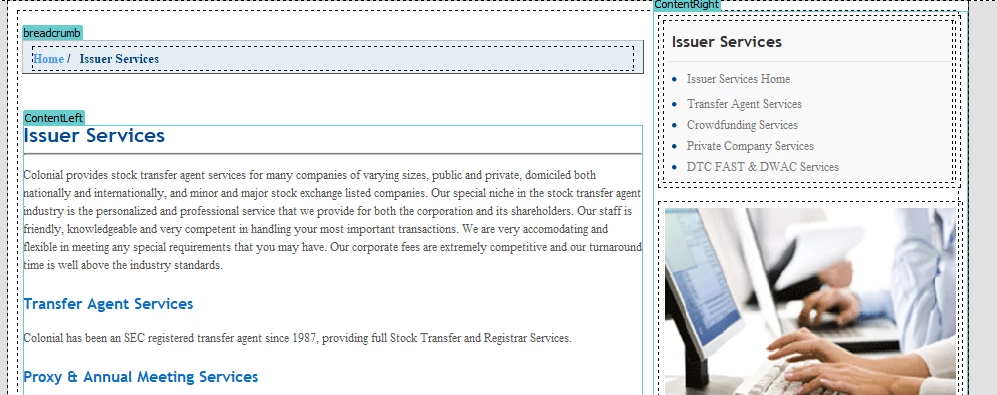
This is CORRECT: Here is the design view for my template page.  Shows up correct.
이 주제는 답변이 닫혔습니다.
최고의 답변: Crystal Marini

Well, I figured out how to fix my display problem. I opened the template and made a change to an editable region (which won't affect the template regions). Then I saved the template and updated all the files. It would be nice to figure out what I did to cause this to happen.

5 답변

Participant
January 3, 2022

First of all thanks to you for sharing this useful knowledge, I think this would be very helpful for me, i am facing the same problem, respected Sir, as you have described above, in my template  nav menus, iframe and sidebar also breaks , can you please share this how had you fixed it, how i can fixed this problem.


i will be very thankfull to you.


Inspiring
July 13, 2017

Well, I figured out how to fix my display problem. I opened the template and made a change to an editable region (which won't affect the template regions). Then I saved the template and updated all the files. It would be nice to figure out what I did to cause this to happen.

webber999작성자
Participant
July 20, 2017

I tried this and it did not work on mine. 

Inspiring
July 13, 2017

Only in child pages. The .dwt displays correctly...

Inspiring
July 12, 2017

I am having the same problem. However, I only have one .dwt file, and have never moved it. Is Dreamweaver somehow creating a file path even though the link is showing relative?

Nancy OShea
Community Expert
Community Expert
July 12, 2017

Are you losing CSS styles in the main template.dwt file or just in child pages spawned from the main template?

Also check your code to ensure you're working with valid HTML & CSS.

Nancy

Nancy O'Shea— Product User & Community Expert
Jon Fritz
Community Expert
Community Expert
June 28, 2017

Online, that page looks fine and doesn't have any of the usual show-stopping html errors that DW doesn't like.

Have you maybe accidentally moved the .dwt Template file out of the Templates folder or renamed the Templates folder to something else?

Both of those will cause child pages to stop receiving updates from the .dwt file and links to css files might break as well.

Could you post the code from the page in your screenshot to the forum?

That would give us much better clues as to what's going on.

webber999작성자
Participant
June 28, 2017

No, all of my dwt main template and nested template files are still in the Templates folder and the folder hasn't been renamed.  How could I check this?  Whenever I update the template pages they still flow correctly to the rest of the site.   The design isn't working in design view for the main template page and not my nested templates or regular pages.  Something tells me it has to do with nested templates.

All of my code is live online you can look at it.  I don't want to post the code here as it could be a myriad of different things from within the code that are causing this.

Here is the nested code:

Here is the main template code:

BenPleysier
Community Expert
Community Expert
June 28, 2017

There are a few coding errors as shown in Showing results for https://www.colonialstock.com/ - Nu Html Checker. These do not cause the problem that you are seeing.

The problem is Design view which has not been updated since !pre-CSS days. If you want to see what the site looks like, in later versions of DW, go to Live view, in your version check in a browser.

Wappler is the DMXzone-made Dreamweaver replacement and includes the best of their powerful extensions, as well as much more!