brandonu3903724
Participant
May 25, 2017
Answered

Dreamweaver not displaying litmus email in design view

  • May 25, 2017
  • 4 replies
  • 458 views

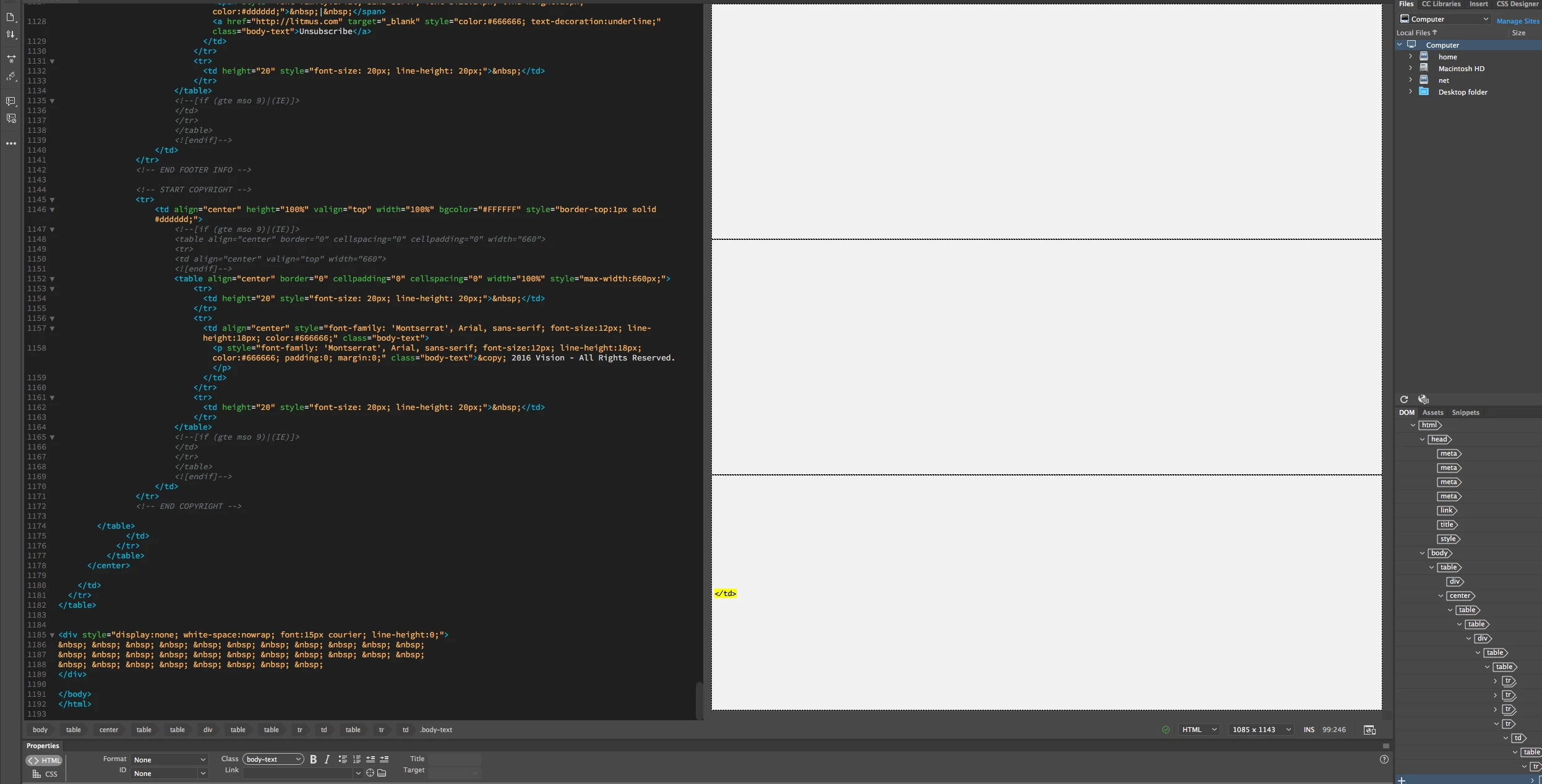
Hey, design view cannot display these litmus templates, image attached. Everyone else on the litmus forums can see the preview in the newest dreamweaver but not me? I reinstalled and same problem. Thanks for any help!
This topic has been closed for replies.
Correct answer Niharika Jha

Hi,

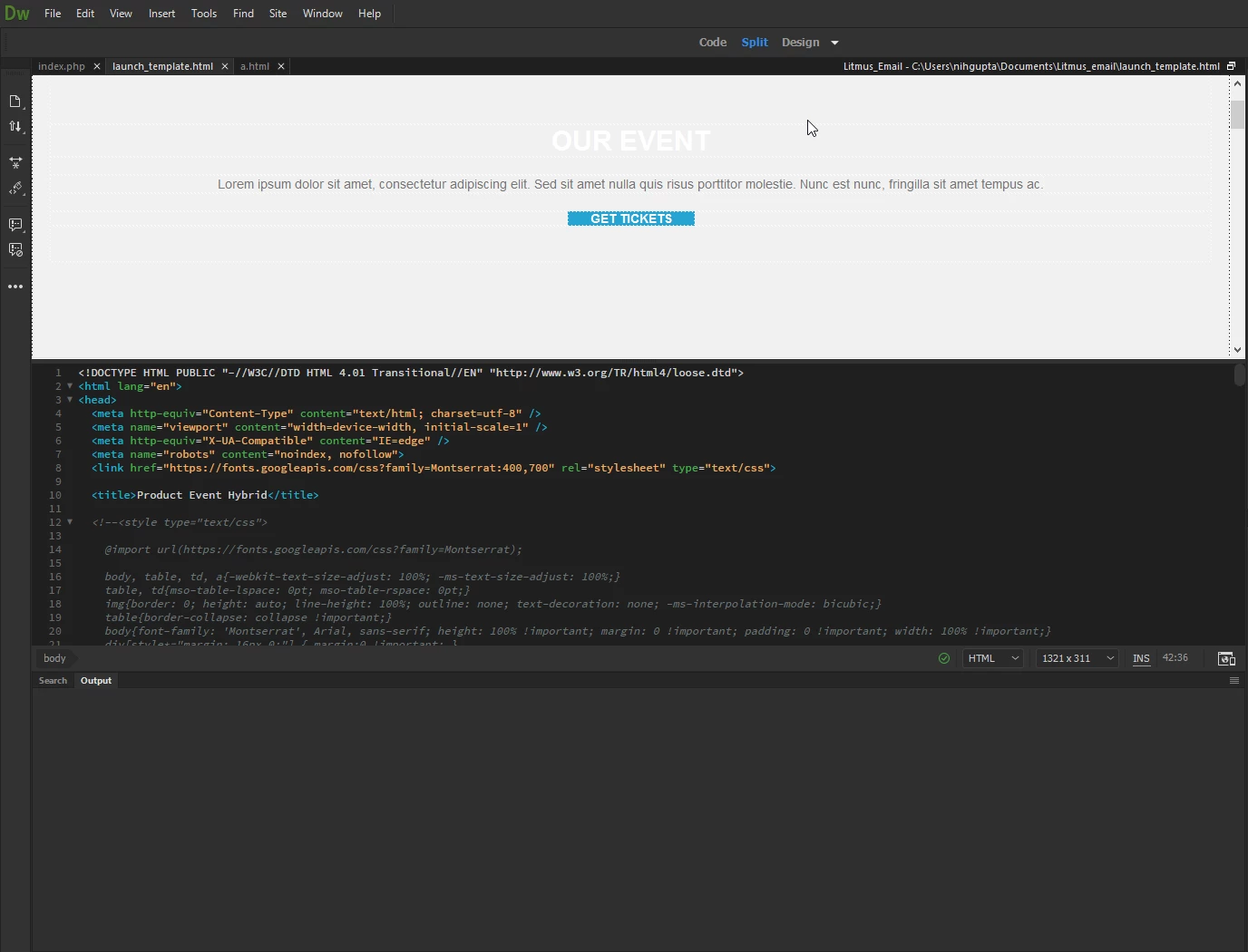
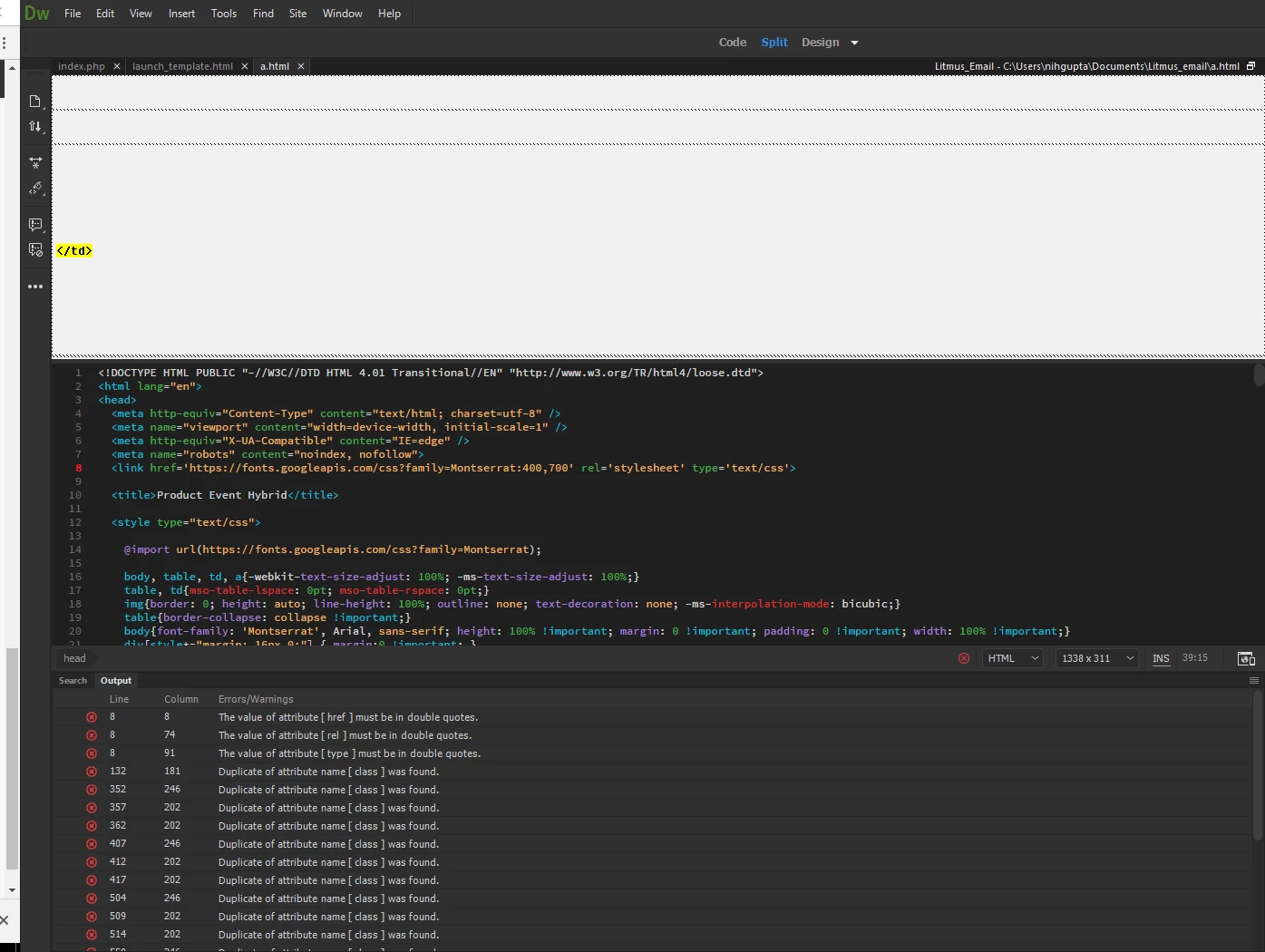
I downloaded a Litmus email template and opened it in Dreamweaver, I could see the same thing happening. I went ahead and clicked on the red cross icon on the status bar and it opened up my Output panel to show 24 HTML errors, I went through them one by one and resolved all the issues and now I can see the page loading just fine in Design view.

With errors-

After resolving errors-

Regards,

Niharika Gupta

Adobe Dreamweaver

4 replies

brandonu3903724
Participant
May 26, 2017

You rock thank you - I figured this was the problem, but was surprised I was the only one until you confirmed. Thanks!

Niharika Jha
Adobe Employee
Niharika JhaCorrect answer
Adobe Employee
May 26, 2017

Hi,

I downloaded a Litmus email template and opened it in Dreamweaver, I could see the same thing happening. I went ahead and clicked on the red cross icon on the status bar and it opened up my Output panel to show 24 HTML errors, I went through them one by one and resolved all the issues and now I can see the page loading just fine in Design view.

With errors-

After resolving errors-

Regards,

Niharika Gupta

Adobe Dreamweaver

Nancy OShea
Community Expert
Community Expert
May 25, 2017

Are you working in a defined local site folder on your primary hard drive?  This is critical for DW to manage assets and links. 

If defined correctly, your Files Panel (Ctrl+F3) should display related files.

Nancy

Nancy O'Shea— Product User & Community Expert
brandonu3903724
Participant
May 26, 2017

Looks like it was more due to html errors, Litmus said they are going to update the templates. thank you!

Jon Fritz
Community Expert
Community Expert
May 25, 2017

That yellow TD tag in the Design View window means you have at least one code error.

Design View will fail pretty quickly when it encounters html errors.

Run the validator at http://validator.w3.org/nu or under File > Validate > Current Document to get a list of the issues in the page and clean them up. That should bring back the display in Design View, though it will never show you what the page actually looks like.

Switch to Live View for a more accurate representation of your page.