
jeffery wright
Inspiring
March 14, 2017
Question

DW CC 2017 Now Crashes?

  • March 14, 2017
  • 4 replies
  • 4619 views

I've been using this for weeks on my new Win10 machine, suddenly today it crashes every time I save html files I am working on.

Again, I have tight deadlines and an Adobe product I am relying on is letting me down, what could the problem be?
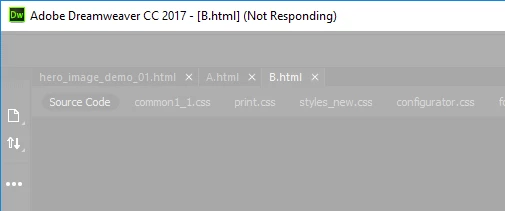
Killing these tasks does nothing:
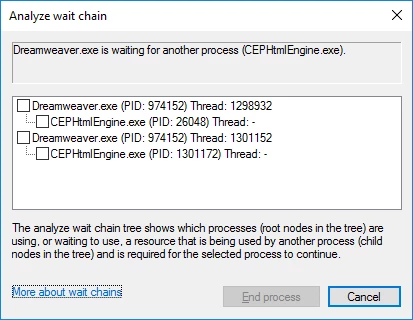
This never seems to happen with notepad...
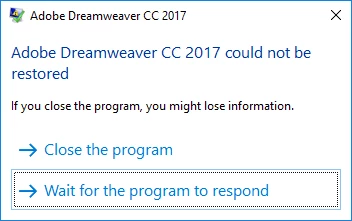
I have had to create a new html file, open my existing file in notepad, copy the code and paste it into the new file in DW, then save it, over-writing my original, which works a few times but it's a roulette... my next save might be the one that crashes DW!

Is anyone else having this issue? Thanks!

    This topic has been closed for replies.

    4 replies

    jeffery wright
    Inspiring
    April 6, 2017

    Bloody hell... a new way to crash?

    I am editing simple, basic html files... or trying to.

    Nancy OShea
    Community Expert
    Community Expert
    April 7, 2017

    Open your Windows Event Viewer.  Which faulting module is causing DW to crash?

    As Preran said earlier, Lavasoft is a known conflict with several Adobe products including Photoshop & After Effects.  Removing Lavasoft & related DLL files fixes the problem.

    Photoshop crashes with Lavasoft Chrome extension installed

    Nancy

    Nancy O'Shea— Product User & Community Expert
    jeffery wright
    Inspiring
    June 29, 2017

    I have no problems installing Creative Cloud Desktop App or the updates or the individual applications.  So my guess is there is something unique about your system that's causing a problem.

    Nancy


    I appreciate the info, thanks.

    There might be something to that if it weren't for the fact that DWCS6 works just fine, so it seems more like an Adobe issue.

    Only Adobe products deliver this caliber of remarkable grief to my normal workflow. This never seemed to be the case in the days before CC and subscriptions.

    I've been using Adobe products professionally since 1995. This is a completely new experience for me with Adobe.

    ALsp
    Legend
    March 22, 2017

    You won't get an answer. I've had the same issue, along with startup and shutdown issues since I began testing Dreamweaver CC versions. I've spent hours on the phone with Adobe support, and they are totally clueless. The only logical conclusion, based on my particular situation, is my primary defined site has 70,000 files. I dare say that none of the "experts" on this list have that large a site. If I work in a test site, with a couple of hundred files, everything works fine. If I log into my computer with the hidden admin account, then things are better... but only marginally. This leads me to believe that part of the problem is sloppy programming (imagine that) with regard to things Adobe is doing that require full permissions, to do things that Adobe did not do in CS6 (and under). Why? Because I have CS6 installed, along with CC 2015, on two different Windows 10 machines, with the same result:

    CS6 has no problem saving files, starting up, or shutting down on either system, while CC 2015 is nearly crippled.

    It would be great if you got an answer from Adobe here, but this is a weird forum. On Adobe's phone system, it claims this is a support forum manned by Adobe employees and a "vibrant" community of users, which would lead someone of average intelligence to assume this is an official support forum. But the civilian community experts here habitually claim otherwise -- that this is not an official support forum, that it's strictly a user-to-user community with no accountabilities for providing answers to all questions.

    Perhaps you'll get lucky.

    If not, you can use your Creative Cloud app to install CS6. Not a big deal as CC 2017 has removed far more valuable features than they've added.

    pziecina
    Legend
    March 22, 2017

    ALsp  wrote

    The only logical conclusion, based on my particular situation, is my primary defined site has 70,000 files. I dare say that none of the "experts" on this list have that large a site.

    You want to bet on that AL

    My recommendation would be to use Visual Studio Pro, which is not what anyone wants to hear, as I don't know of a solution to the problem if someone is using Dw.

    ALsp
    Legend
    March 22, 2017

    Adobe claims in their voice mail system that this is a support forum. It's a bit unusual to recommend another company's product

    CS6 works great.

    Participant
    March 15, 2017

    Make sure your anti-virus and firewall settings aren't blocking the program and traffic. Also, if you have a mapped network drive try using the actually network address instead of the mapped directory letter. CC2017 was completely unusable for me until I made that change - It would take 20-30 minutes to open a file and then lock when trying to edit. I could see the same issues when trying to save.

    Example:

    S:/Websites/ClientDirectory

    Use the full network path:

    //DriveDeviceName/Clients/Websites/ClientDirectory

    jeffery wright
    Inspiring
    March 22, 2017

    Thanks for that, it does sound interesting but I wonder how one would configure the Windows Explorer to use Network Paths instead?

    I would also wonder why Adobe's product would not be able to cope with such a common system setup; a feature of most professional workflow environments - mapped network drives? That would be concerning.

    Especially since it hasn't been an issue in previous versions. I am sure that can't be the case.

    Could it?

    Jon Fritz
    Community Expert
    Community Expert
    March 14, 2017

    Have you tried any of the standard troubleshooting steps like clearing the program cache or restoring preferences yet?


    Clear Program Cache - https://forums.adobe.com/thread/494811

    Rename Personal Configuration Folder - https://forums.adobe.com/thread/494812

    Restore Preferences (CS4-CS6) - https://helpx.adobe.com/dreamweaver/kb/restore-preferences-dreamweaver-cs4-cs5.html

    Restore Preferences CC Versions - https://helpx.adobe.com/dreamweaver/kb/restore-preferences-dreamweaver.html

    jeffery wright
    Inspiring
    March 14, 2017

    Thanks, but why would I do any of that? I just want to get work done, why does Adobe expect their customers to become software debuggers and have to tweak all these system parameters?

    I use DW to create web sites for instance, not so I can have an excuse to fiddle around with system configurations to trick their product into working.

    All I want to do is my job, not chase down wild geese... I did delete the cache to no avail, if this is such a common issue with Adobe products, why don't they include a menu entry in their software interface to do that instead of making their customers hunt down obscure forum solutions so we then must dig through our machines to manually perform these tasks?

    Now my CC is unable to connect to Adobe servers... are they down? Could this be the cause of DW crashing every time I open a simple HTML file? I hope not, because that would be insane.

    Thanks, again!

    Jon Fritz
    Community Expert
    Community Expert
    March 14, 2017

    You're preaching to the choir here.

    I'm not an Adobe employee and don't know their motives for anything they do with DW. Some of these troubleshooting steps go back to the Macromedia days as the software has always seemed prone to corruptions in the cache and preferences files.

    If you're just here to vent, vent away this is my final response to this thread. If you want more ideas, let the contributors here know. They'll no doubt offer things like "validate your code" or "verify you don't have Lavasoft's Web Companion installed" and "as a last resort, run Adobe's Cleaner Tool during a reinstall".

    If you want to talk directly to Adobe, you're going to have to contact their Customer Care center and, hopefully, get a technician on their Live Chat.

    For what it's worth, I have no connectivity issue with the CC Desktop App, so that's going to be localized to your machine, network or ISP it appears.

    Good luck.